Global climate change (long-term shifts in temperatures and weather patterns) may be natural, but since the 1800s, human activities have been principle drivers of our environment’s deterioration. Construction and related materials are contributors – all which compel us to think about new and innovative ways to design and construct buildings that respect the environment while securing a more green future for our communities and planet. More specifically, we must consider how we heat and cool buildings from the design and construction phase right through to completion and occupancy.

According to the World Green Building Council, a green building is one, that, in its design, construction or operation, reduces or eliminates negative impacts, and can create positive impacts, on our climate and natural environment. Green buildings preserve precious natural resources and improve our quality of life.1”  Building green asks us to consider nature, and the environment, as part of our design/build process not only to enhance the well-being of those who live or work within them but also the environment. Building green, amongst other considerations, asks us to:

  • Consider the natural advantages of the sun and the building site to position it in such a way as to maximize natural heating and cooling opportunities, and daylight use of resources like electricity usage.
  • Reduce, reuse and recycle building materials and demolition waste.
  • Use energy efficient and water reducing appliances, fixtures and technology.
  • Incorporate renewable energy – including solar energy.
  • Use materials that are non-toxic, renewable and sustainably harvested.
  • Landscape with native and drought resistant plants and consider water-efficiency practices.
  • To really think about how a building will be used as part of the design and planning process. Is it liveable (or worker-friendly) with excellent indoor ventilation and air quality? Is it comfortable, energy-efficient but also practical? Are the materials chemical free?
  • Are your building and construction practices also environmentally, socially and human resources (worker safety and worker friendly) responsible and safe?

Designing a building using sustainable architectural practices and engineering for efficiencies in materials usage (both during construction and once the building is in use) is fast becoming not only a “nice to have” but more so, a “need to have.” Some of our resources are finite and for that reason alone we are required to find new ways of doing things. There are practical and cost-savings advantages related to green design, build and construction that are S.M.A.R.T.* and will appeal therefore to investors, the AEC industry and to end use consumers too. Operating “net zero energy buildings is one way to significantly reduce our dependence on fossil fuel-derived energy,” according to KMB Design Group and these actions along with the use of sustainable materials can help to reduce greenhouse emissions causing global warming.

Green design and construction practices apply equally to big business and homebuilders. The cost savings obtained through energy efficiencies mean operating costs of a home or business are reduced favourably. Maintenance issues (and costs) are also lessened. From commercial business projects to master planned liveable communities, it’s about making spaces pedestrian friendly. Communities that consider green build initiatives will site new home construction according to other green practices that include access to affordable public transit, green spaces for community gardens, and the ability to obtain key services within walking or cycling distance – promoting less reliance on vehicles.

Finally, in terms of the “marketability” of green design and construction, we agree with this assessment: “Distinctive and attractive design gives residents, developers, and neighbours a reason to take pride in a green development, to care for their homes, their community, and the environment. These values are the foundation of sustainability. By treating green design as an art, not just a science, we can elevate economic, aesthetic, community, and ecological values to serve future generations.2

As summertime envelops us with brilliant sunshine, it’s worth taking a moment to reflect on the environment around us and how we, in this industry, can contribute greater thought and innovation towards sustainability. Green building, design and construction ensures that such reflection is taken to a higher level.  It recognizes that more than just understanding the “3R’s” of reduce, reuse and recycle, it’s about affordable housing, sustainable building and construction practices and most importantly, it’s about master planning for a future that doesn’t ask us to “master” nature but rather, to work alongside it – perhaps even nurturing it in the process.

*Brought to you by Plexxis Software: Offering software solutions for the construction industry that integrates cloud, mobile and on-premise software to improve and enhance team performance.

* S.M.A.R.T. – Specific, Measurable, Achievable, Realistic and Timely

Consider world-renowned landmarks like the pyramids, the great cathedrals of the world and even Stonehenge and there can be no doubt that construction achievement have long been recognized as producing amazing feats of engineering and craftsmanship. In that regard, nothing has really changed over the years, but the “how,” has evolved significantly. These days, artificial intelligence (AI) and robotic process automation (RPA) have transformed the field of construction in a remarkable number of ways.

What is RPS – Robotic Process Automation? 

Robotics process automation, as the name implies is “a form of business process automation technology based on metaphorical software robots or on artificial intelligence /digital workers. It is sometimes referred to as software robotics.” [Wikipedia]. In more simple terms, its usefulness is related to being able to streamline repetitive processes to maximize efficiencies gained. Perhaps this quote summarizes it best: “It’s automation software that handles tedious, manual digital tasks and transfers the work of a human worker to a “digital worker”. RPA solutions save companies time and money while enhancing productivity.” (1)

While it has a number of obvious applications related to office functions like accounting or payroll, potential uses in the construction industry are significant too.

  • Think about raw materials management for example; RPA can be used to automate the process of strategizing, planning and cutting raw materials, reducing waste and the potential for error.
  • It can be used during demolition work minimizing safety hazards and the risk to employees.
  • RPA also has practical applications for use during layout surveys and even – laying bricks according to pre-defined patterns, with accuracy.
  • Cost monitoring using RPA – creating opportunities for you to manage, analyze and streamline project budgets accurately and frequently, without adding significant layers of cost by relying on human resources.
  • Automation of course also minimizes the risk to employees of dangerous tasks on any construction site, in particular in some areas of the world, unmanned ground vehicles are being used in road repair and maintenance and in underground tunnelling projects to help “pave the way” toward better, safer working environments while also improving project efficiencies!

Automation in General

In addition to job-site tasks that can be automated, we previously mentioned office related automation opportunities such as invoicing and payroll. What does this have to do with construction? The reality is that for every person, tool and piece of equipment on the job site, there is a monetary, tracking, inventory management and even scheduling cost (plus others we’ve not included here due to space limitations!) In other words, automation, AI and RPA are applicable across all areas of the construction industry to ensure best business practices and efficient asset management.

Here are just a few examples:

  • Creating and managing the invoicing process across multiple platforms and for multiple contractors.
  • Generating accurate estimates.
  • Monitoring site, process and/or human performance.
  • Updating databases on an ongoing basis, easily tracking client, vendor, supplier and subcontractor information.
  • They can be used to organize the multiple documents required by construction companies such as blueprints and drawings, permits, contracts and design specifications.
  • Finally – according to “McKinsey Global Institute estimations, 69% of data processing, and 64% of data-collection activities could feasibly be automated in any company,” a statistic that forces us to ask the question, if you aren’t using RPA yet, why not? (2)

Using RPA just makes good business sense. Sure… many of the world’s greatest landmarks were built without using automation but the majority of those also took hundreds of years to complete. Today, the construction industry is pioneering RPA innovation. After all, managing processes that streamline efficiencies while also protecting worker health and safety aren’t just a good idea, they are the right things to do.

*Brought to you by Plexxis Software: Offering software solutions for the construction industry that integrates cloud, mobile and on-premise software to improve and enhance team performance.

(1) https://www.thoughtfulautomation.com/blog/5-real-world-rpa-examples-that-save-time-and-money

(2) https://ggsitc.com/blog/rpa-supporting-document-management-in-construction-operations

Understanding the role of digital twins in the construction industry is about knowing the crucial role technology plays in building a bridge between the physical and the digital aspects of construction. Far more than simple BIM, a digital twin is multi-dimensional. It represents both the construction and design phase of a project and the opportunity to increase efficiencies in how that space is used and maintained once the project is completed. Perhaps these three words summarize “digital twin” use in the construction industry best; that is, that they help to “optimize asset performance.” We examine how and why in this brief overview of the importance of digital twins.

Apollo 13 and Digital Twins

Some sources credit the first use of a “digital twin” as occurring as far back as the early 1970’s when Apollo 13 experienced a malfunction of their oxygen tanks. Teams at Mission Control on Earth built replica models in an attempt to duplicate conditions and then resolve the issue that plagued Apollo 13. Anyone familiar with history, or the Tom Hanks/Ron Howard movie that told the same story, will know the outcome. The “digital twin” led to the safe return of the crew. This might sound a bit dramatic compared to simply building an asset but it’s certainly an easily understood metaphor for the role and importance of a digital twin.

Digital Twins Defined

Strictly speaking, a digital twin is: an exact digital replica of a construction project (or “asset.”) They are a virtual creation of a building or even an entire complex, a group of buildings and other nearby and/or related assets like highways or bridges. Not unlike BIM, they are a “next-level” and multi-dimensional representation of a building.

A digital twin is “created by gathering and combining real-world information using 3D laser scanners, drones, sensors, cameras, and other IoT devices” (1) and is able to learn from multiple sources and automatically update its systems. Unlike BIM however, digital twins go on to build a “bridge” between the planning and building process and how the space is used once built. It shows in real time how people will use the space and predicts, based on information gathered, how an asset is performing. Digital twins will look at “occupant behaviour, use patterns, space utilization and traffic patterns”…..and are able to then test various what-if scenarios, including the impact of design changes, weather disruptions, and security events, to name just a few of its uses. This information can then “simulate, predict and inform decisions based on real-world conditions.” (2)

So What’s The Benefit?

Technological changes in AEC (Architectural Engineering and Construction) are rapidly changing the industry as a whole. With multiple end goals including; increasing efficiencies and reducing construction costs, to enhancing safety, improving collaboration between multiple contractors and optimizing the operational efficiency of the assets, your familiarity with all aspects of technological advancements in construction is a business imperative. Digital twins enhance the lifecycle of an asset and contribute toward industry and federally or provincially regulated expectations concerning green energy use and environmental sustainability. They help to reduce costly errors and to enhance the smart use of buildings, using this technology to enhance facilities maintenance functionality, and both space and resource management on an ongoing basis.

According to at least one source, digital twins are a multi-layered approach to the design, construction, and management of an asset. They are “descriptive, informative, predictive, comprehensive and autonomous.” (3) Because they “continue to be useful after the construction process,” we suggest that digital twins are not only a bridge between the design and management of a building they are in fact, the future of construction. “For the AEC industry, a digital twin integrates real-time data from a built asset with its digital representation to create insights across the project lifecycle.” (4) In other words, a digital twin will send your astronaut to space, help them orbit successfully and bring them safely back down to earth – all while continually learning throughout the process to enhance, vastly improve and to optimize safety, avoiding any similar, future “real world” issues like those experienced by the first Apollo 13 mission.

*Brought to you by Plexxis Software: Offering software solutions for the construction industry that integrates cloud, mobile and on-premise software to improve and enhance team performance.

(1) https://constructible.trimble.com/construction-industry/what-are-digital-twins

(2, 3, 4) https://www.autodesk.com/solutions/digital-twin/architecture-engineering-construction

Ever Wanted to Capture Reality? Now You Can!

Learn more about the evolution of Reality Capture and its uses in Advanced Architectural Design (AEC).

Advances in architectural design, engineering and in construction in general are moving forward at an epic pace. At one time, the start of a new project would involve the incredibly complex and painstaking work of land surveyors, planners and designers – all before a shovel ever hit the ground. The “reality” today is that Reality Capture technology creates opportunities for construction projects to move forward faster, more efficiently and with greater accuracy. A useful tool in the retrofit, renovation or removal of older assets, Reality Capture also improves the ability to focus in on “pain points” (in both new and older assets) so they can be addressed before they become problematic.

If you’ve ever wanted to capture reality, now you can… and we’ll explain both how and why you should!

What is Reality Capture?

Offering widespread opportunities across a spectrum of fields; from gaming applications and full body scans to virtual reality settings, what reality capture means to AEC is a glimpse into the future. Reality Capture is photogrammetry software used to create 3D models from photographs or laser scans, without seams, even when utilizing unordered photographs.

OK – But what is Photogrammetry?

Well, this is the software behind reality capture. It is, as stated above, a form of 3D scanning that relies on photographs or laser scans but also on triangulation required to help create an accurate model of a site or structure. Also, and more specifically, photogrammetry scanning can be performed at close range, via satellite, or from the air” with no ground-based person power required2 but we’ll talk about that more in a moment.

Got It…..So What’s All The Fuss About?

AEC isn’t just about bringing a project from great design to fruition safely, but also on time and on budget. The use of Reality Capture will significantly increase your ability to achieve all of these objectives through the use of the “work smarter not harder” philosophy.  It will move your project from site surveys to site plans, incredibly quickly and with a high degree of accuracy. In many ways, you might say it’s nothing short of revolutionary.

Drones, Data and Design – an Industry Perspective on the Evolution of Reality Capture

Now that you know a bit about the basics, it might be time to go into a little bit of detail. Reality Capture relies primarily on the use of cameras and UAV’s, Unmanned Aerial Vehicles (drones) to obtain photographs of the area under consideration for construction purposes. On occasion, laser scanners might also be employed. Both will “effectively create textured, high-resolution, geometrically precise 3D models that can be manipulated in design and construction software, replacing many of the traditional methods of surveying and assessing a construction or renovation site.”

2When we use words like “traditional” you might consider substituting “expensive” in its place, meaning that the use of drones and either photography or laser scanning will do the work of a more traditional site survey crew, in record time, resulting in an obvious cost savings. Whether via drones, or even satellite, this inexpensive photogrammetry equipment takes photos of an entire site quickly and from multiple angles. It will use GPS systems for accurate geophysical locating purposes, collecting all the data needed to create a 3D model that can then be used for the design of the project. The end result – and don’t just take our word for it – is that reality capture “vastly improves productivity, accuracy, quality and safety throughout the project.1

Today’s reality capture technology is changing the industry. Reducing design and construction schedules while improving the health and safety of those working on the project just makes good business sense. Accuracy and efficiencies are virtually guaranteed and no matter what type of project you’re engaged in; from home or condo developments to industrial complexes or downtown business developments, this technology will also enable you to “show” prospective clients exactly what their buying into. Integrating with CAD and BIM design tools – trades too will have easier access to the inner workings of your assets, enabling them to identify problems and complete necessary workarounds before they ever become an issue. In short, there’s really no reason not to start thinking about how the evolution of reality capture can best be utilized on your next project.

*Brought to you by Plexxis Software: Offering software solutions for the construction industry that integrates cloud, mobile and on-premise software to improve and enhance team performance.

Timecard / Production ‘SUPER APP’ for Subcontractors

Not having the level of visibility into labour and production that we’ll discuss in this blog is like using a smoke alarm as a timer for when you’re cooking.


plexxis app timecard

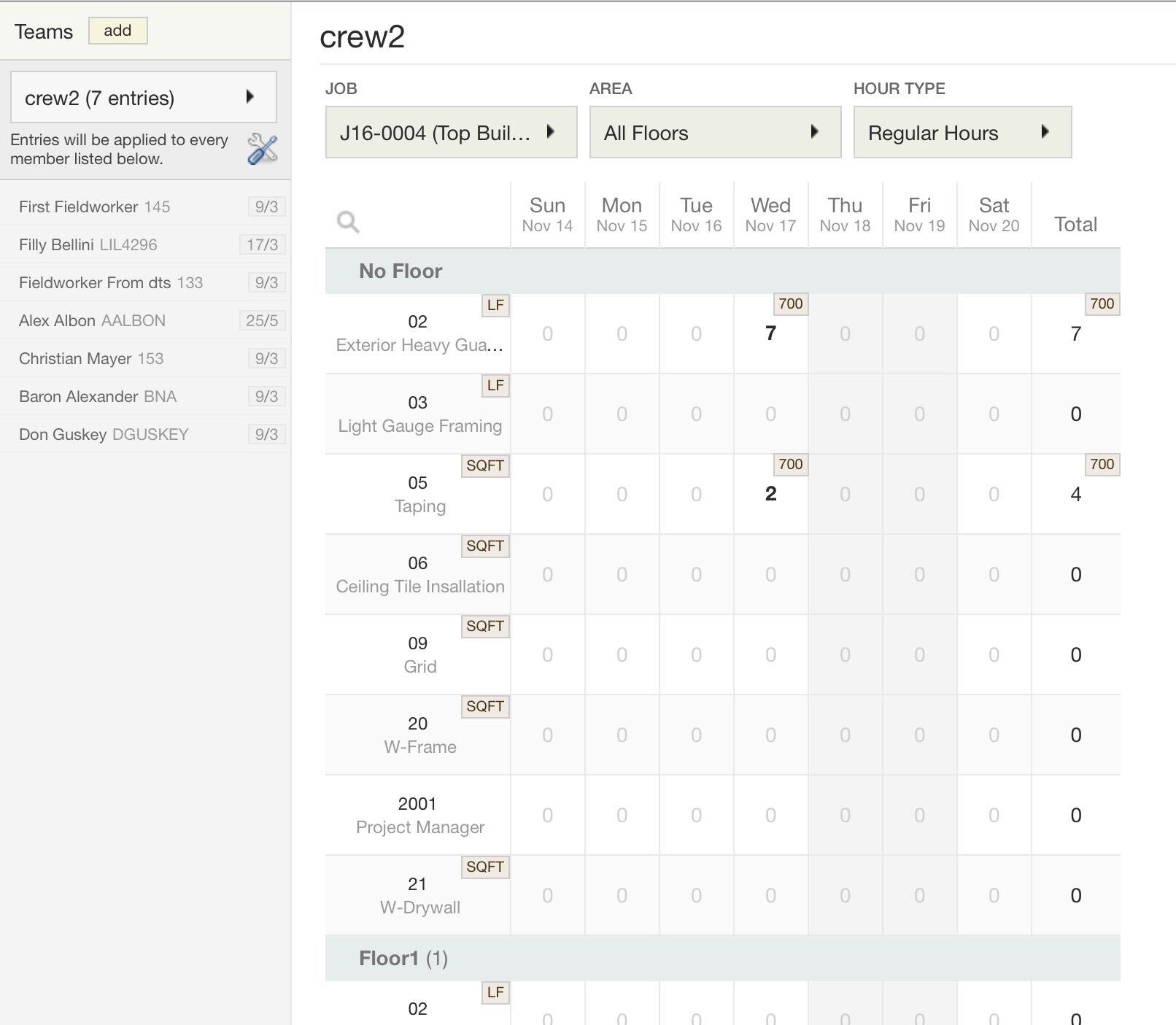
If you go into daily time tracking sheets, you’ll notice that it’s a very simple grid-style entry. You pick the job; pick the employee, and you’re done. When you switch from job to job, you’ll notice that the cost codes are different. Similarly, the cost codes will be different when you switch to a different floor. The job drives the app’s configuration, and the foremen don’t have to do a thing. Every effort is taken to reduce cost coding errors. If you have other things that you want to track from the payroll & HR perspective, like absenteeism or reimbursements, that is all done within the app itself too. The app is like a DeLorean; it allows you to go back in time. You can get a complete historical look back because we don’t delete the previous records when you sync.


plexxis app crewcard


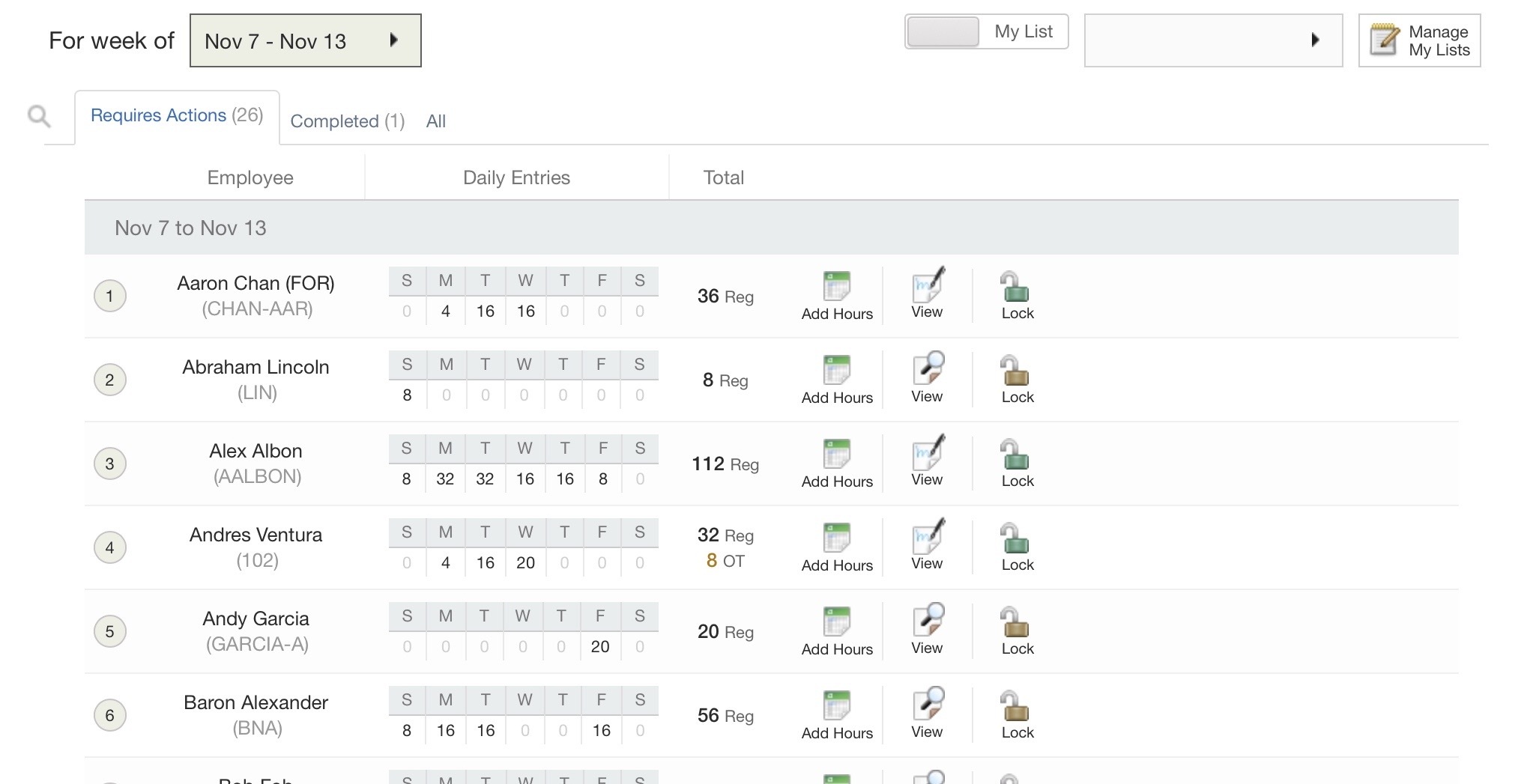
plexxis app requires action view

Suppose you’re tracking crews, no problem. You can complete all crew time cards in one fell swoop. This is hyper-converged with supervisor time verification and approval workflows. They can complete their time verifications and approvals right in the app as well, and this, of course, is hyper-converged with HR and payroll. They’re watching the data come in real-time; data entry is removed from their tasks so they can focus on looking for errors.


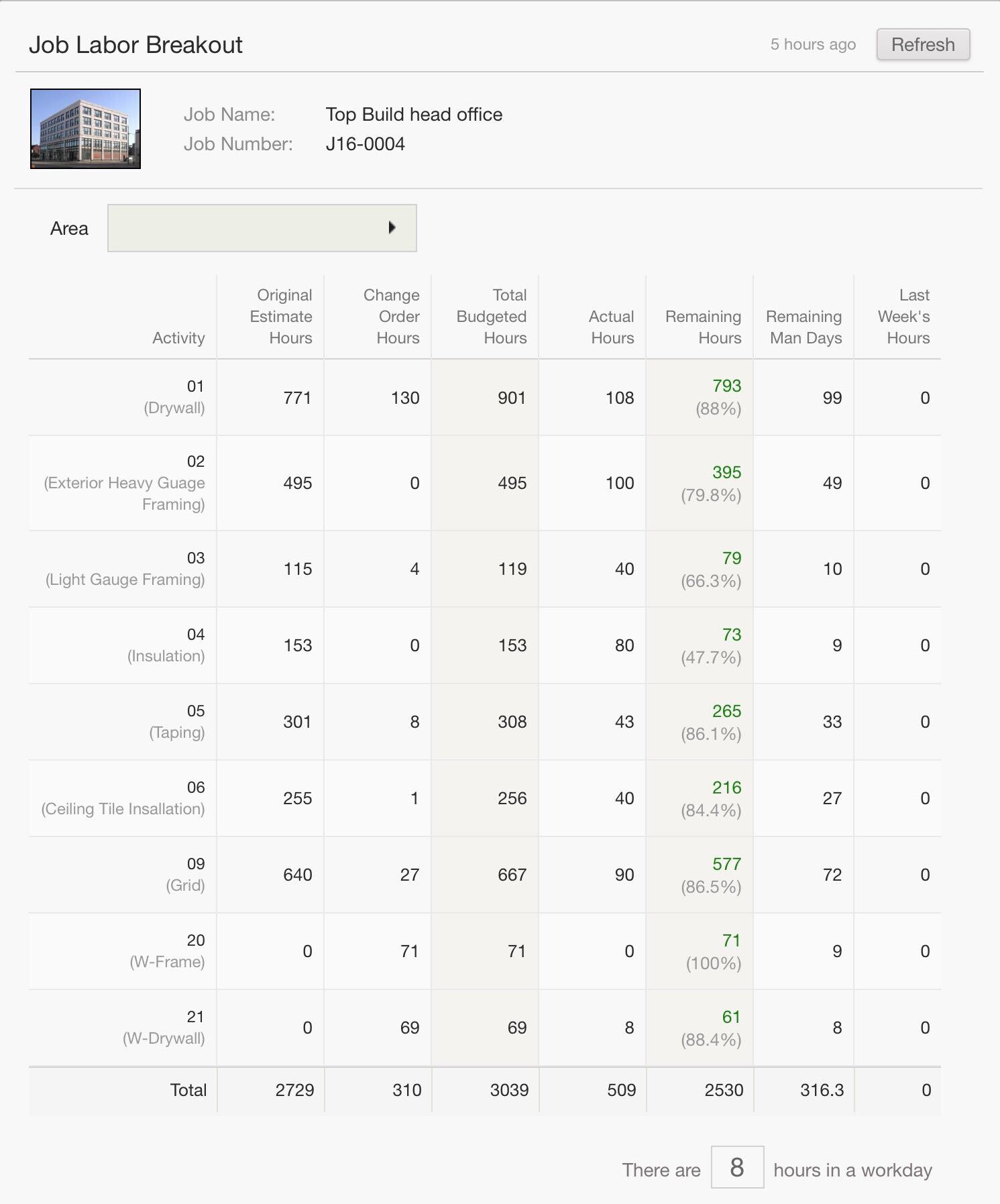
plexxis app labor breakout

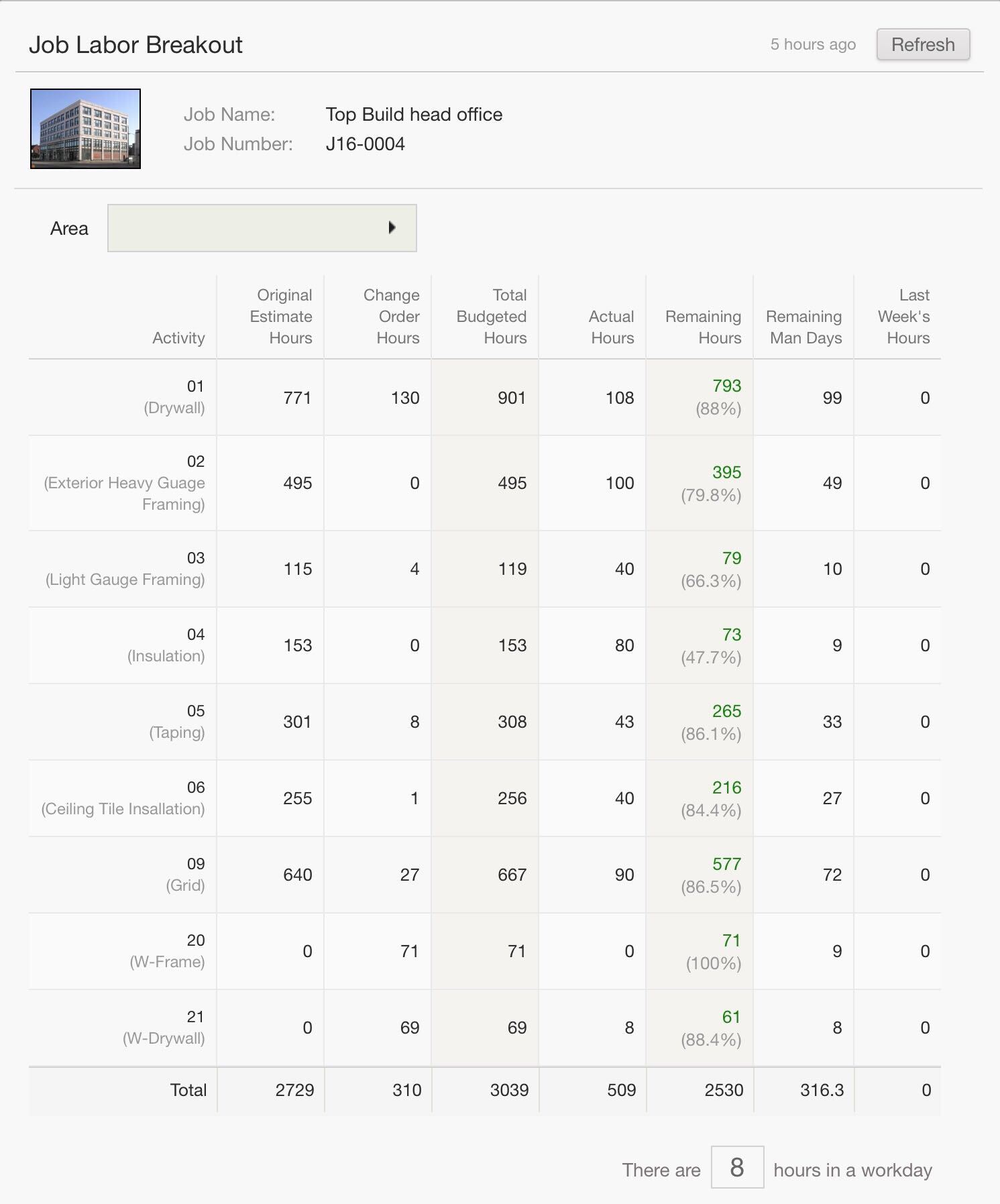
Remember, this is a super app, all apps, one spot, no setup. So, the whole workflow completes right back to the labour breakout. It’s a live labour breakout, including pending and approved change orders showing remaining hours and man-days.


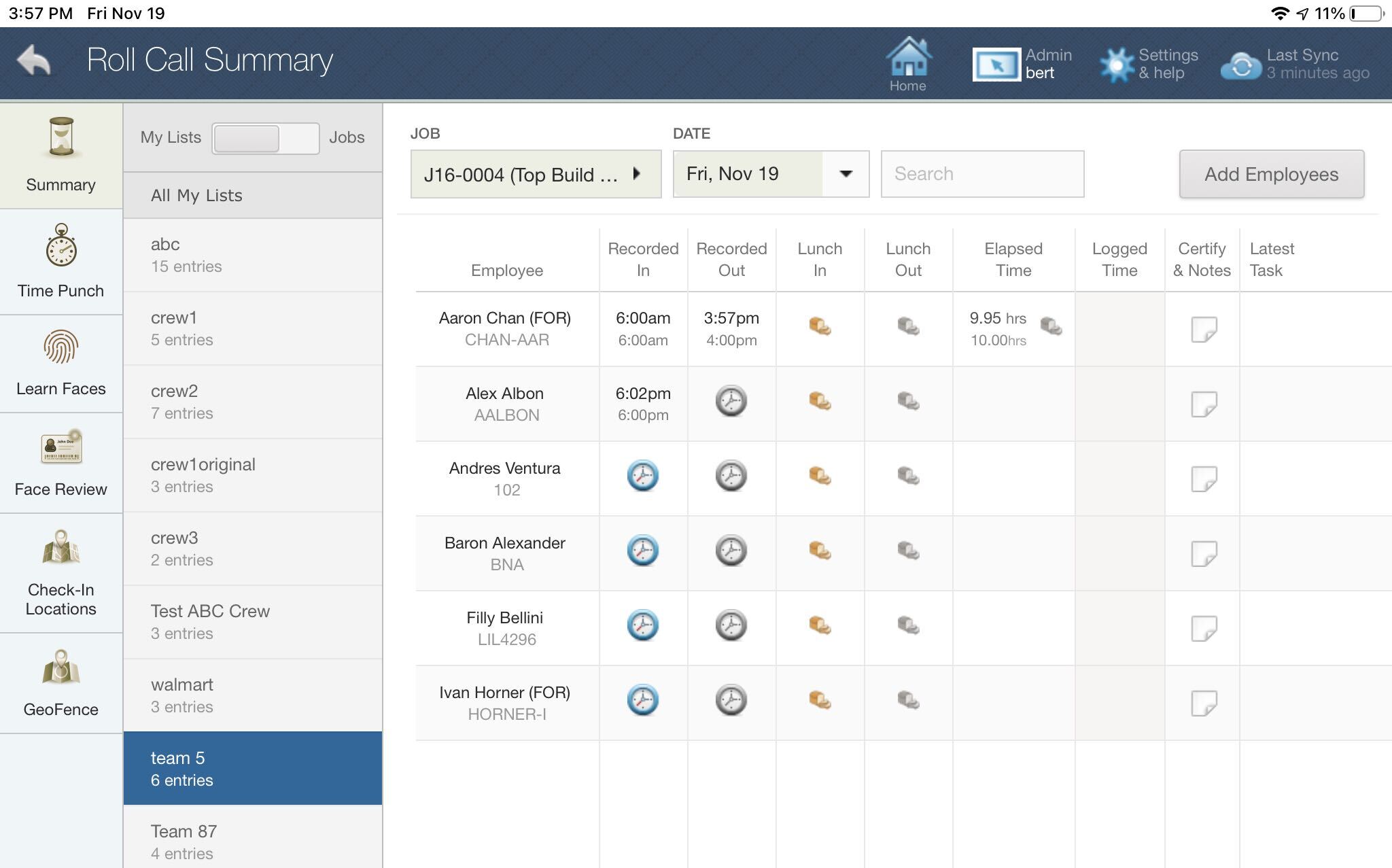
plexxis app roll call summary


Plexxis app time punch

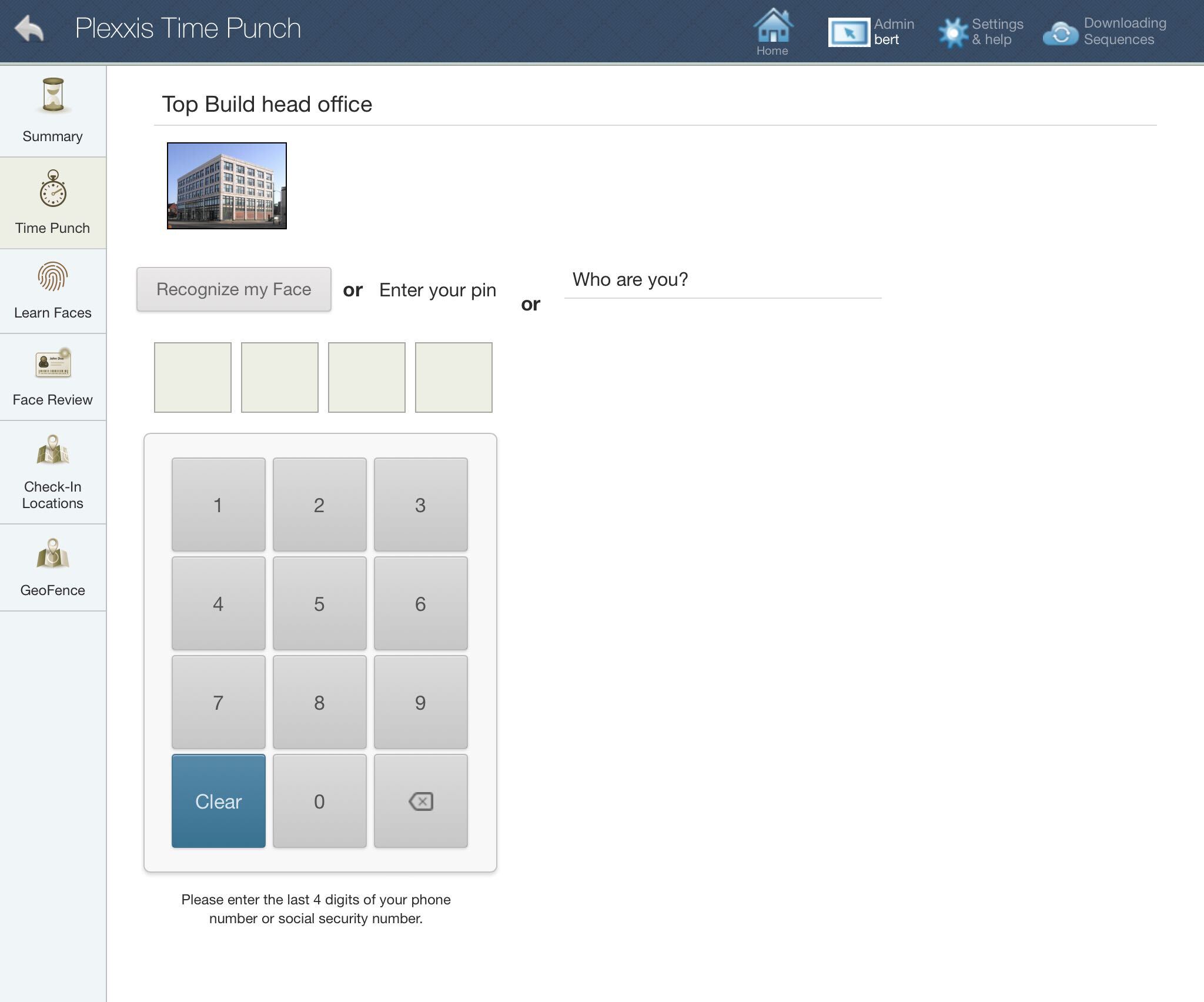
The timecard workflows are tightly interwoven with the time-tracking and production tracking workflows, and we have several options for both of those. The foremen either have the option of checking in and checking out employees with a roll call sheet or setting up kiosks for the employees to punch in and punch out using a PIN or facial recognition technology.


job progress in Plexxis app

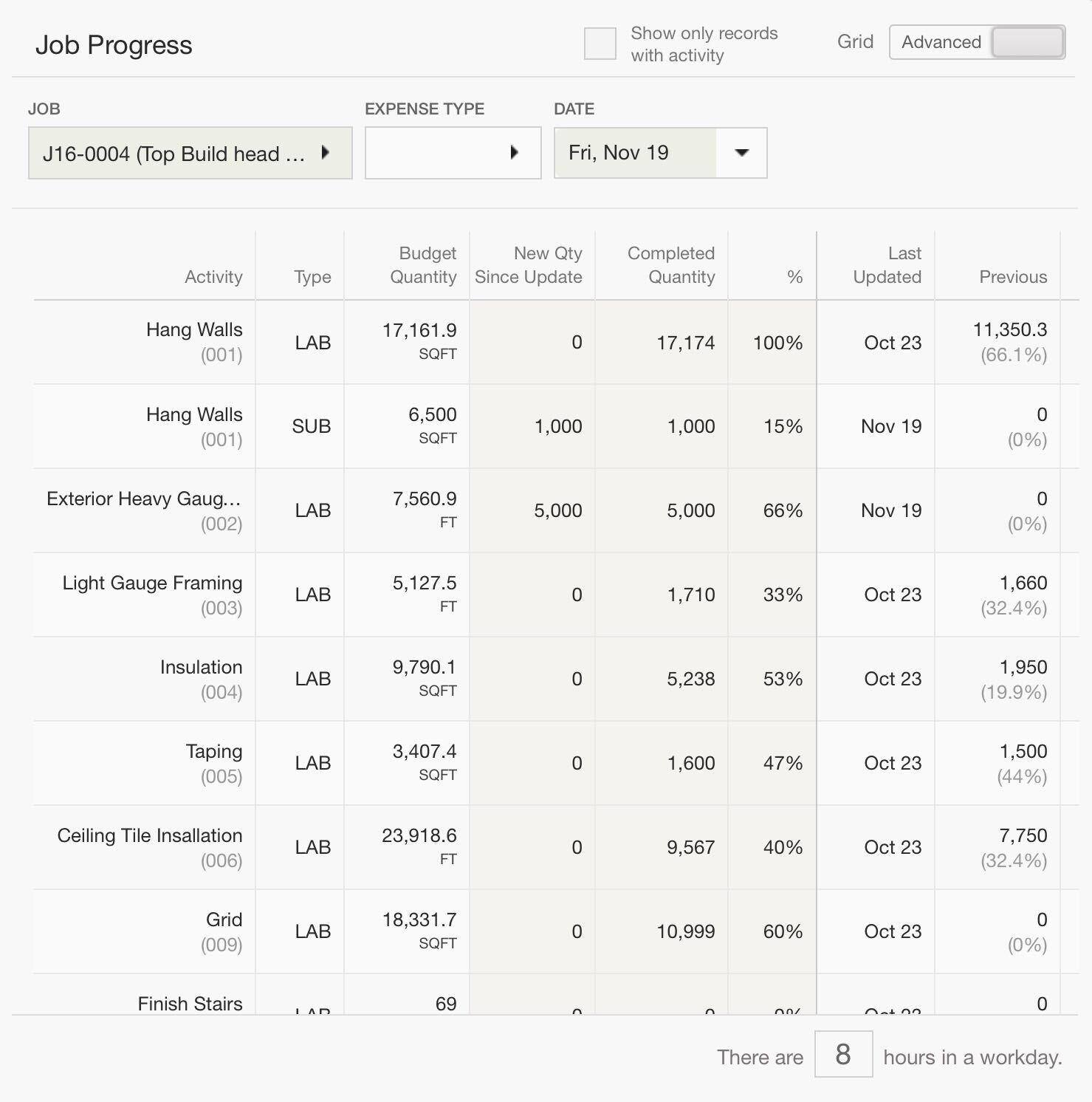
When it comes to production tracking, we have three different levels. You can go to the timesheets and enter in production by individual, by crew, or the most popular version is you can go to the progress entry screen and enter in production by quantity or by percentage complete. This is hyper-converged with the cost projection tool, so the cost projections will automatically be updated with the field’s perspective of either quantity complete or percentage complete.

Timecard / Production ‘SUPER APP’ for Subcontractors

There is an old expression you might be familiar with that goes something like this: “work smarter, not harder.” We believe that the increasing use of Building Information Modelling, (BIM) around the world is the epitome of putting this message into practice. That’s because BIM facilitates real time collaboration across the multi-disciplinary decision makers involved in the design, planning, construction and daily functioning of a building. Where there is collaboration there is communication, and where effective communication exists, there are potentially fewer conflicts, and an opportunity to both reduce costs and increase safety. BIM brings your vision to life before a shovel ever hits the ground while ensuring that when ground-breaking takes place, it’s with a technology that is breaking new ground when it comes to building better buildings.

What is Building Information Modelling?

Building Information Modelling in simplest terms “integrates structured and multi-disciplinary data” to create a digital representation of an asset across its life cycle, from planning to construction to end result. Using tools like 3D laser scanning and drone technology, BIM helps to form a three-dimensional model of your build project, one that everyone can see in real time. From Architectural, Engineering and Construction (AEC), to the trades, to the municipal planners and decision-makers approving a project, everyone has access to the same information, even when that information changes.

Who is using BIM and How?

We know that the future of BIM will continue to expand exponentially because we already know who is currently using it! The research is clear and forecasts indicate that massive growth in BIM use will continue beyond 2024. With many countries worldwide already mandating its use, that too will help to secure its future. Let’s look at some of the stats:

  • AEC firms are widely using BIM.
  • Current predictions suggest that by 2024, close to 70% of all contractors in the US and almost 90% of architectural and design firms will be using BIM on their projects… and those numbers are virtually mirrored by both civil and structural engineering firms.
  • If you’re still undecided, remember that 2024 is only two years from now!
  • The list of countries who have already mandated – or who are planning to mandate BIM use – includes the US, Australia, much of South America, as well as Japan and a number of European countries and Baltic states.
  • With further ongoing discussions and white papers being written about the importance of finding universal software applications to ensure consistency, it’s really only a matter of time before BIM becomes commonplace, not the exception.

As noted above, BIM facilitates working effectively and efficiently by facilitating real time collaboration. This means that during the design and planning stages potential problems are identified early in the process and corrective measures taken. As an example, “conflict, interference, and collision detection (is avoided) because building information models are created to scale in 3D space, (meaning) all major systems can be instantly and automatically checked for interferences.” Using BIM could verify that piping does not intersect with steel beams, ducts, or walls during the design and 3D modelling process and ensuring that design specifications meet both industry regulations and municipal by-law standards because everything can be seen and approved in real time.

Additional improvements come from cost accounting estimates that are more accurate and where opportunities for efficiencies have been identified. Onsite scheduling of trades (work flow management) is streamlined resulting in plenty of potential cost savings and most certainly, it has been shown that BIM enhances the ability of everyone on the job site to work safely, resulting in fewer health and safety incidents and/or workplace accidents. Finally, on an ongoing basis, upon building completion, facilities procurement is made easier with “live” accurate tracking of all equipment, tools and piping behind the walls – in some cases right down to makes and model numbers – making planning ahead for renovations or initiating repairs that much more efficient.

In a report as far back as 2007, Stanford University’s Center for Integrated Facilities Engineering completed a data collection study of 32 major projects and reported the following “benefits of BIM” including:

  • The elimination of up to 40% in unbudgeted changes
  • A finding of cost estimation accuracy to be within 3% as compared to traditional estimates
  • Close to an 80% reduction in the time it traditionally takes to generate a cost estimate
  • A savings of up to 10% of the contract value through “clash detections”
  • An overall finding of up to 7% reduction in total project time.

Were such a study to be completed today, we have every confidence these findings would reflect similarly or will have improved significantly. We believe therefore, the greater argument concerning the use of BIM is not whether you should be using it but rather, why aren’t you? Building Information Modelling won’t just allow you to work smarter not harder, but also ensures every single discipline involved in the design, build and construction process will as well. Bring your vision to life with BIM and do it safely, saving time and money too.

*Brought to you by Plexxis Software: Offering software solutions for the construction industry that integrates cloud, mobile and on-premise software to improve and enhance team performance.

Foreman’ SUPER APP’ for Subcontractors

Super Apps solve the two biggest problems in mobile apps and construction – app fatigue, which is when you have to use four or five or six different apps throughout your day and lack of integration. The flight analogy works well here, a super app is like the direct flight, and fragmented apps is like the flight with four or five or six different stopovers. You still get to the destination, but the trip is just horrendous.


job material breakout in field documents


job labor breakout in field documents

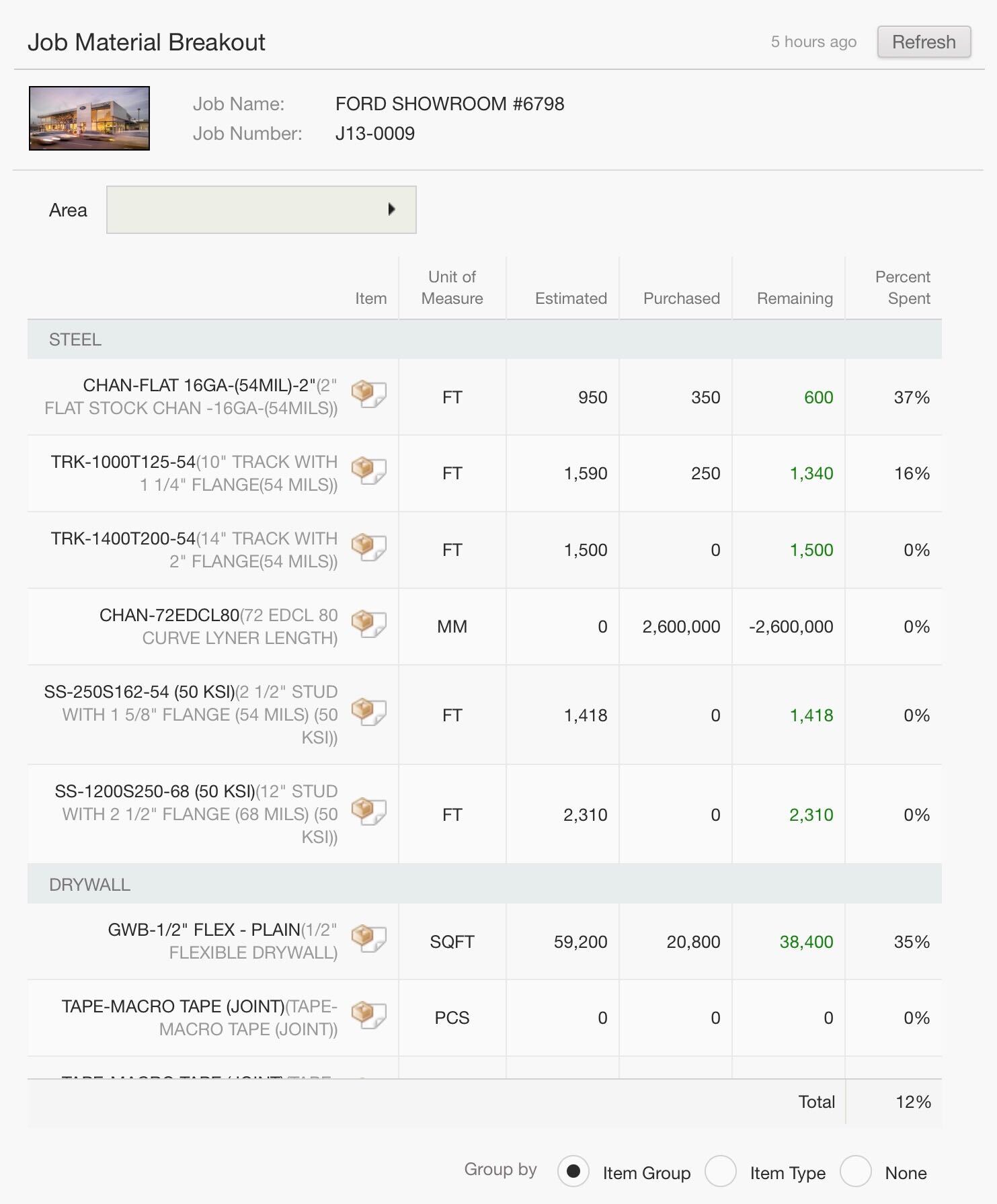
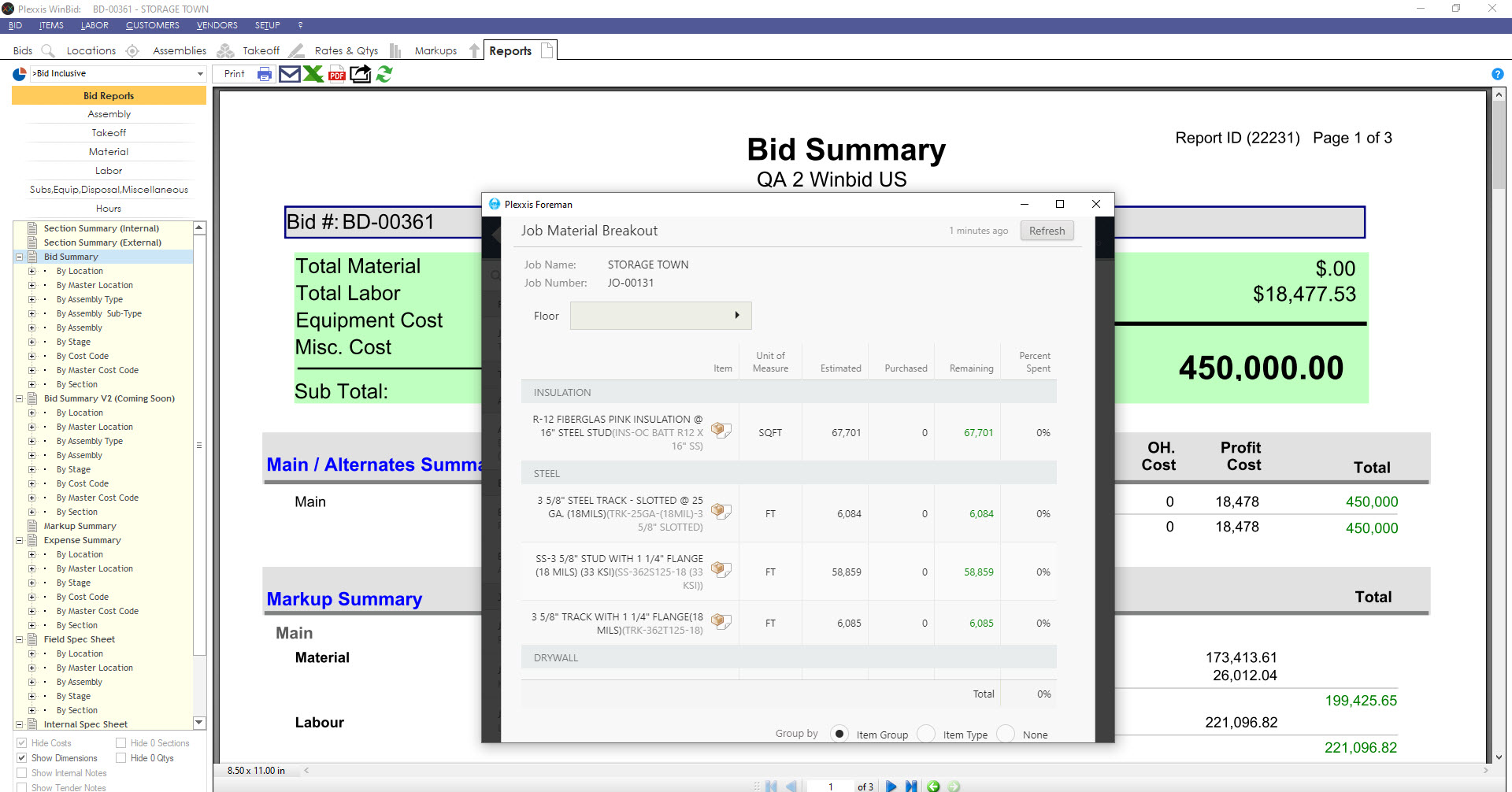
Say you are a foreman on the job with your iPad. You could just go into your job information app and get basic information, including the safety certification and experience of all the employees on the job. Also, you can dig in at any point and get a live material breakout of estimated versus purchase with remaining and percent spent by subsection. It also includes pending and approved change orders. You can also get a live labour breakout with remaining man-hours and man-days, including pending and approved change orders.


Contracts in the Plexxis App


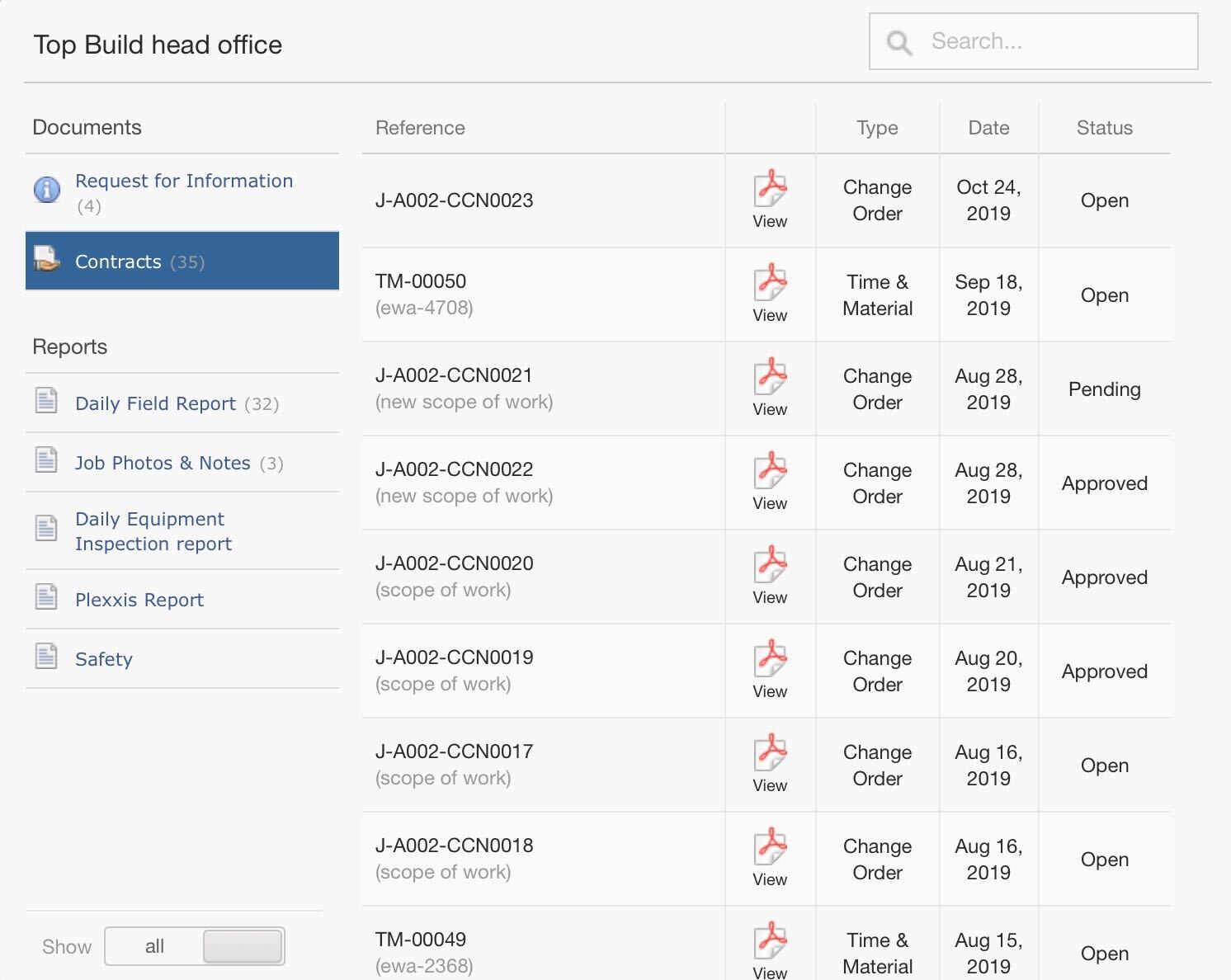
Now, if you wanted to know what change orders are impacting the budget, you could dig into the documents hitting the job, go into contracts and view the documents. Every document that comes into the app is a foreman version, and we automatically remove pricing.


Purchase Orders in Plexxis App


Purchase order in field

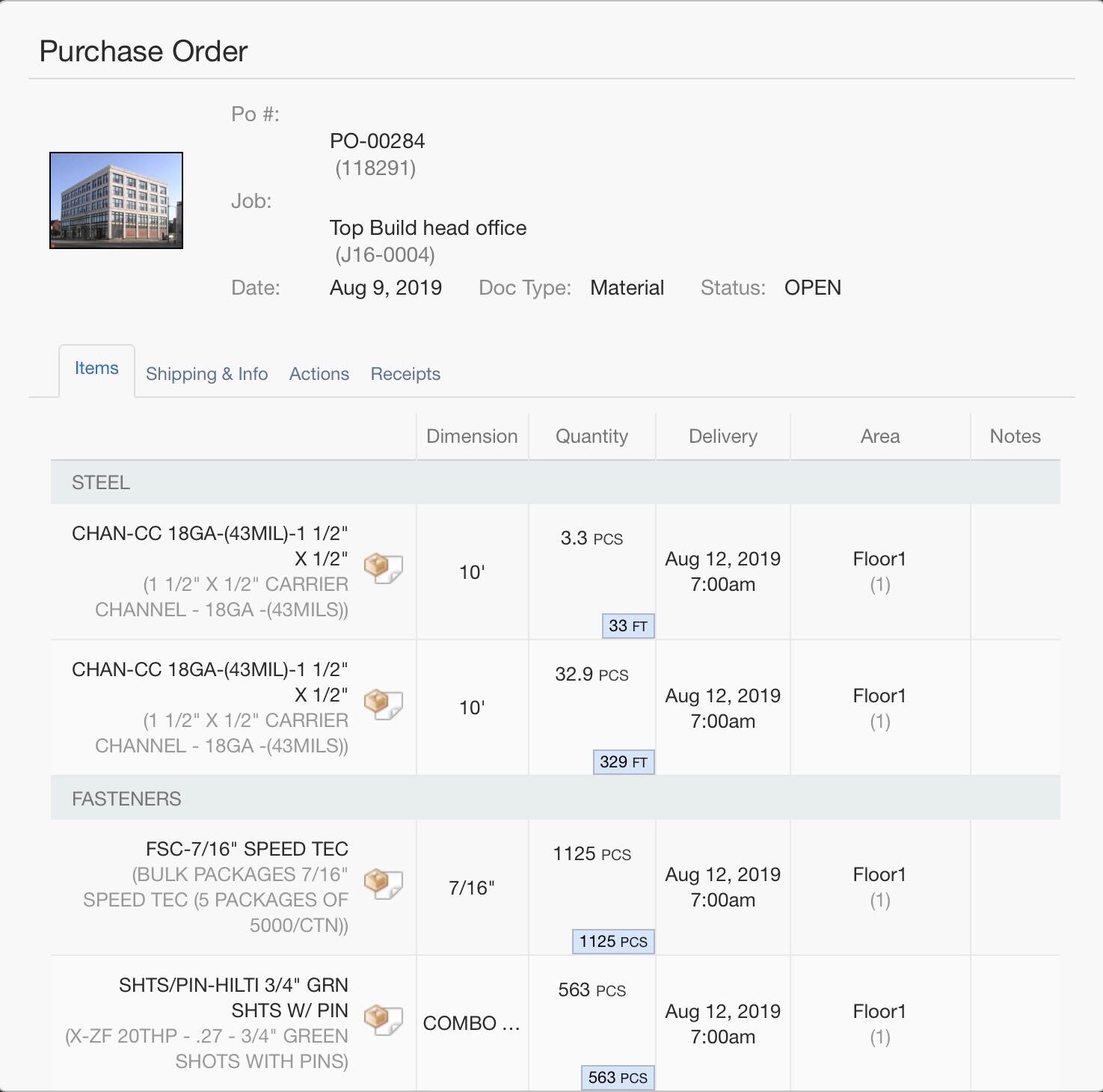
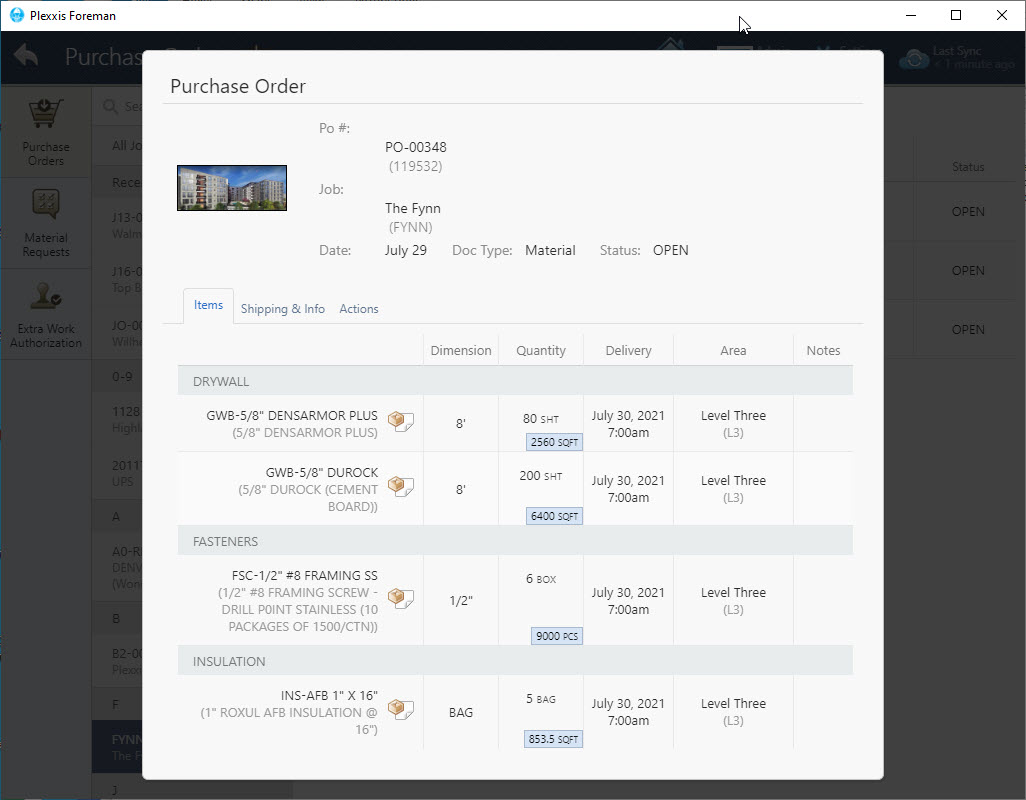
This is a hyper-converged system, any purchase order that is created from the ERP will automatically be synced with the foreman app, but pricing is removed. The foreman can come in, see all the quantities that are going to show up, take pictures of the packing slip, and do their markups. This way, AP automatically gets the information to complete a receipt accurately.


material request


material request form

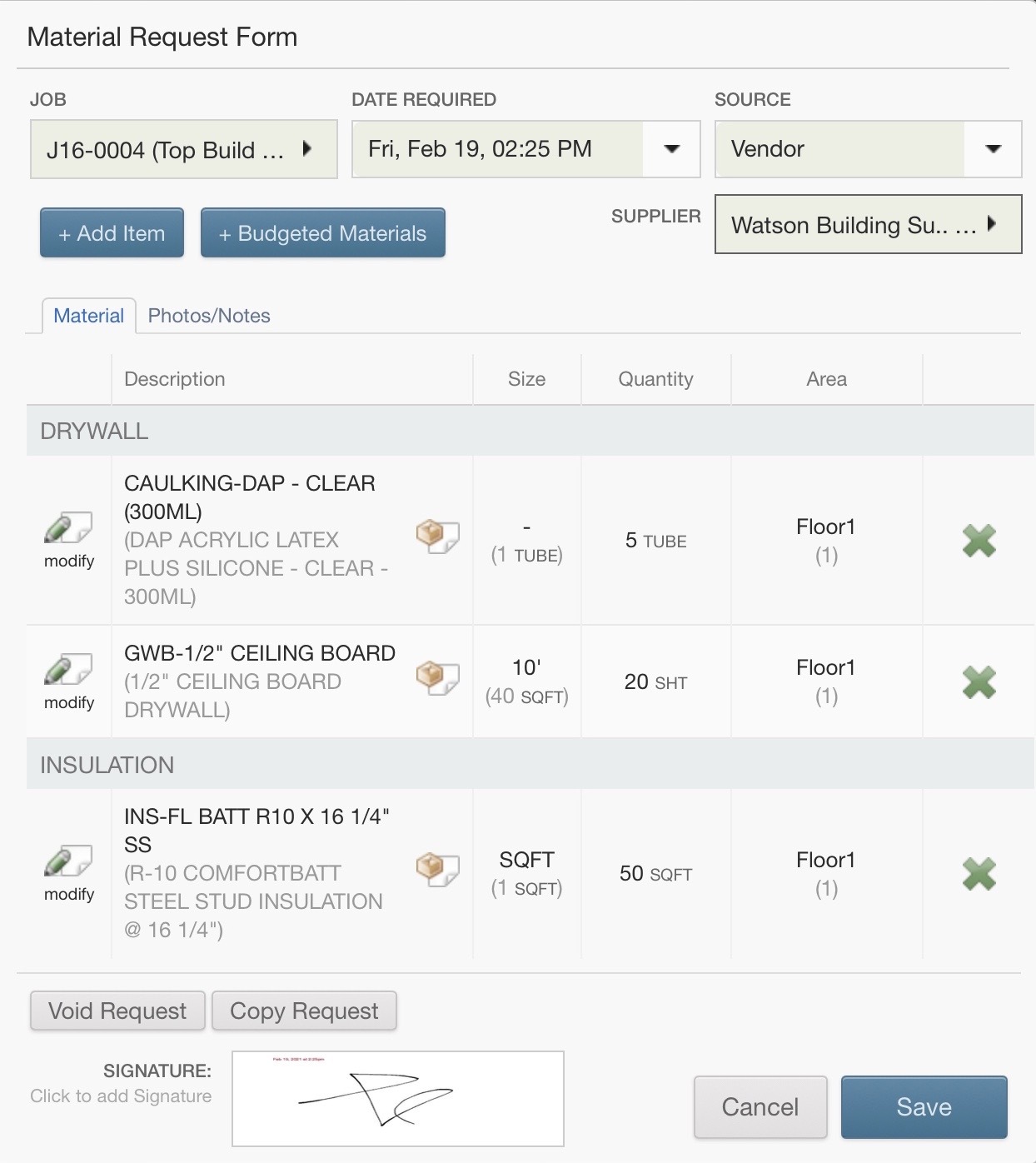
If you need to create a purchase order requisition, sometimes you need materials that aren’t necessarily in the working budget. You can open the ‘Material Request Form’ and create a new purchase order requisition. Select the item using the item picker, enter in the specifications and quantities and click submit.


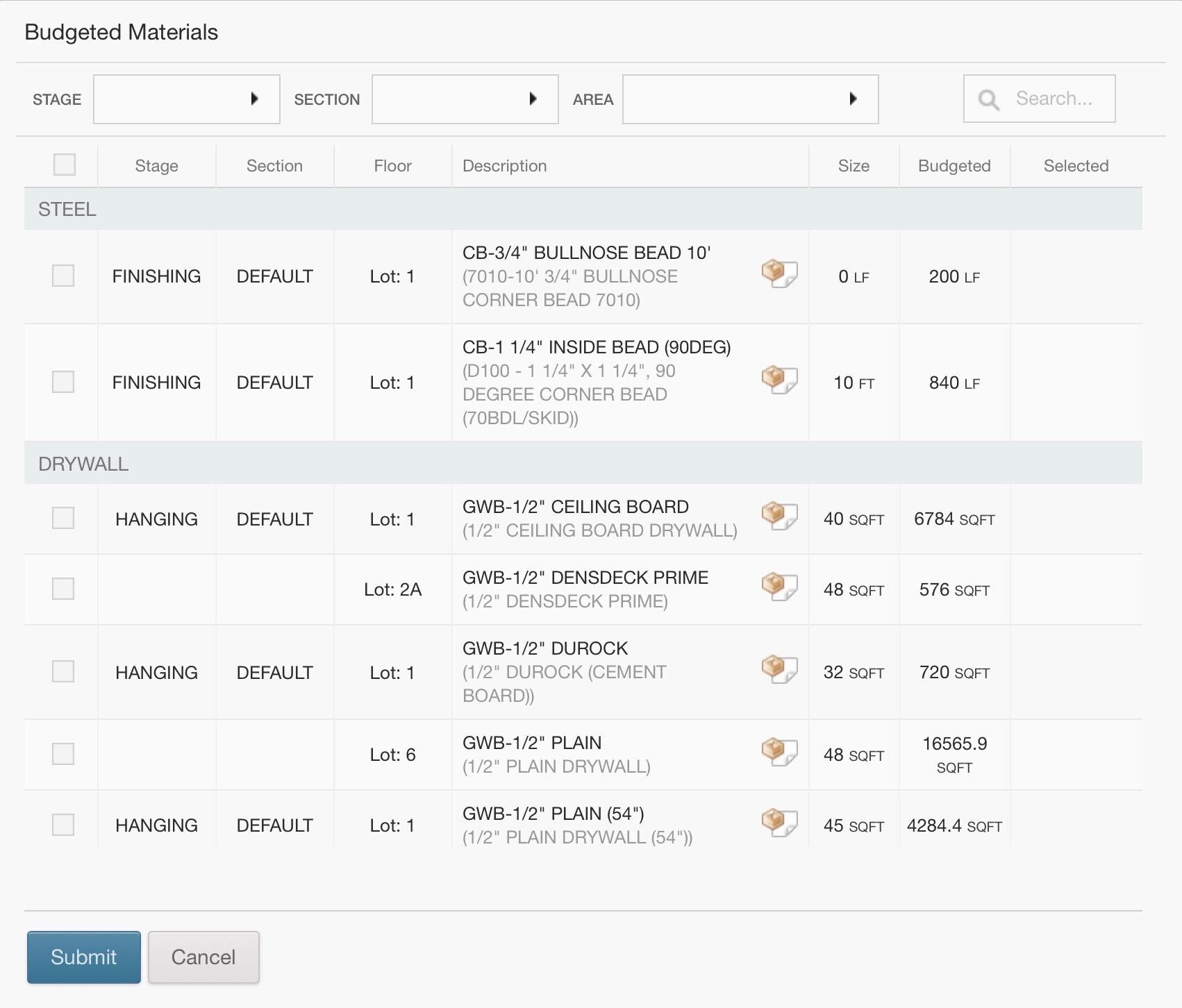
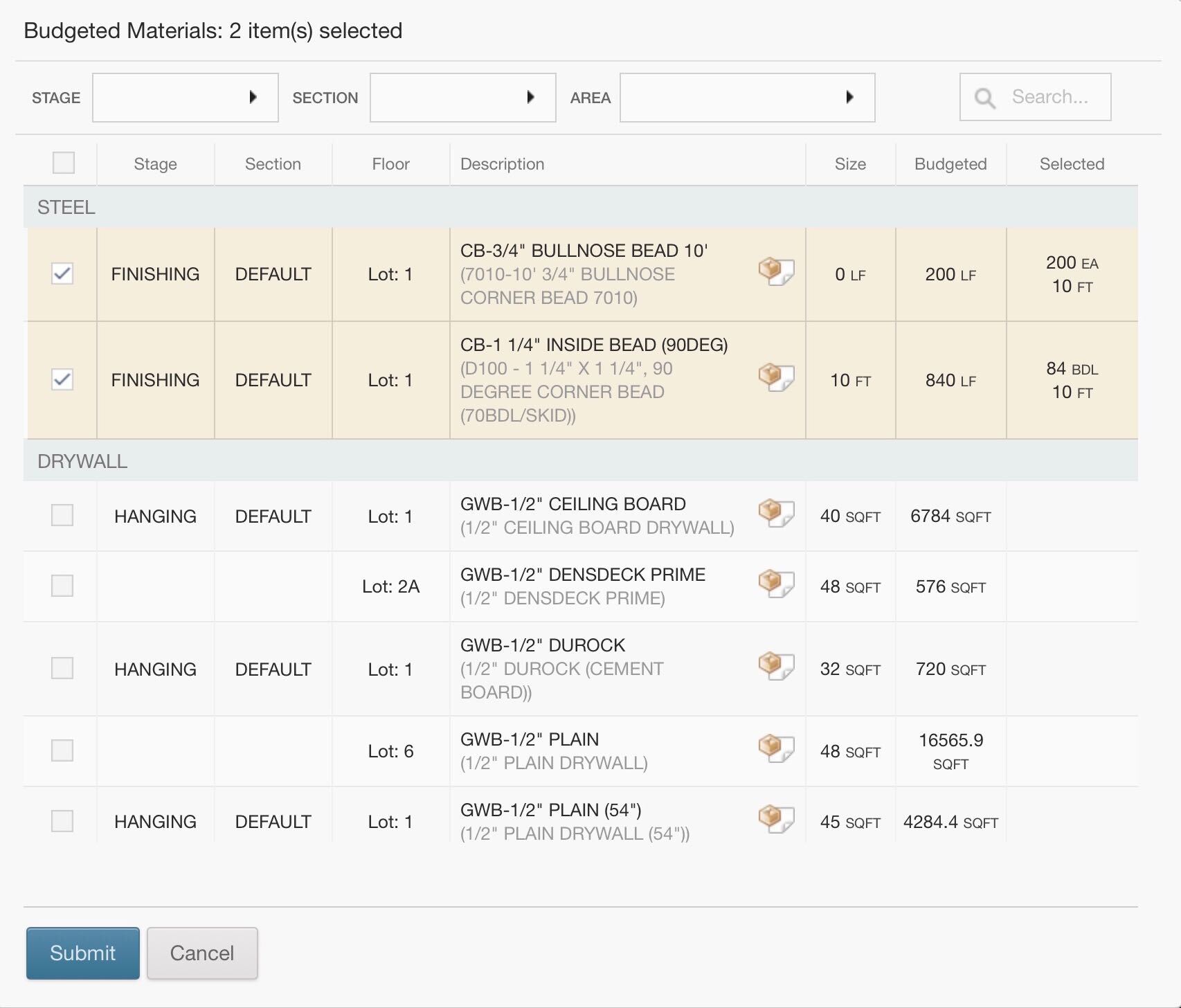
budgeted materials


budgeted materials in Plexxis app

If you need something off the working budget, no problem. The budgeted materials are going to be made available to the foreman. The foreman must only edit the new quantities and submit the request; it’s that easy. This will automatically go to the purchasing manager in the requisitions tab, populate the purchase order screen, and automatically price out according to pre-sets or jobs special pricing. All the purchasing managers must do is eyeball it, approve, and send it out.


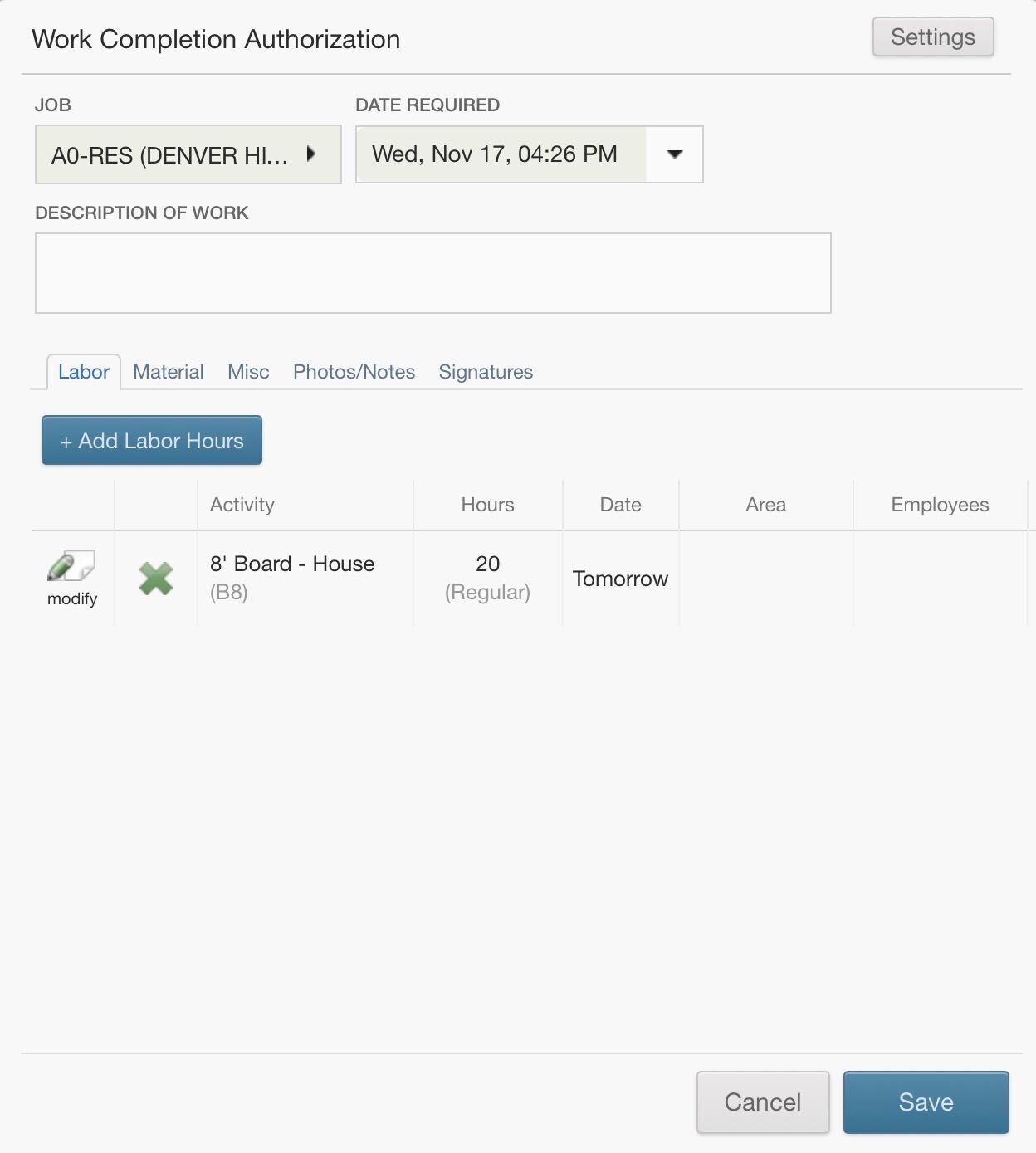
work completion authorization


work completion authorization form

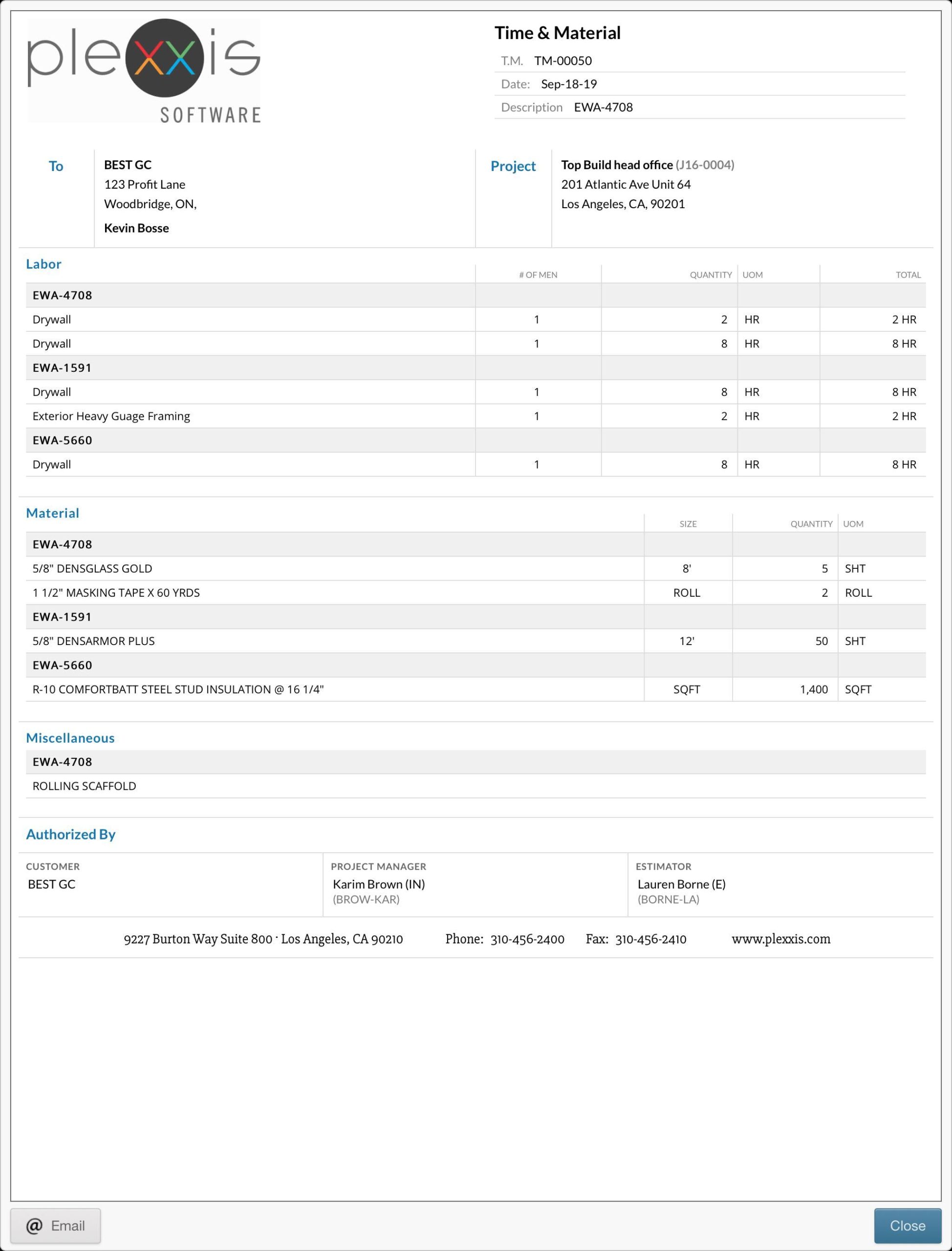
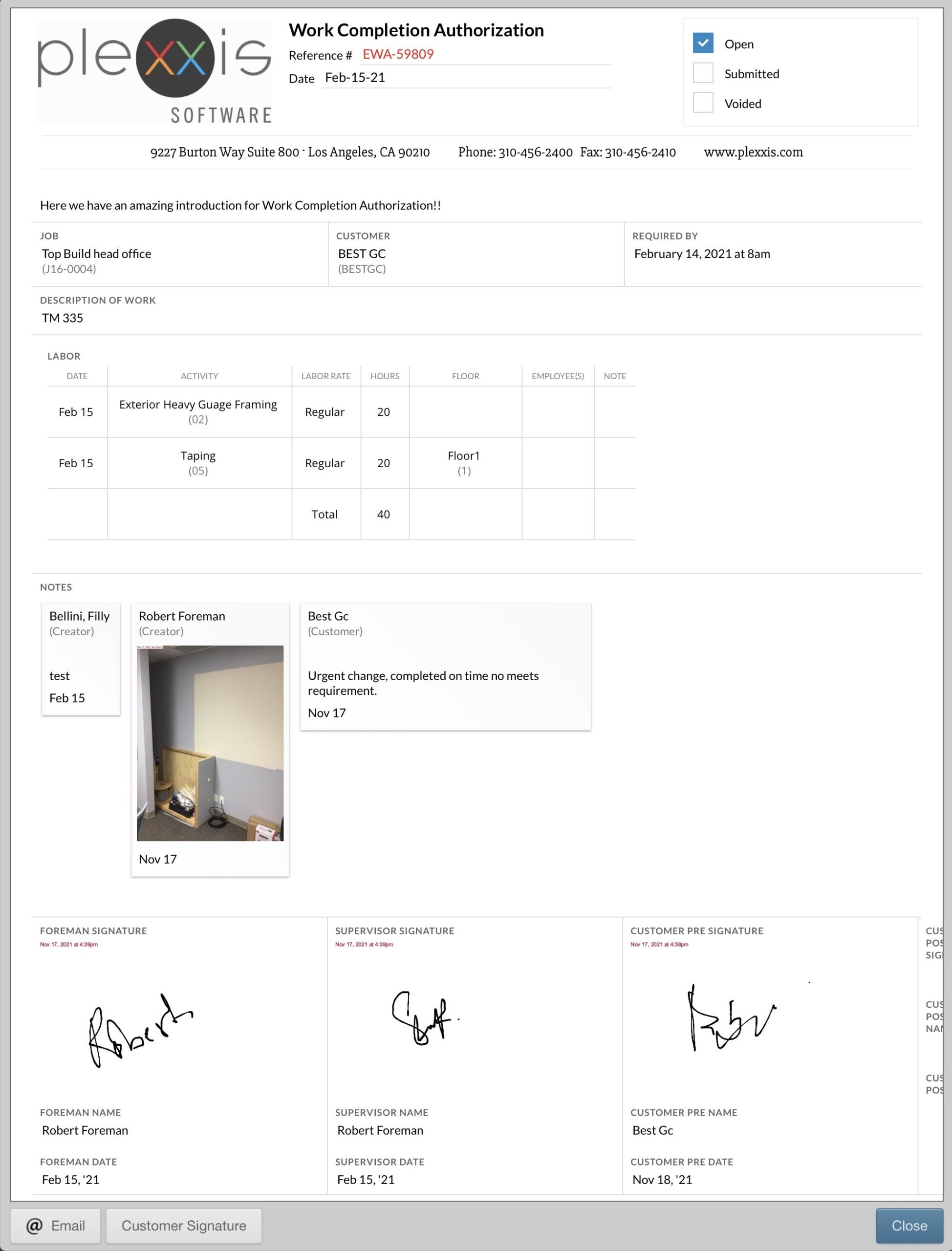
The app is a money saver when it comes to T&M tickets & extra work order authorizations. You can come in here and create a new work completion authorization. Add in the labour hours and enter in the material (from either the working budget or all items in the database). We always recommend collecting as much evidence to act as supplementary documentation to help you get paid. Take pictures and upload them to the photos/notes section. Lastly, get the signatures you need. When you complete this T&M ticket, it creates the actual PDF itself that goes out into the real world. This is important because when you go to get the customer signature, it’ll overlay on top of the PDF that they see they are signing, and that’s critical for them to get the signature. You can get the customer’s signature on the spot, and they can enter in their name.

What’s cool about the T&M ticket app is that it is a hyper-converged super app. That T&M ticket will automatically go into the contract screen and automatically price out according to the pre-sets set in the job. All the project managers must do is just validate that the information is correct before they send it out, and it sends out a complete package with the actual change order and the T&M ticket copy right in the exact same package. This way, you have all the evidence that you need to help you get paid.


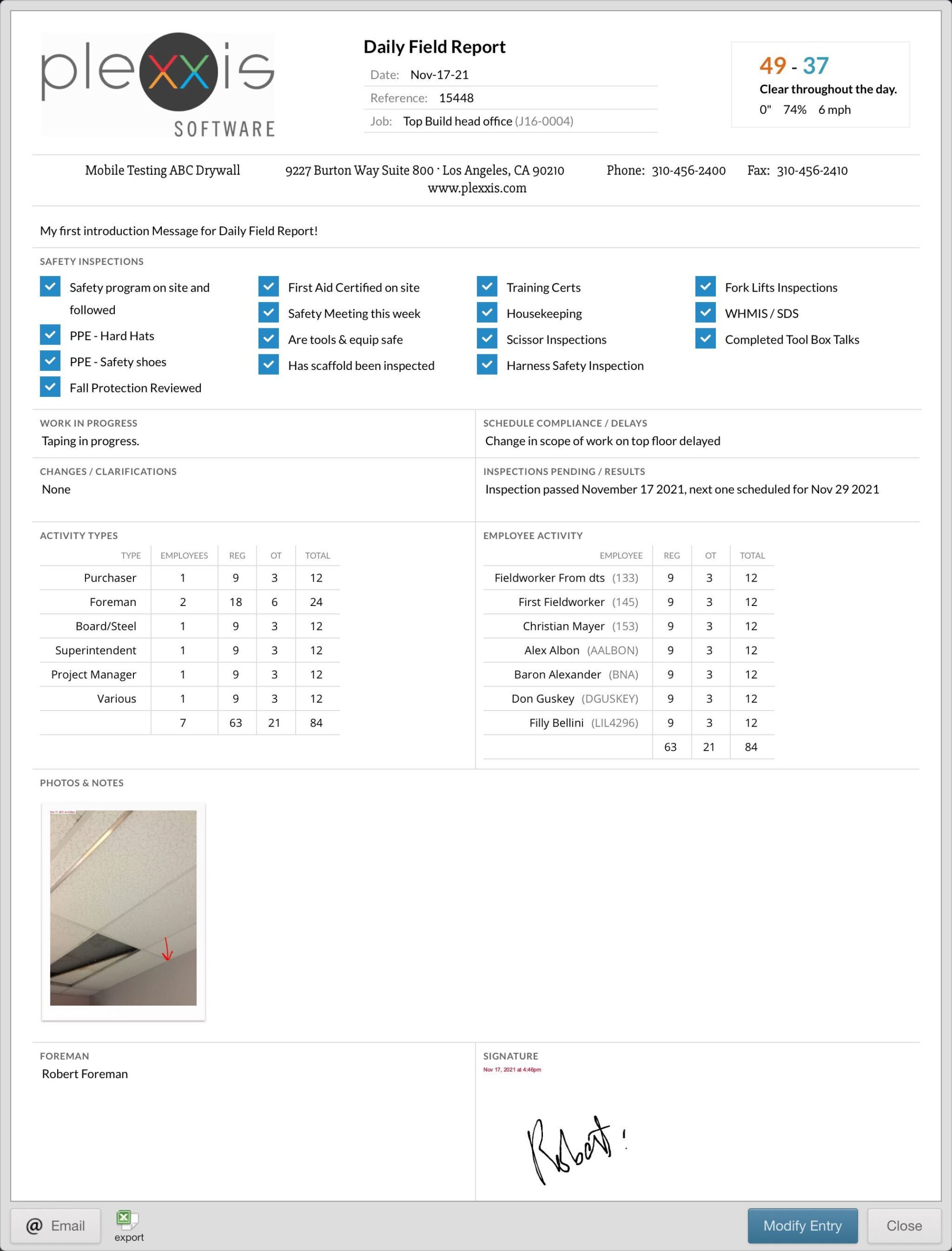
daily field report


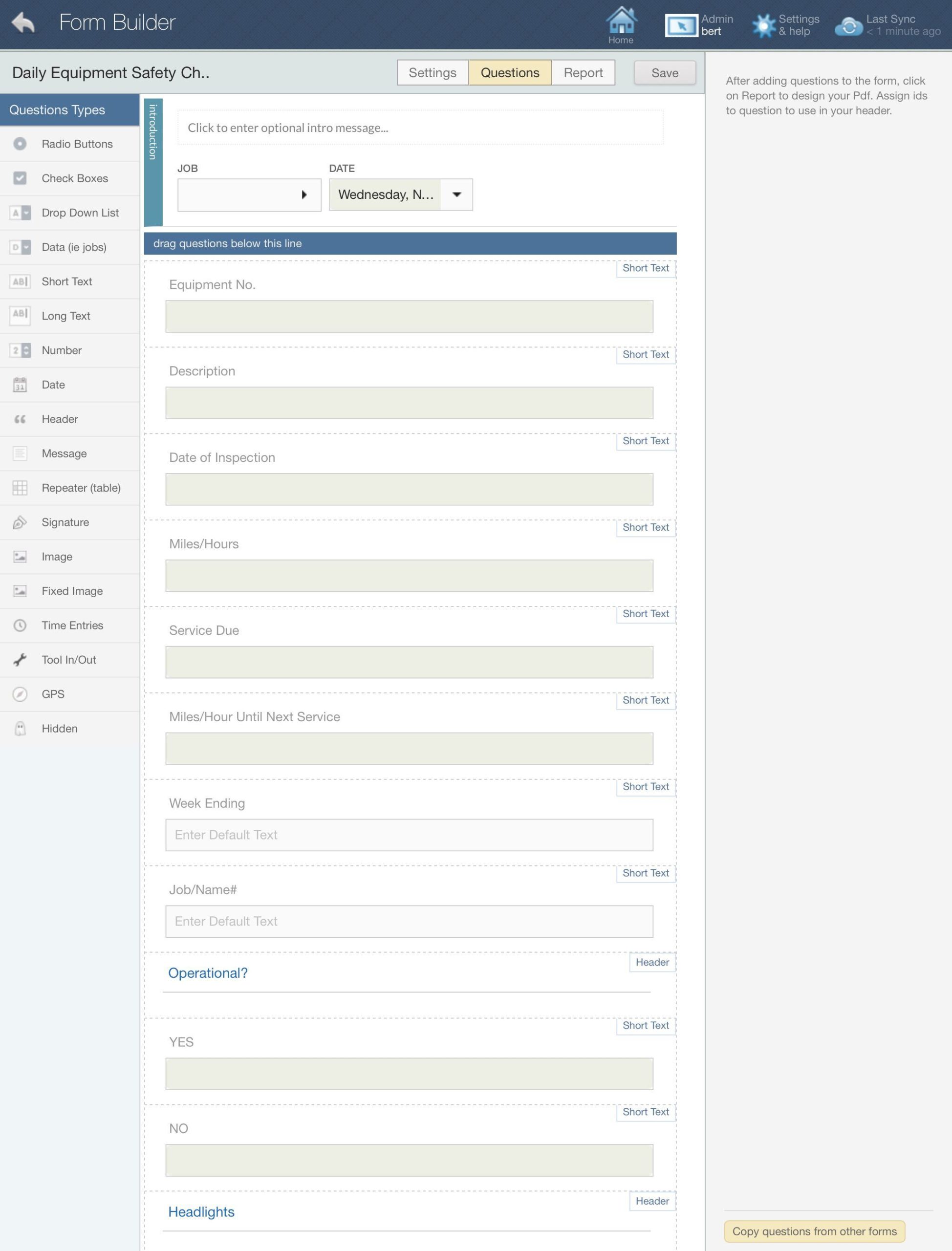
form builder part 1


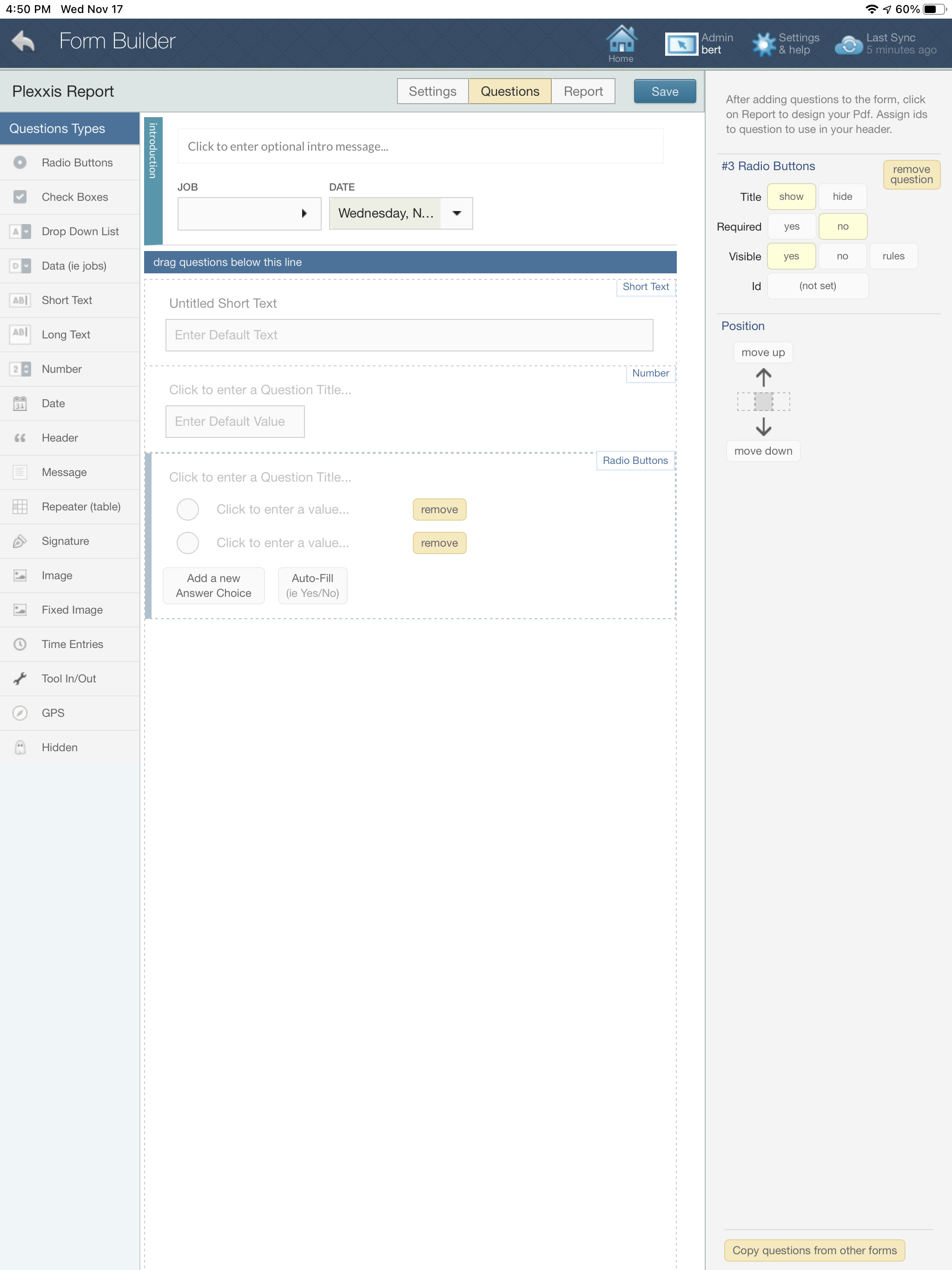
form builder part 2

Custom forms, foreman dailies, job photos, and notes can all be done in this app. It’s a super app. You don’t have to go into other applications to complete your core field tasks. It is all in one place, one app, no setup. Here is a simple example of a foreman’s daily field report. If you click on the manage forms button, you can create your own custom form and as many as you want. It’s effortless to do so. All you need to do is drag in the sections you require. If you want signature fields or all your time entries from the day, just drag in those fields. Yes, this is a complete labour management and time tracking app as well. We’re going to cover that topic in another blog.


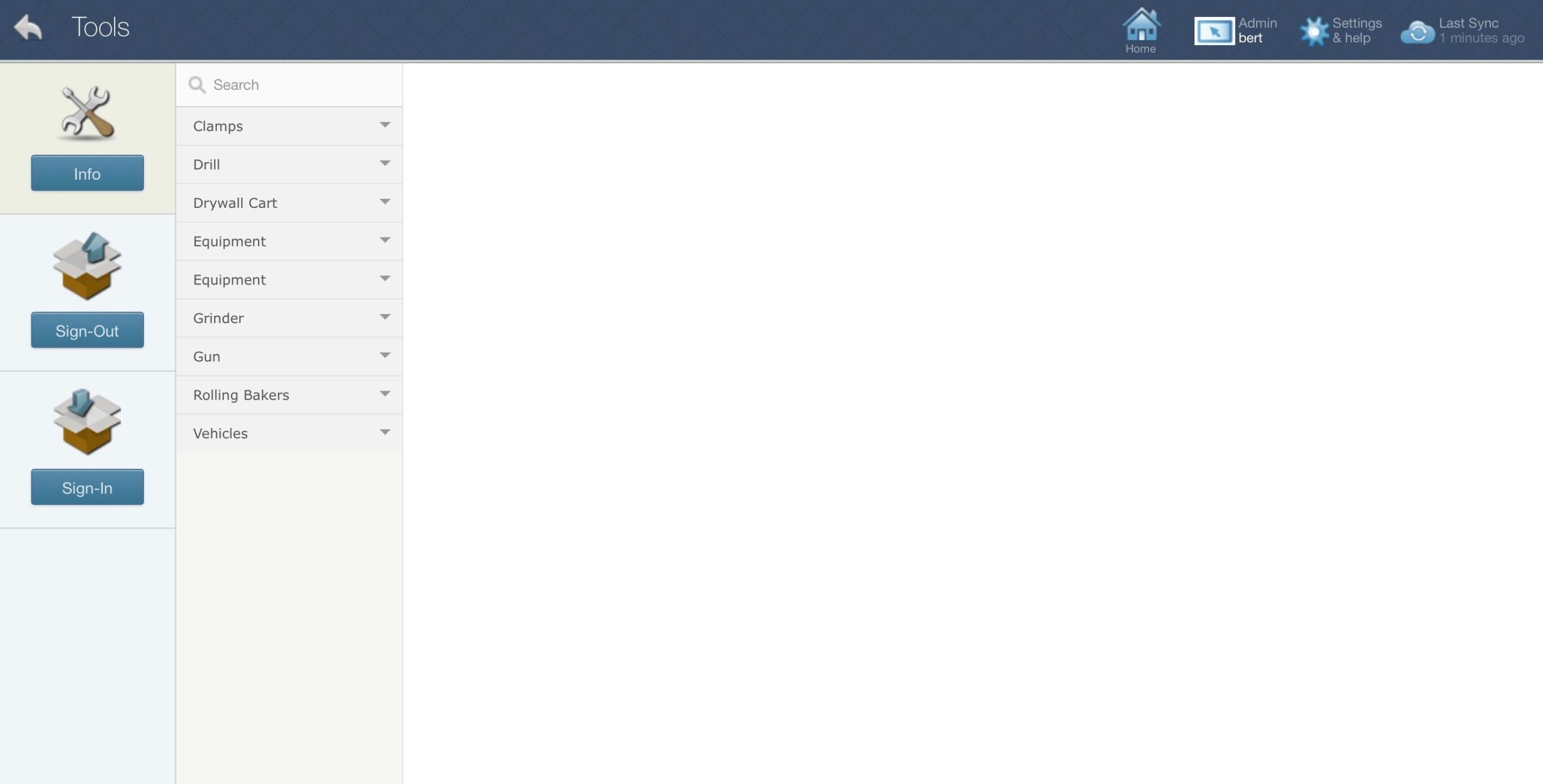
tools section in Plexxis field app

The super app also offers a tools and equipment section for easy sign-in and sign-outs. This is a manual sign-in and sign-out; there is no scanning feature. You can assign employees to equipment and tools or move tools and equipment from job to job or job to employee. All of this is synced with the ERP and the backend.

This is an online and offline app. It doesn’t matter if you are working in an area with poor internet. The information on the app will be as recent as your last sync, and the most important part is that you can complete your task. When you get into an area with a strong Wi-Fi connection, you just need to sync, and everything you did offline will be synced with the ERP.

Purchase Order Requisition From The App With Next To No Typing


material request form

Create and send material requests from the iPad with next to no typing as all item catalogues and budgeted items are available for quick selection. The Plexxis digitized workflow enables material requests to be converted into purchase orders easily. So, the number of actions required to complete the transaction is exponentially reduced.

Employee Safety Certificates and Experience Level Viewing


employee information in Plexxis

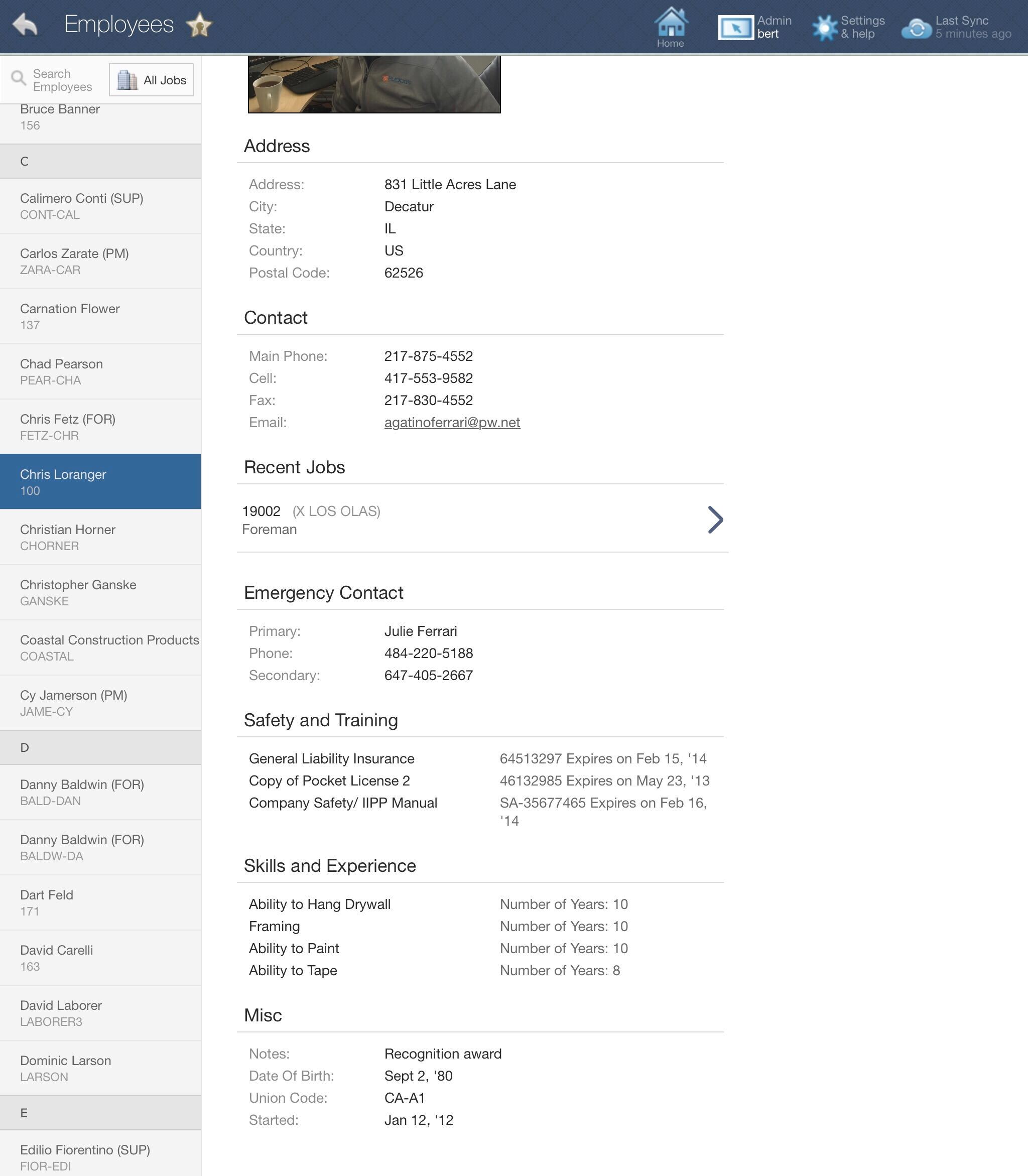
Enable foreman and supervisors to assign the right employee for the right job with the appropriate skills, experience, and safety certifications. Plexxis automatically distributes employee information that helps improve productivity.

Foreman’ SUPER APP’ for Subcontractors

You may be more familiar with the concept of IoT (Internet of Things) than you think!

After all, if you were to ask, “Alexa, what’s the temperature outside?” you’ll not only be given that information but just as likely to hear a forecast and general weather conditions in your area.  IoT is everywhere and increasingly so in many of the devices we just naturally use very day – our phones, TV, electric toothbrush and tablets!

IoT is rapidly finding uses across multiple sectors, and while we might be most familiar with its usefulness in our own homes (smart TV’s, programmable thermostats and Alexa to name just a few), equally important, IoT has significant industrial and commercial applications as well.

In construction, IoT encompasses a wide range of applications that enable businesses to work smarter, safer, more autonomously and more efficiently. Such applications can be described using a framework of the “Five W’s.” (“who, what, where, when and why”).

In this blog, we’ll share a quick and easy guide to understanding why IoT and the construction industry are NOT mutually exclusive entities.

Simply put, the 5 “W” questions are those that need to be explored when determining how or if IoT will be introduced on the job site – planning and development, architectural drawings, construction stages, coordination of utility services and management of your human resources… to name just a few. In fact, indirectly, we’ve been addressing the use of IoT in construction since the beginning with our blogs that shared information on drones in construction, the use of AR and VR, “wearables,” and BIM. These are each excellent examples of IoT use in the construction industry.

OK… so back to our 5 W’s:

Who Should Be Using IoT?

  • The proper use of technology and tech-enabled equipment drives higher levels of efficiency on projects. From project inception through to working with architectural and design firms, builders, tradespeople, utility companies and employees working ON the job site, IoT can play a vital role in the project’s success. Providing critical access and efficient sharing of information at every stage of a project’s development minimizes safety risks and lowers the potential of costly mistakes, creates the opportunity for more timely project completion and fosters cooperation across all trades.

The What and Why of IoT?

  • BIM (Building Information Modelling) replaces the need for blueprints and the ongoing concerns around who has them, which version is the most recent, where they are they located on the job site… and more. Contractors, planners, on site staff – everyone has equal access to accurate and current information at the same time, irrespective of where they are. Moreover, 3D modelling capability allows users to “see” potential mistakes before they become disasters.
  • Sensors that monitor, for example, heat / humidity, the curing rates of concrete, fuel use or even the placement of tags on equipment, all contribute to smart project planning. They help to improve security by preventing theft or downtime due to temporary loss through misplaced items. They also reduce downtime as a result of mistakes made while increasing efficient use of all resources (both human and mechanical) – enabling real time tracking of resource locations at any given time. Areas that will also benefit include maintenance (ensuring timely repairs and prevention of downtime) and employee safety. Job maps are able to identify danger zones on job sites, monitor, for example, air quality and identify safety issues or potential hazards before they become real life safety problems.
  • Productivity is improved as IoT is able to optimize daily tasks such as scheduling, inspections and even onsite deliveries.
  • Wearables are another important example of IoT that help ensure employee productivity (working smarter not harder) as well as safety. By monitoring important information like heart rate, proximity to danger, or air quality, the construction industry is helping to create a safer working environment. Employers who take steps such as providing heating or cooling reflective jackets to keep workers comfortable in any conditions, or who offer wearable sensors that are able to track worker fatigue, are demonstrating personal care and concern while reducing employee susceptibility to injury.

Where and When is IoT Applicable?

IoT can be introduced and have multiple applications that are crucial to every stage of the construction process from the design, to building stage, to the ongoing maintenance of a building upon its completion. In short, IoT facilitates both effective resource and asset management, helps to prevent workplace injury and death, reduces costs and the potential for expensive time delays.

IoT also enables the collection of real time data to create efficiencies on existing projects, and more strategically, to store that data for analysis to underscore opportunities to improve efficiencies on future projects. It has resulted in industry specific apps, many of which are compatible with the cell phones we all carry these days creating a seamless communications tool across all parties involved in the construction process. The ability to share important information with consistency, accuracy, and efficiency reduces downtime and lowers costs in what is fast becoming an increasingly more costly and competitive industry.

Now if only we could ask Alexa to pick up coffee and bring it to the job site!

*Brought to you by Plexxis Software: Offering software solutions for the construction industry that integrates cloud, mobile and on-premise software to improve and enhance team performance.

Estimating & Remote Takeoff Connected to Field / PM / Finance in Plexxis for Subcontractors

Something we noticed that is almost always undervalued is that WinBid and remote takeoff were built entirely by Plexxis, alongside project management, accounting, and mobile apps.

rapid pdf import feature

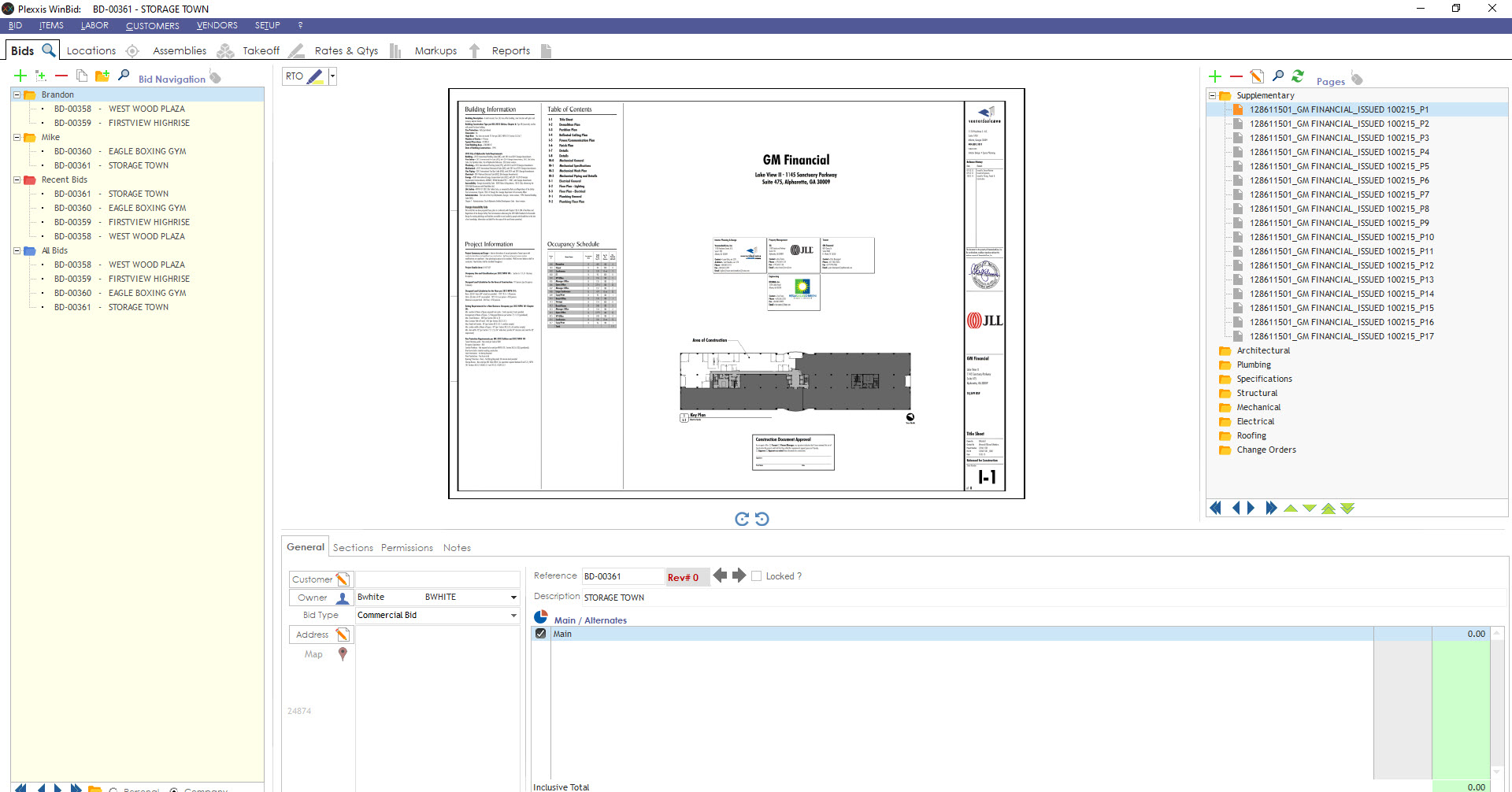
You can drag and drop entire drawings right into the database. The rapid PDF import puts the drawings inside of the system, and because everybody shares the same system, anybody with access and permission can get access to the drawings and the data embedded in the drawings.


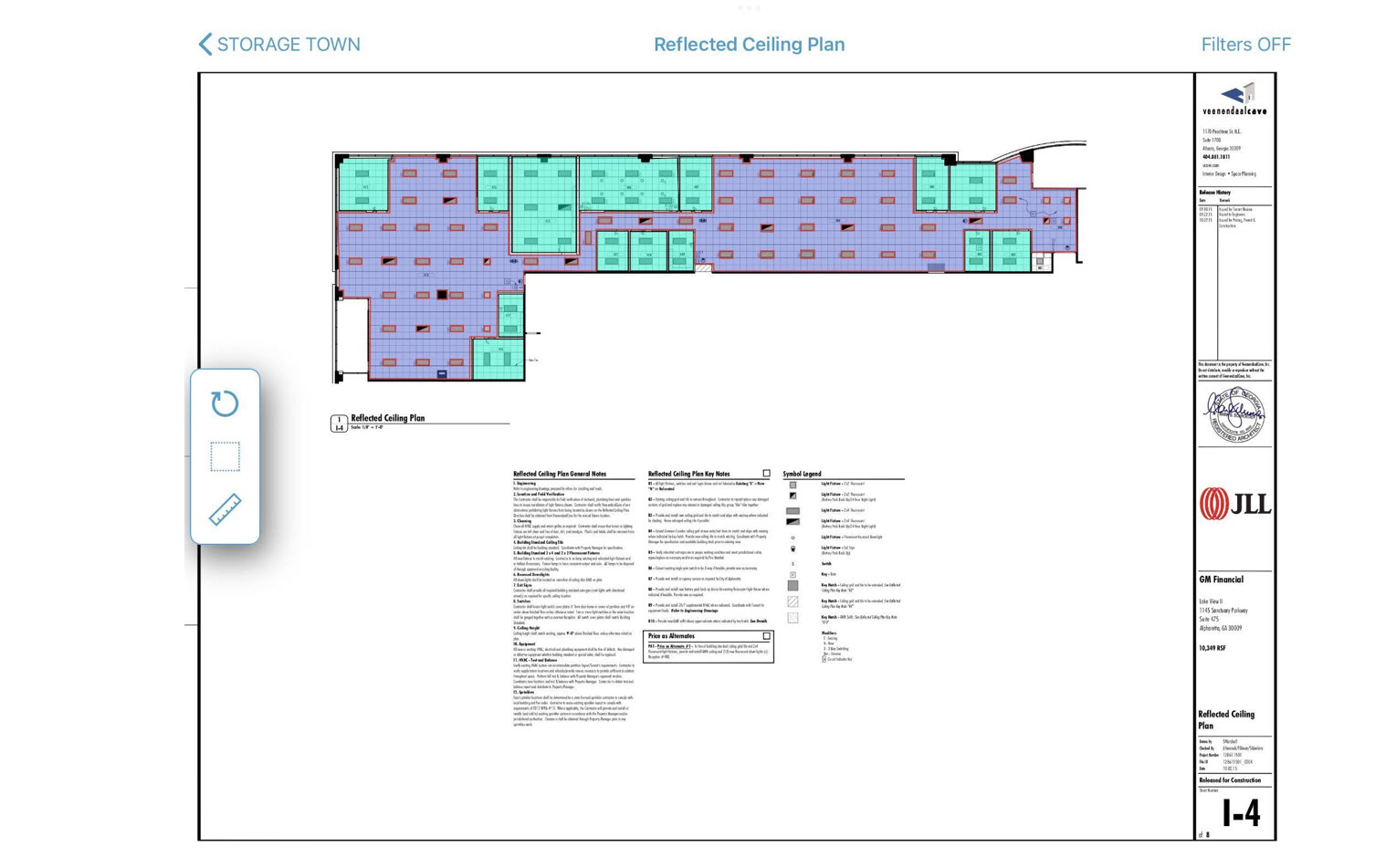
Plan room image

The image above shows what that looks like from the field perspective. On the mobile app, go to plan room, click on drawings, and select a page. If you rope out a specific area, you can get access to the takeoff quantities and see exactly what you need to build out that exact roped-off area.

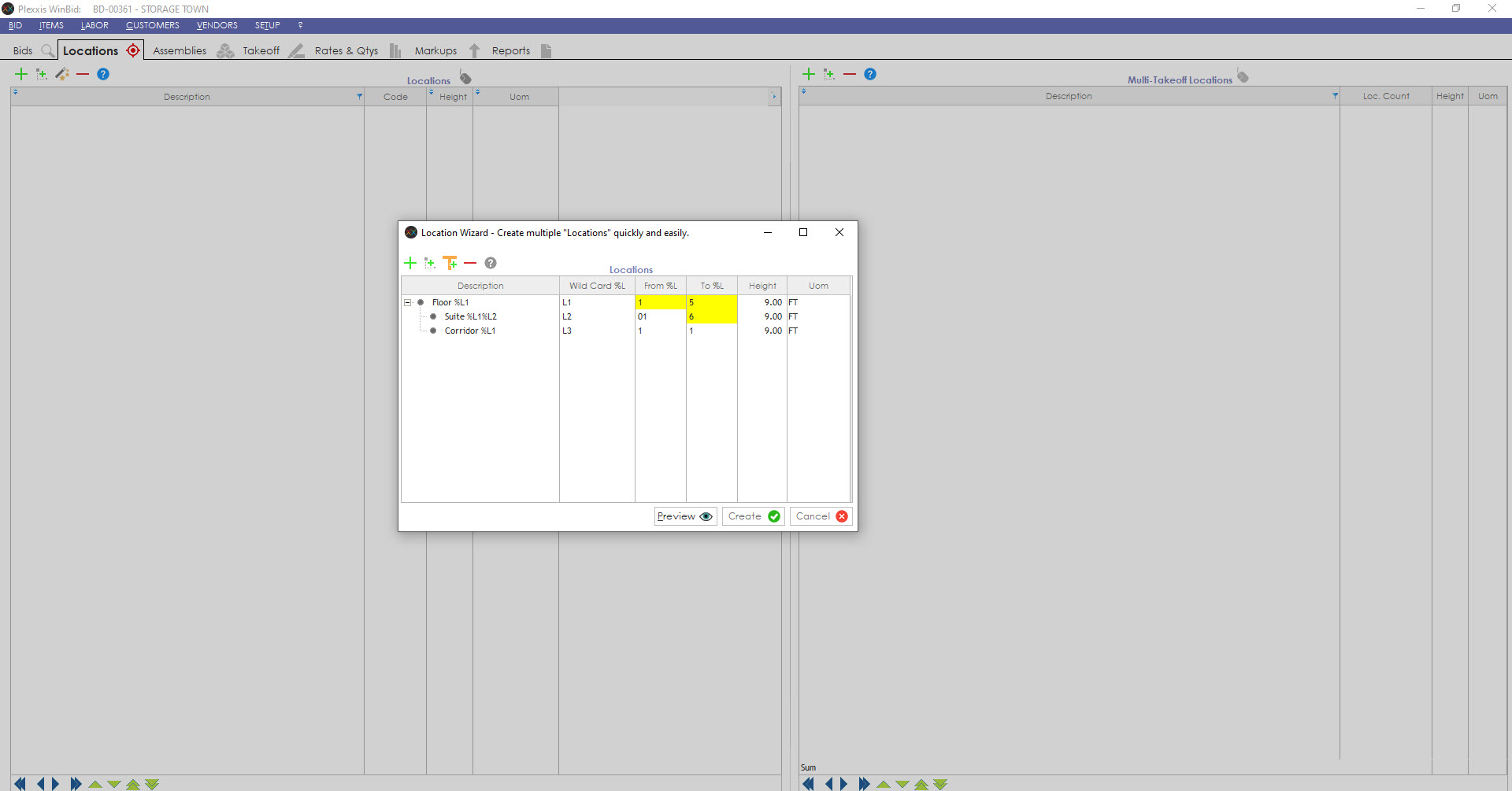
Location Wizard in Plexxis

To create an entire high-rise infrastructure, you can use the location wizard to create multiple locations quickly and easily. All you need to do is input the number of floors and number of suites per floor. You can also set up a template to create any type of infrastructure that relates to a different job type.

Multi Takeoff Location

In this high-rise example, if 101, 201, 301, 401 and 501 are all similar, you can create a multi takeoff. In the multi takeoff, you could do one takeoff, which will give you the quantities for all the locations. Here you can view the assemblies, takeoffs, rates & quantities, mock-ups, and reports.


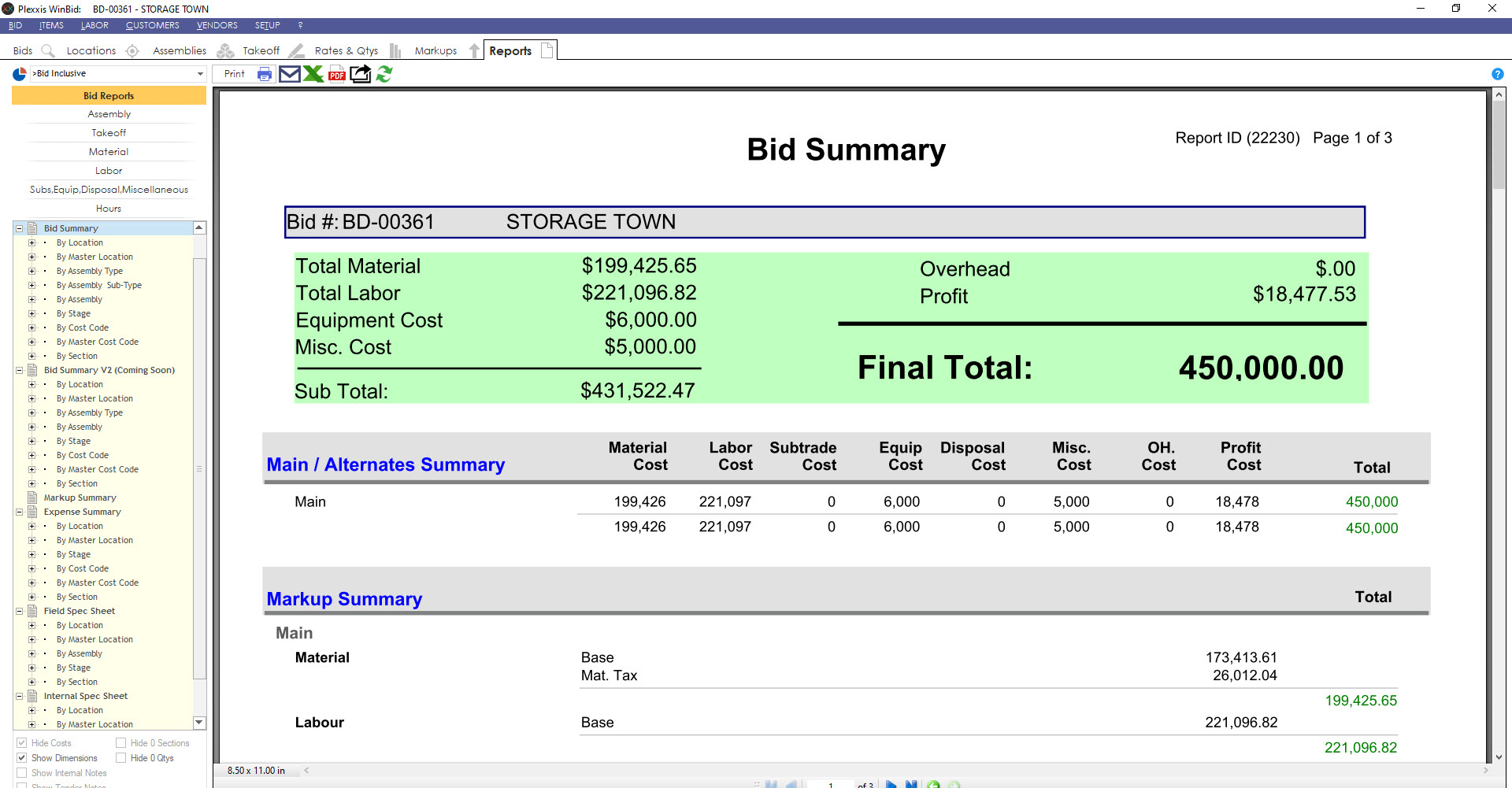
bid summary

In the reports section, on the left side of your screen, you’ve got thousands of options to mine the bid in different ways. Estimators get all the features that they would expect any great estimating system to have, but they enable live feedback between bidding, field, and finance.


Mobile and WinBid

This is what that looks like for foremen in the field. If you go into the job info app, you’ll get a live material breakout with remaining and percent spent and a live labour breakout with remaining hours and remaining mandates, but it includes pending and approved change orders that the estimators and project managers have completed. You get all functions in one tool.

Plexxis feels like using a drill with ten drill bits while watching competitors struggle with ten separate drills to complete the same tasks.

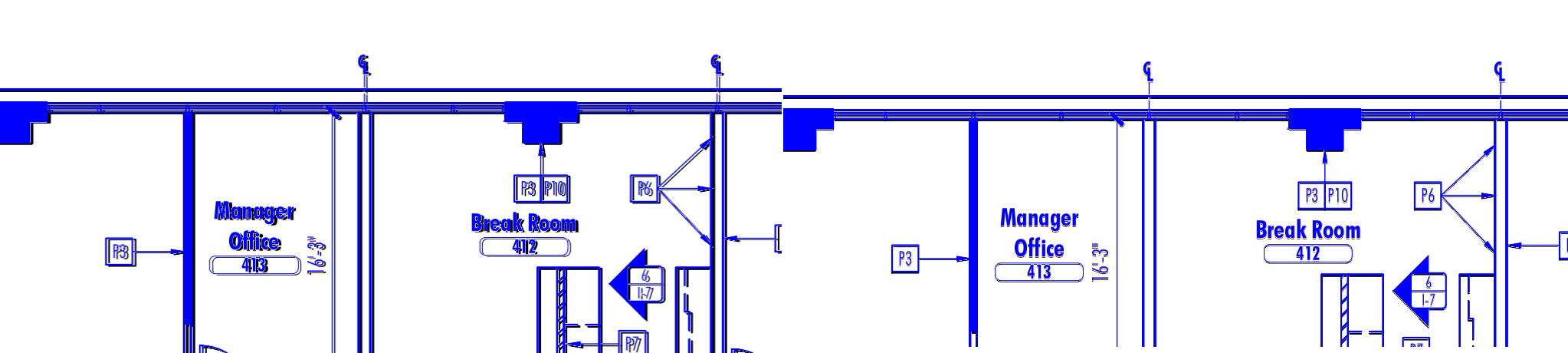
The perfect OVERLAY “Nudge it, don’t fudge it.”

By popular demand, we’ve included a nudging system in our overlay feature. This is something you’re not necessarily going to find in the overlay feature of other estimating systems, and that’s just because they’re not as good.


Overlay nudge feature in Plexxis

Let’s imagine you are trying to line this up, and for whatever reason, you are just not able to do so. What you can do is, get it close, zoom in as far as you can and then use the arrow keys to just nudge it where you want it to go until it is perfectly lined up.

Estimating & Remote Takeoff Connected to Field / PM / Finance in Plexxis for Subcontractors

Material, Heavy Equipment and Prefab Manufacturing in Plexxis Software for Subcontractors

Material and Heavy Equipment Management

One of our customers, Kristen Pierce, said, “you can run a tight ship or a shipwreck; the choice is yours.” In the VUCA (Volatile, Uncertain, Complex, Ambiguous) world of construction, subcontractors are constantly putting out daily fires. They’re very selective about where they dedicate their efforts, and it’s usually around controlling labour. Often, the processes around the management of materials and equipment suffer and inevitably they become the shipwreck portion of the business. Plexxis changed that game. We have always kicked ass with material management, and more recently, we are crushing it with heavy equipment management and prefab manufacturing.


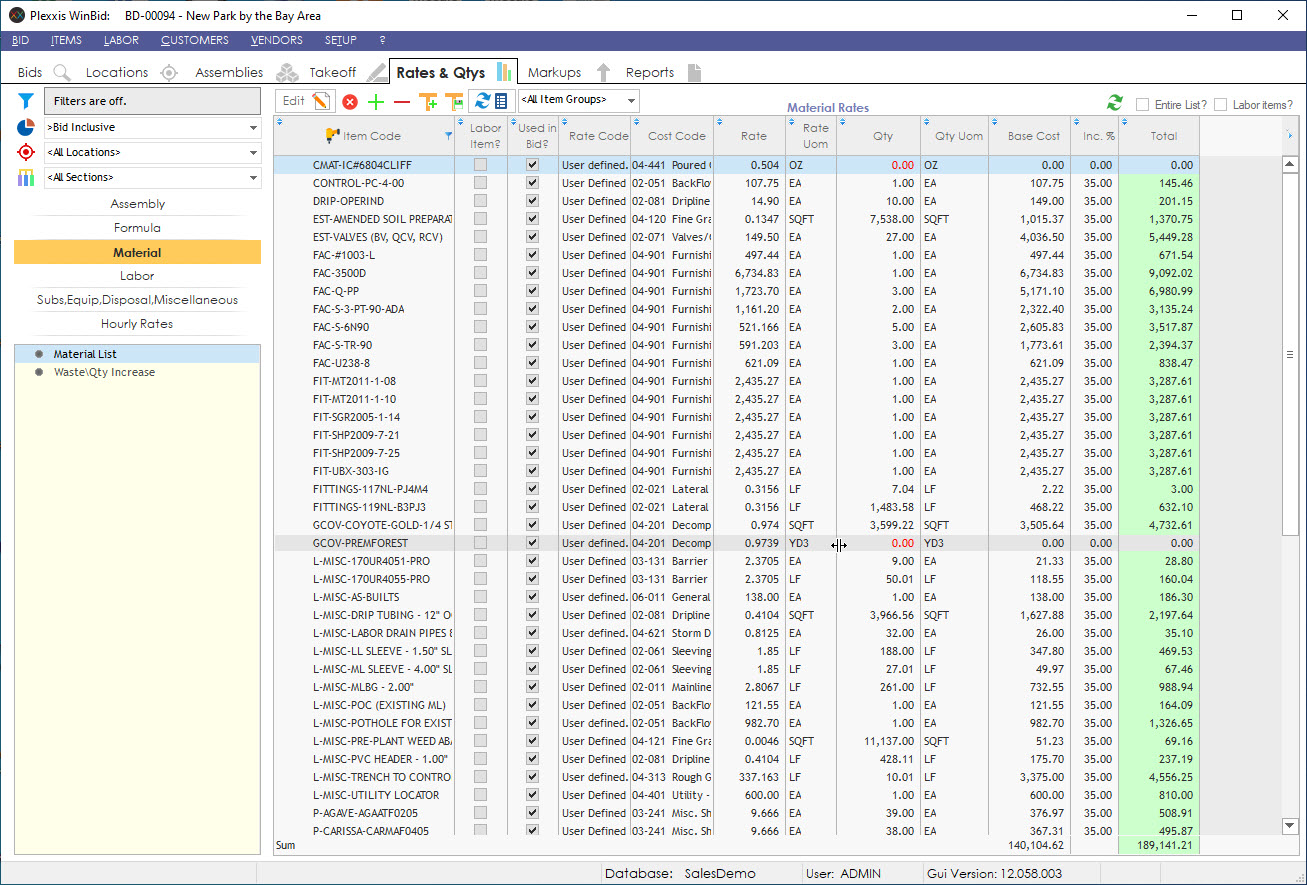
Rates & quantities in Plexxis

Plexxis has a live connection between bidding, Field and Finance. In the estimating side, if you go to ‘Rates & Quantities’ and click on ‘Material,’ you can see how we break out the materials. The image above is an example of a landscaping bid.


Material list in Plexxis

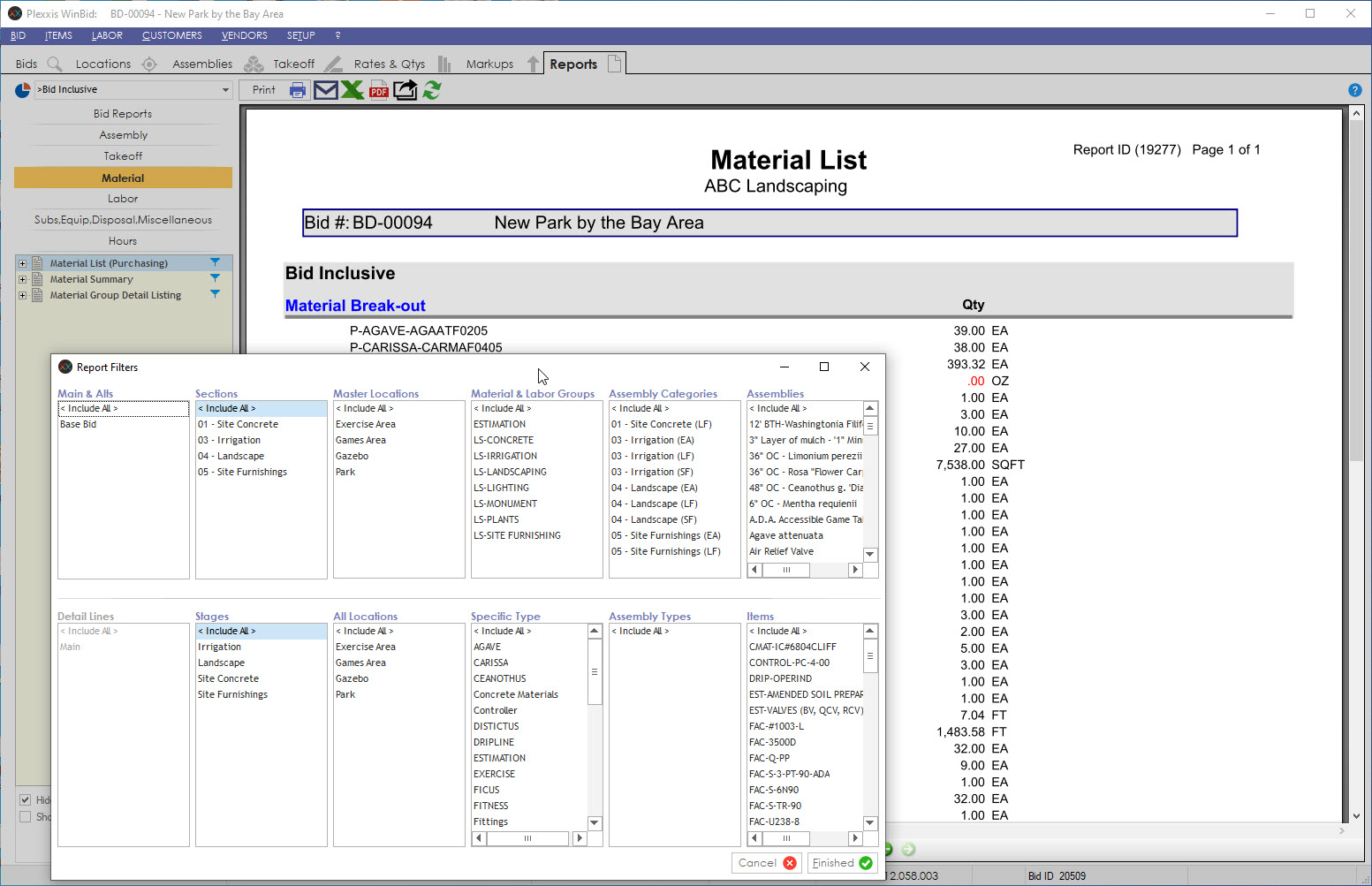
If you go to the ‘Reports’ page and click on the filter option (left side of your screen), you can look at all the different perspectives from which you can mine the bid.  You can filter by the location, labour groups, assembly categories, stages and more.


job material comparison

In ‘Rates & Quantities,’ you can see the standard pricing information that is in the common shared database for the entire organization. Let’s assume you’ve got the job and it is already in Plexxis, and you do a price comparison. In the Project Management & Accounting system, you can select one to three vendors, send out a price request, and get that pricing back in the system. It will override the standard pricing that was in the bid when you send out purchase orders. Refer to the job start-up video to see how we bring the bids in, start up the jobs, and execute the pre-con process.


open purchase order

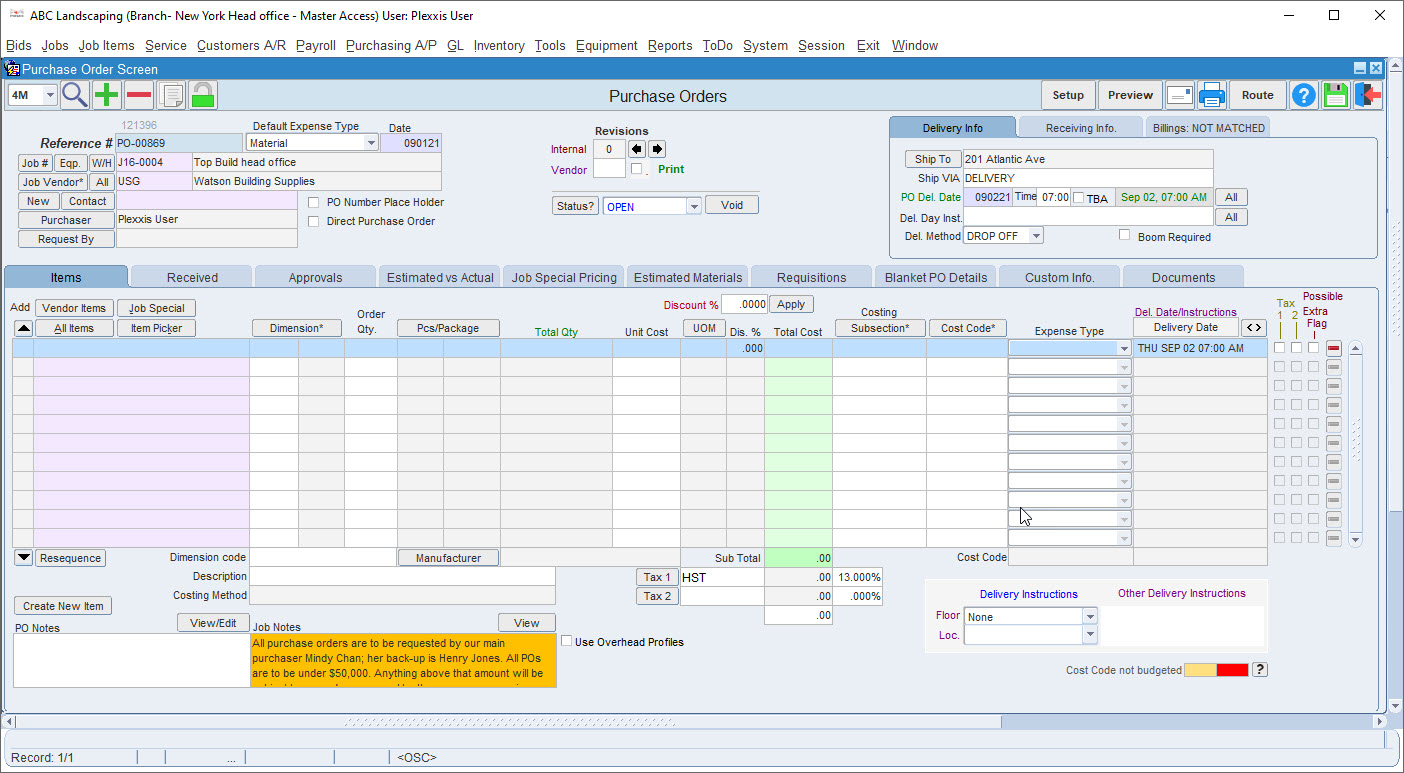
Here is an open purchase order that is already in the “edit” phase. You have many ways that you can complete a purchase order.

  1. You can select a vendor and start typing in materials.
  2. You can go to the item picker and select materials.
  3. Because we have a live connection between Bidding, Field and Finance, and the bid’s working budgets are brought over with a high level of detail, you can come into the estimated versus actual section and right click on any items to add materials to the PO.
  4. Suppose you have a solid pre-con process, and the working budget is broken out in a way that reflects how the job is going to be built out. In that case, you can come into the estimated materials and go by stage, go by subsection, or pick an area of the job that you want to order.


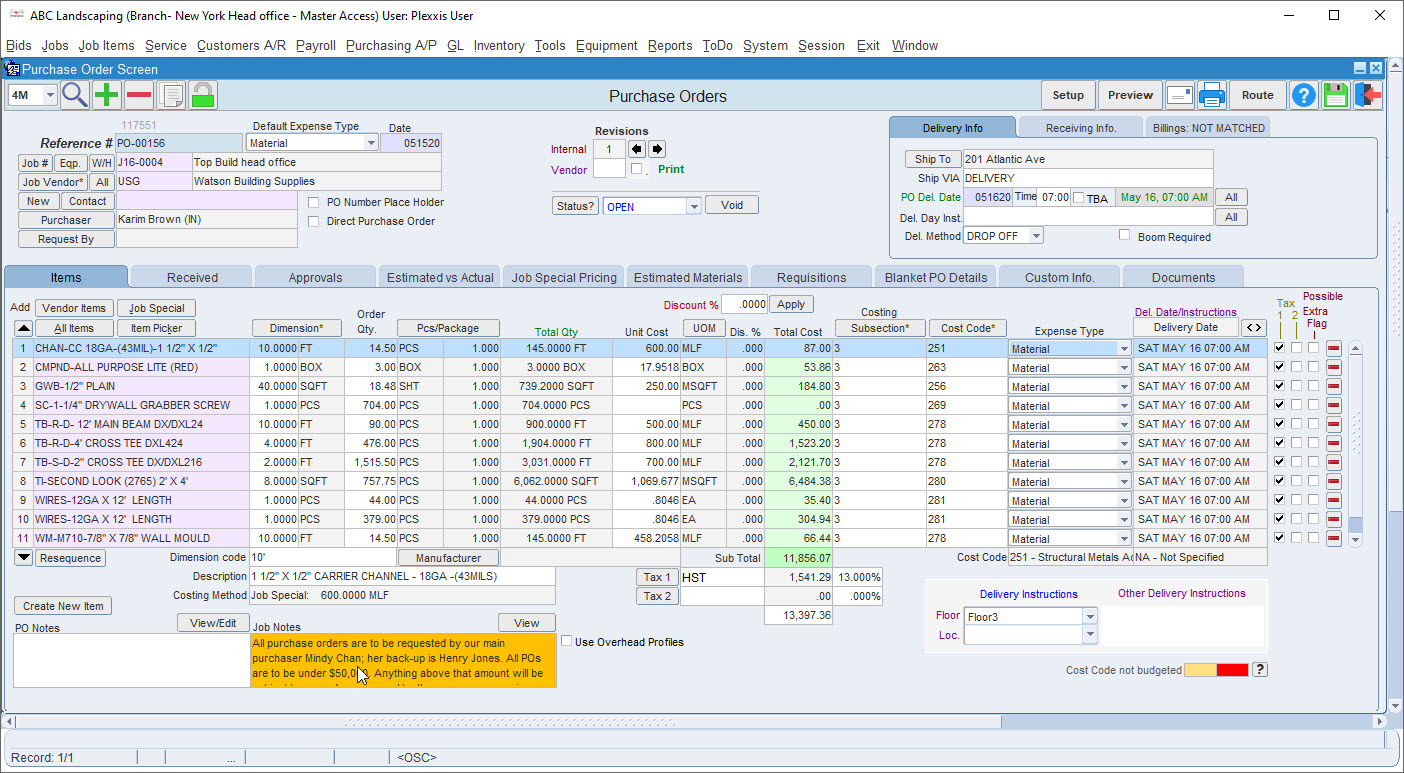
purchase order in Plexxis

For example, if you want a hundred percent of a particular material, it will automatically add it to the PO. If you go to email this out, we’ve built in a connection to outlook. If you are going over quantity or over budget, you will see a notification. In that case, you can go to the ‘Approvals’ tab, and you have two options. If you’re okay with slowing the job down and keeping the process tighter, you can route this approval to the necessary people to give you the go-ahead. If you have the authority to approve it, you can come in here and take responsibility for this decision. When this goes out, this now locks it down, and it becomes a committed cost on the job.

Several things happened here. One, it became a committed cost of the job and it’s reflected in the estimated versus actual. Two, it locked the PO down. If you need to make an adjustment to this, you must unlock it. When you do unlock it, it will automatically create a revision. Every single document in Plexxis has revision tracking. Every revision is tracked along with the person who made the adjustments. It is a complete accountability management platform.


purchase order

The other thing that happened here is the purchase order went to the app, at which point, the dollars are stripped out. Every document that goes to the app only shows quantities and relevant details that the Field needs to know to ensure that the proper materials arrive. When the materials do arrive, the Field can take a picture of the packing slip and make any notes relating to any materials that did not show up or are damaged, and that information comes right back to AP. When AP is receiving the information, they can click receipt, see any notes or information relating to backlog items, and when they’re ready, they can create the bill.

Remember, the Field also gets a live material breakout and labour breakout. If you open the app and go to the materials, you will see the live material breakout with purchased and remaining along with percent spent. You can also break it out by the areas that have been brought over in the working budget.


job master in Plexxis

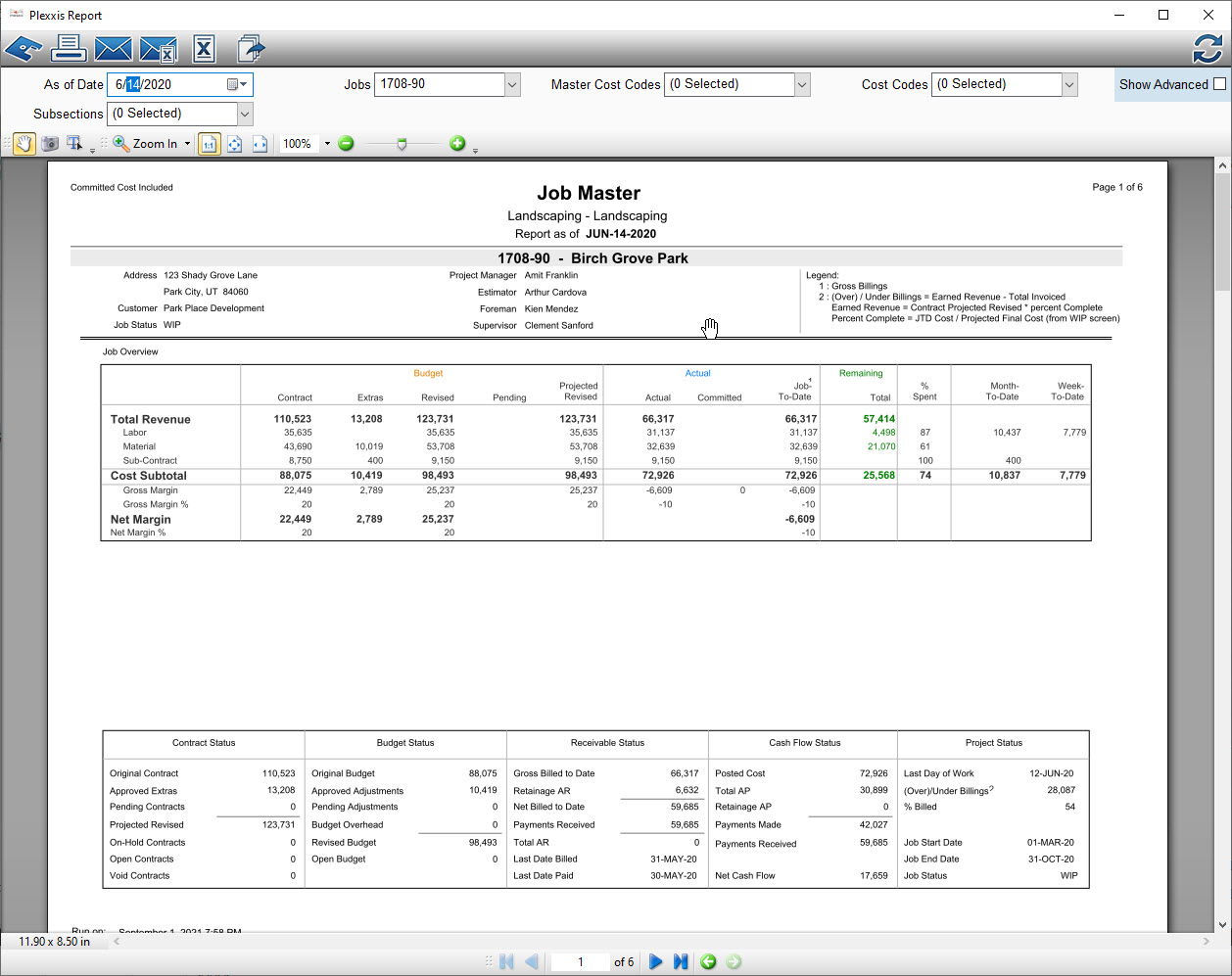
Here is a job master report. You can schedule this report on a weekly basis, so it automatically hits a distribution list at the frequency that you set. You don’t even have to go in here and generate the report. What you’ll see here is a high-level status of the job showing contract, extras, revised, any pending and projected revised. You’re also going to see those committed costs or labour separate committed costs for subcontractors because we have a separate subcontractor management system that will segregate that cost. This way, your committed cost is not skewed. If this job had equipment, you would see the committed cost for equipment as well. If you scroll down, you will see some high-level status reports, a 10-week snapshot of how the job is trending as well as all your open & pending agreements, labour and materials & equipment.


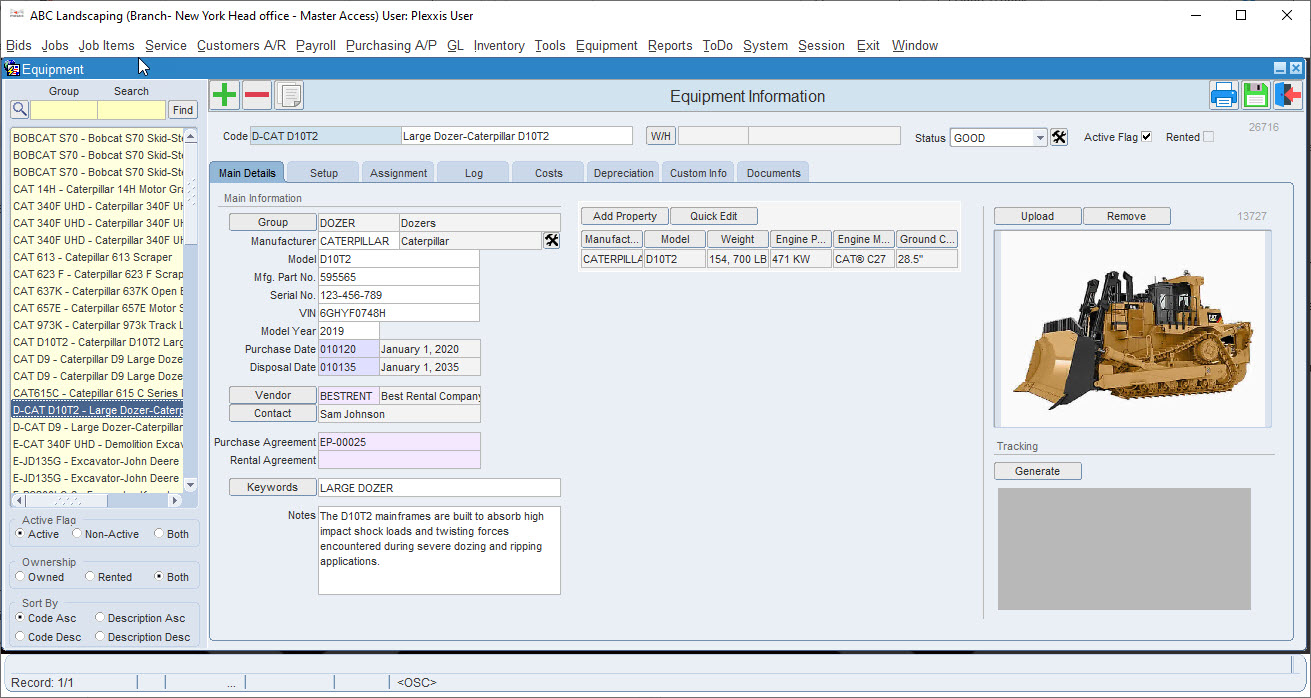
Equipment information in Plexxis

We have recently entered into heavy equipment management. You are now able to cost equipment effectively to the jobs. Material management, heavy equipment management, and our prefab manufacturing deserve a deep-dive blog on their own because they’re so amazing.

Job Special Pricing in Plexxis Subcontractor Software

One of the typical issues that clients tell us when talking to them about purchasing is that they cannot properly have purchase orders sent out to the vendor and store committed costs. The main reason is that there’s no way to save the pricing of these different items by vendor or job special pricing. Plexxis can handle both.

In Plexxis, if you look at the items, you can see individual items with multiple pricing by the vendor. Each one of these represents the vendor’s specific pricing. When a PO is made for a job to a particular vendor, this is the pricing that gets pulled in. There are times you have a negotiated rate for items which is job-specific. How do we handle that? We’ll show you.


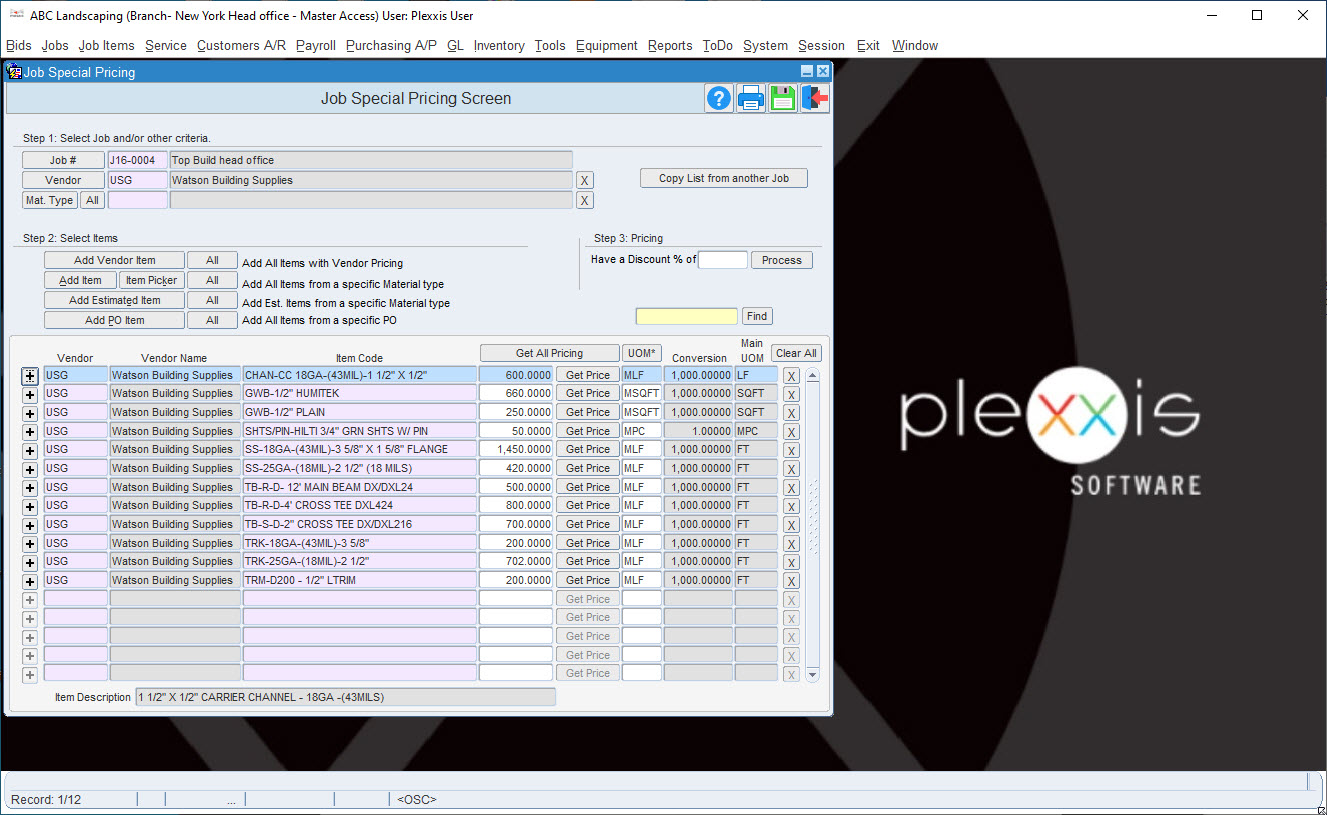
job special pricing screen

Let’s say we have set up a brand-new job. If there is a negotiated rate on this job for a vendor, all you have to do is go to job special pricing, select the vendor with which we have a negotiated rate, and say “add all estimated items.” It brings in the default pricing, which was estimated. Based on your negotiation, you can change this pricing. You can change and establish a job special pricing. If you ever make a PO for this job, the first pricing that you get is the job special pricing. If there is no job special pricing, you will get vendor-specific pricing. Clicking on the “Get All Pricing” would get the pricing from the vendor.

Here’s another way of handling this. Let’s say you have a separate, brand new job, but the vendor says to bring in the negotiated rate from the other rate. You can copy the list from another job without going through the list and changing the pricing.


purchase orders

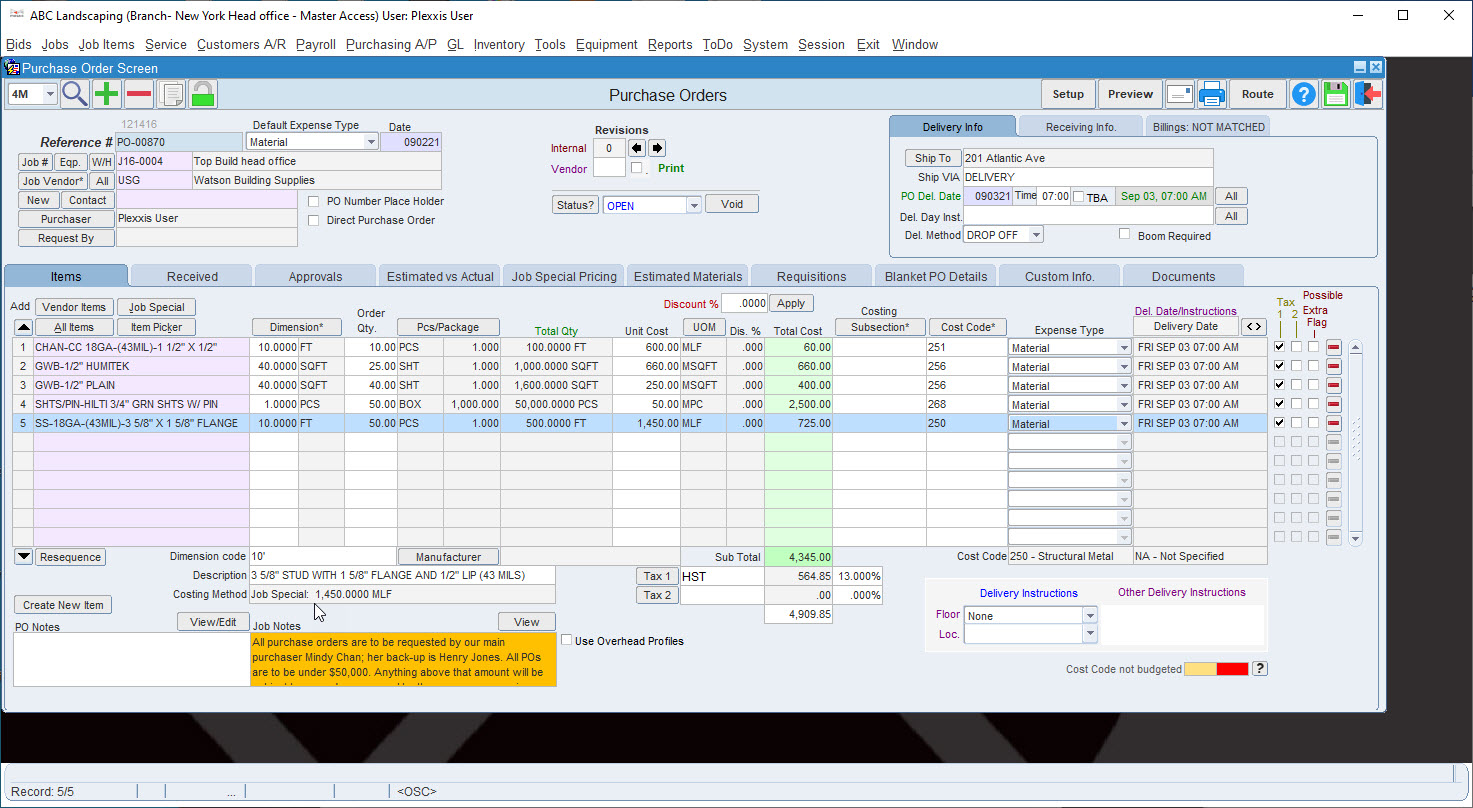
If you need to make a PO on this job, go to purchase orders and select the vendor you negotiated the rate with. If you go to job special pricing, you can see all the rates over here. The system will bring in no cost if you select a random item because this is default pricing. The vendor doesn’t have pricing for this item, but if you were to go in and say, bring in one of my estimated items, you would notice that it brings in the job special pricing. To confirm, you can check the costing method Field, and it should say “job special pricing.”

In the case where you created a PO and brought in your job special pricing, but pricing is missing for a single item, you can call the vendor for their new price. Once the vendor gives you pricing you can plug it in using the right-click and select “Add/Update Vendor Pricing” feature.

Let’s say you have a negotiated pricing for this rate. You can put in your price, right-click and select “Add/Update Job Special Pricing.” This way, you have established a job special pricing at the beginning of the job but still have the ability to build your database and jobs special pricing database on the fly while you make Purchase Orders.


vendor item pricing

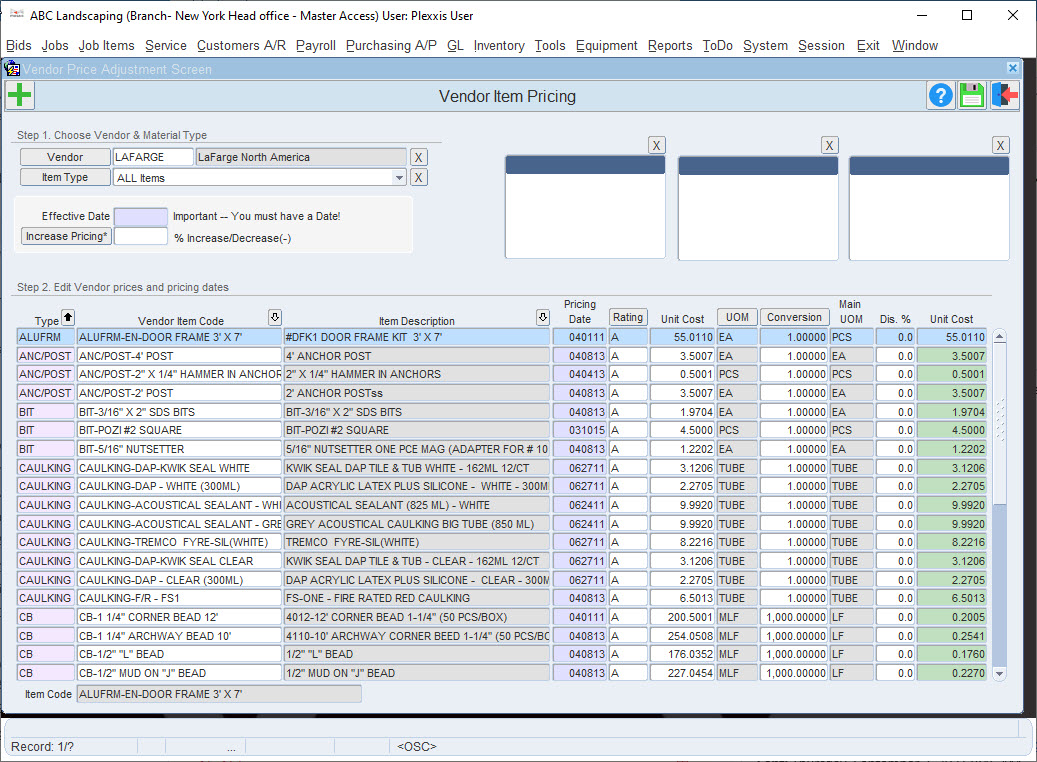
Let’s say, once or twice a year you get a job price update from your vendors. How do you massively update them? Just go into purchasing A/P > Advanced Options > Vendor Item Pricing. If you select your vendor, it brings in all the pricing data. You can refine your view based on “item type,” this way, you do not have to work on the entire pricing list at the same time.

Inventory transaction history in Plexxis Subcontractor Software

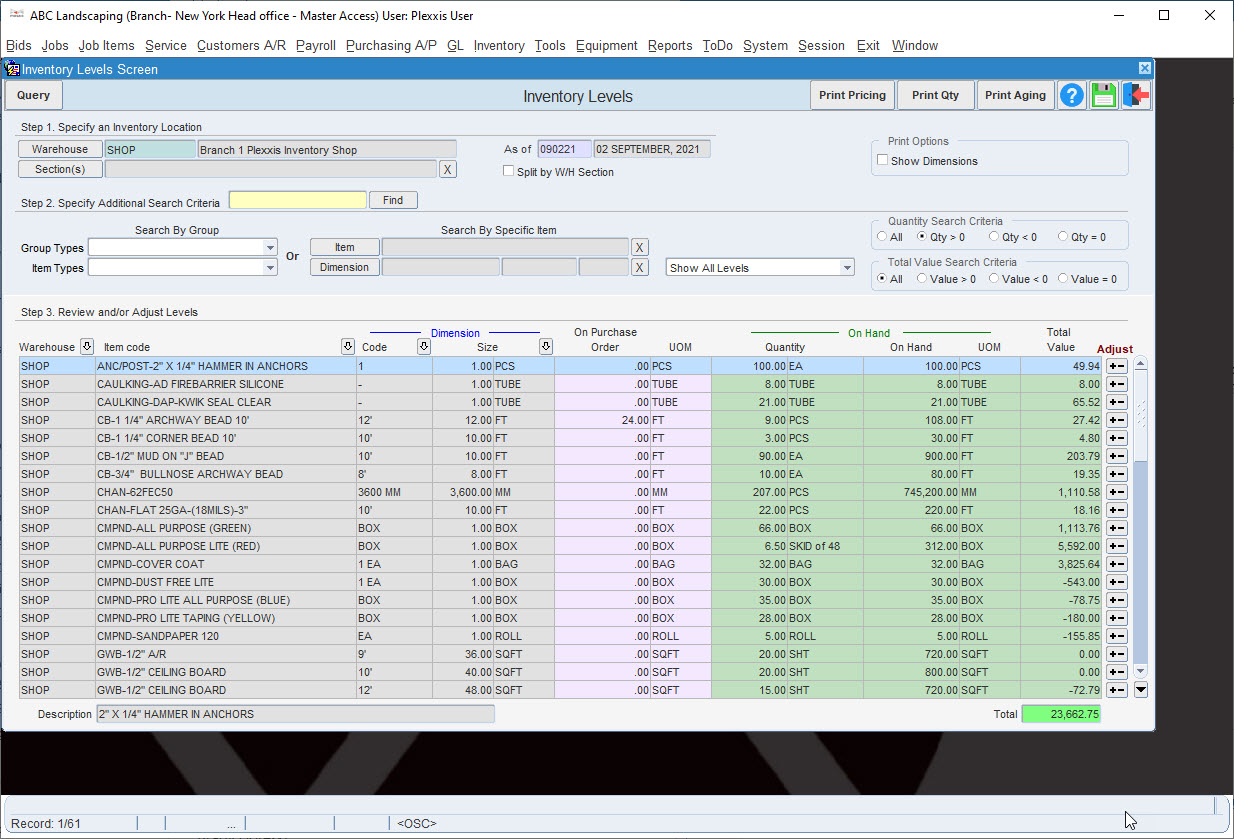
If you go to a warehouse, you can see what you have on hand and what’s the total value of the inventory at any point in time.


inventory levels in Plexxis

Let’s say you have a purchase order going out at the moment. That item is still put in track, saying that you will receive this extra item. If you want to investigate inventory levels of a particular item further, right-click on that item, and you can view the history behind that item. This option will help you understand what happened, where the items got signed out, who signed them off, etc.

Material and Heavy Equipment Management