Timecard / Production ‘SUPER APP’ for Subcontractors
Not having the level of visibility into labour and production that we’ll discuss in this blog is like using a smoke alarm as a timer for when you’re cooking.
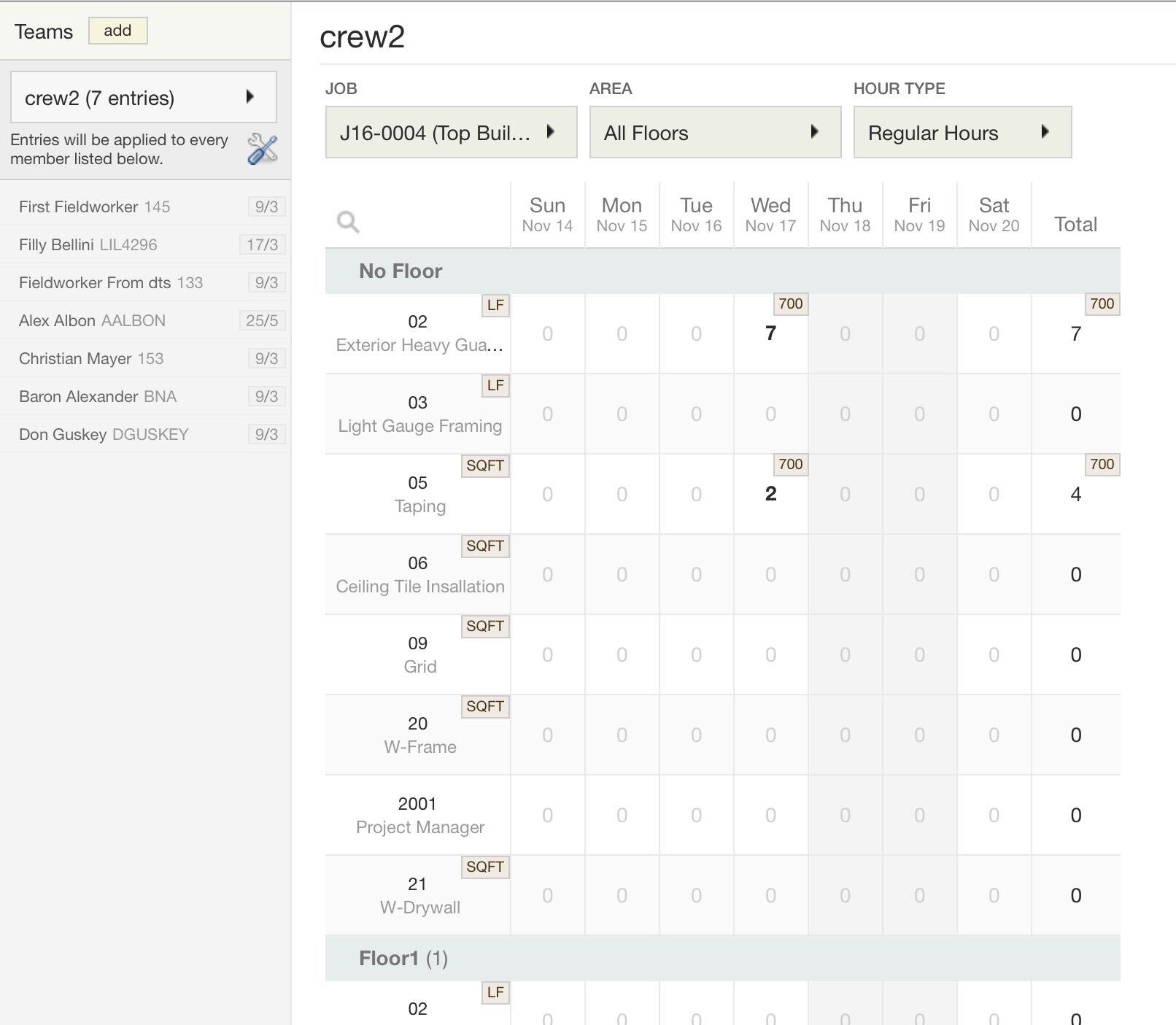
If you go into daily time tracking sheets, you’ll notice that it’s a very simple grid-style entry. You pick the job; pick the employee, and you’re done. When you switch from job to job, you’ll notice that the cost codes are different. Similarly, the cost codes will be different when you switch to a different floor. The job drives the app’s configuration, and the foremen don’t have to do a thing. Every effort is taken to reduce cost coding errors. If you have other things that you want to track from the payroll & HR perspective, like absenteeism or reimbursements, that is all done within the app itself too. The app is like a DeLorean; it allows you to go back in time. You can get a complete historical look back because we don’t delete the previous records when you sync.
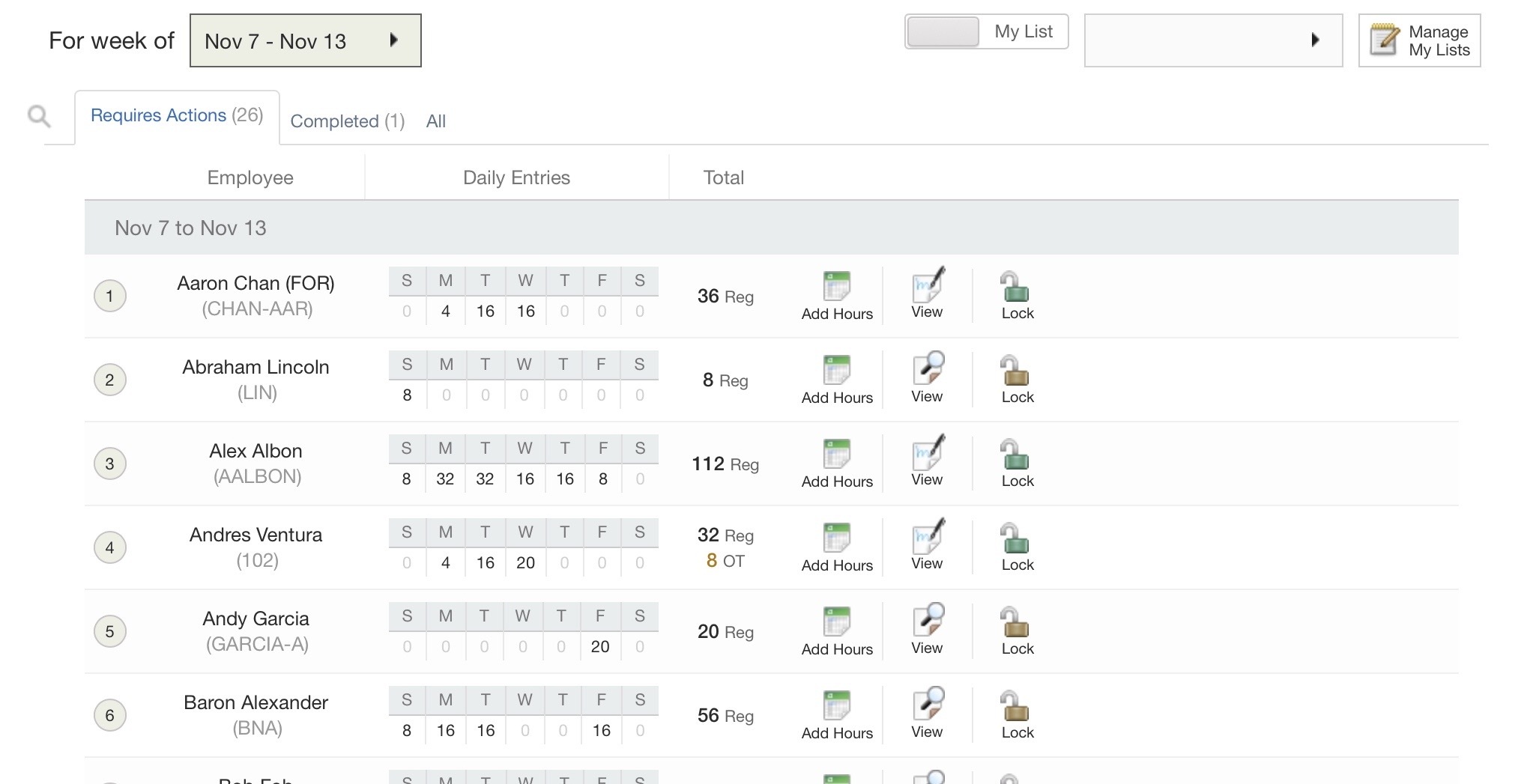
Suppose you’re tracking crews, no problem. You can complete all crew time cards in one fell swoop. This is hyper-converged with supervisor time verification and approval workflows. They can complete their time verifications and approvals right in the app as well, and this, of course, is hyper-converged with HR and payroll. They’re watching the data come in real-time; data entry is removed from their tasks so they can focus on looking for errors.
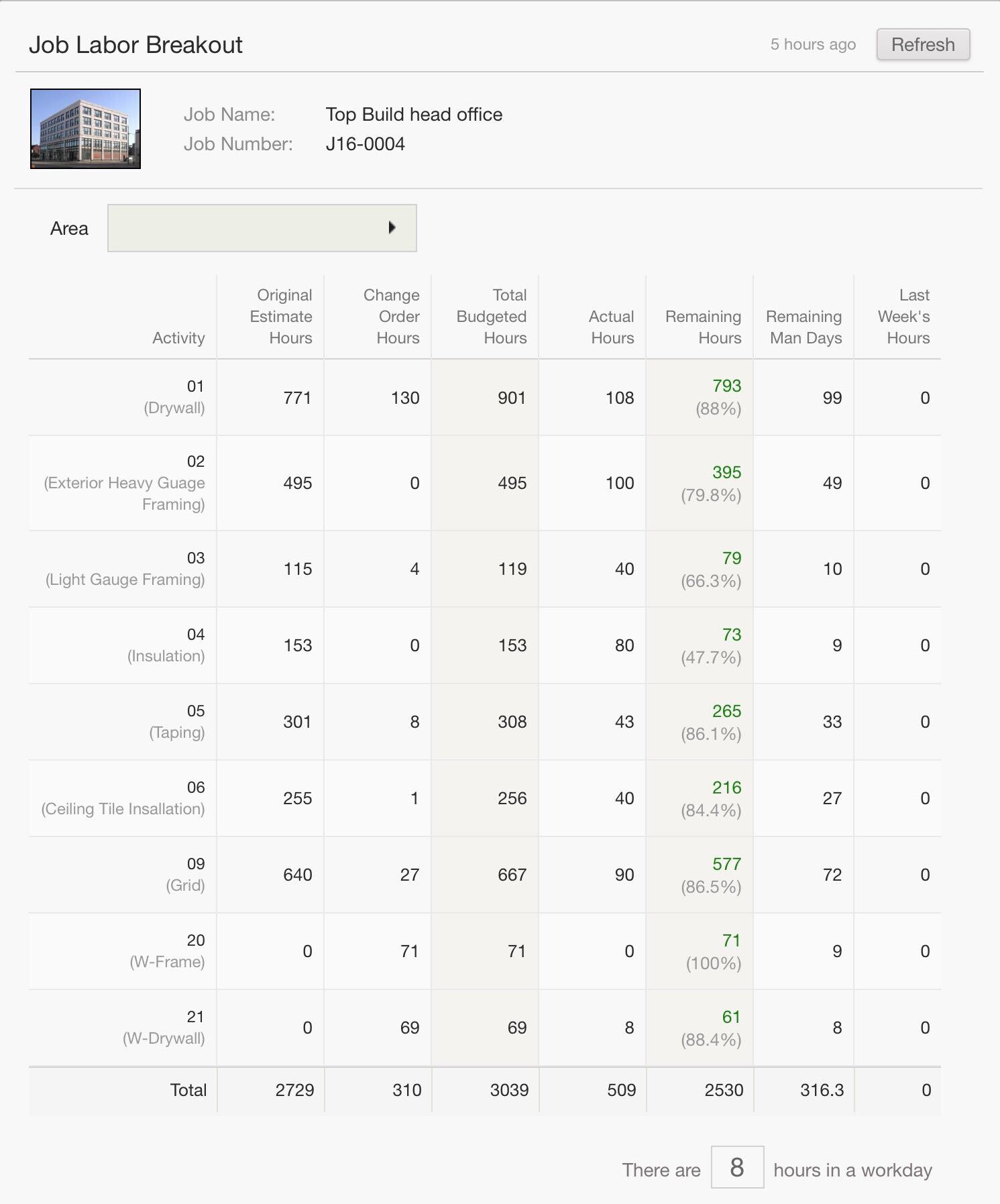
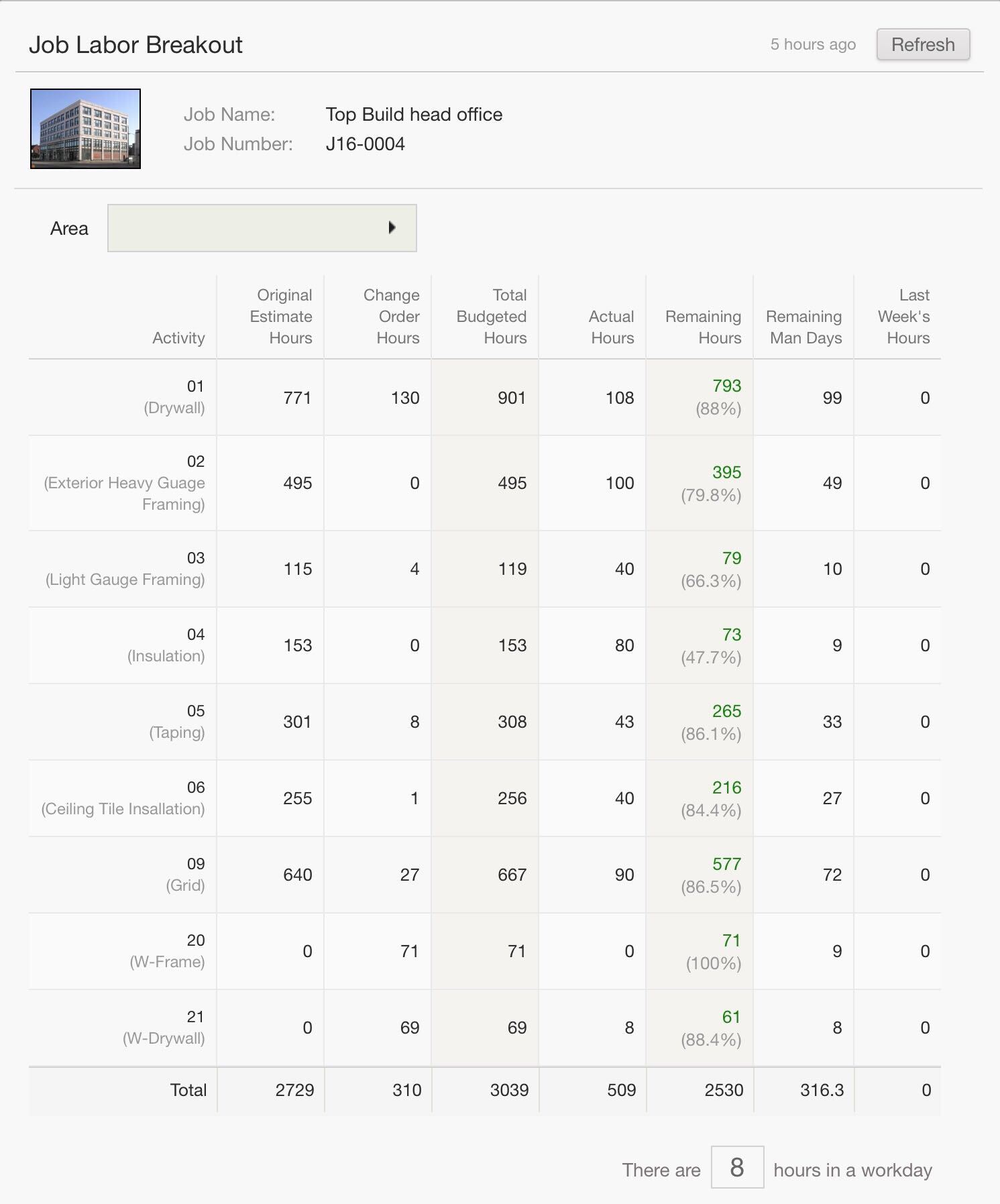
Remember, this is a super app, all apps, one spot, no setup. So, the whole workflow completes right back to the labour breakout. It’s a live labour breakout, including pending and approved change orders showing remaining hours and man-days.
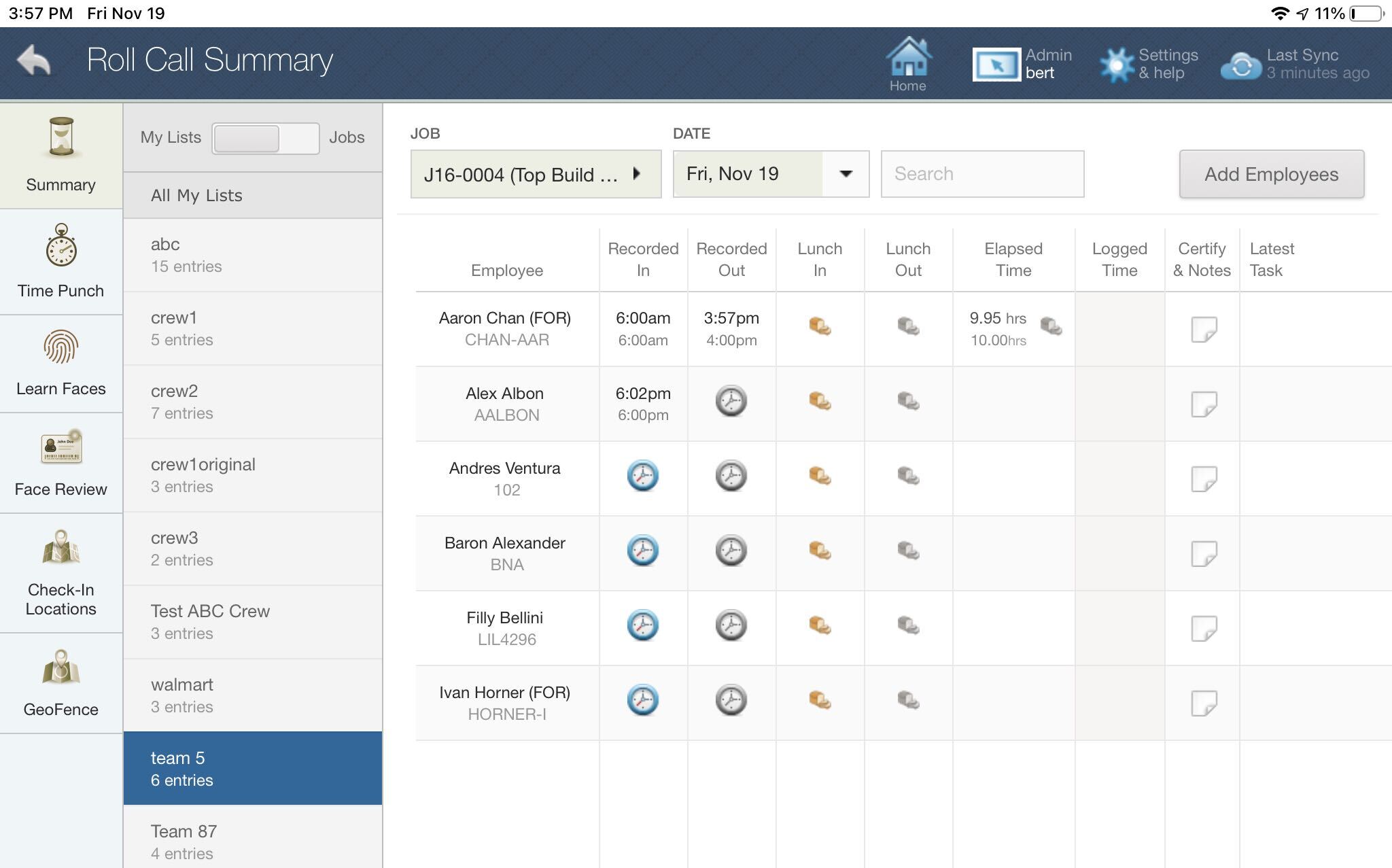
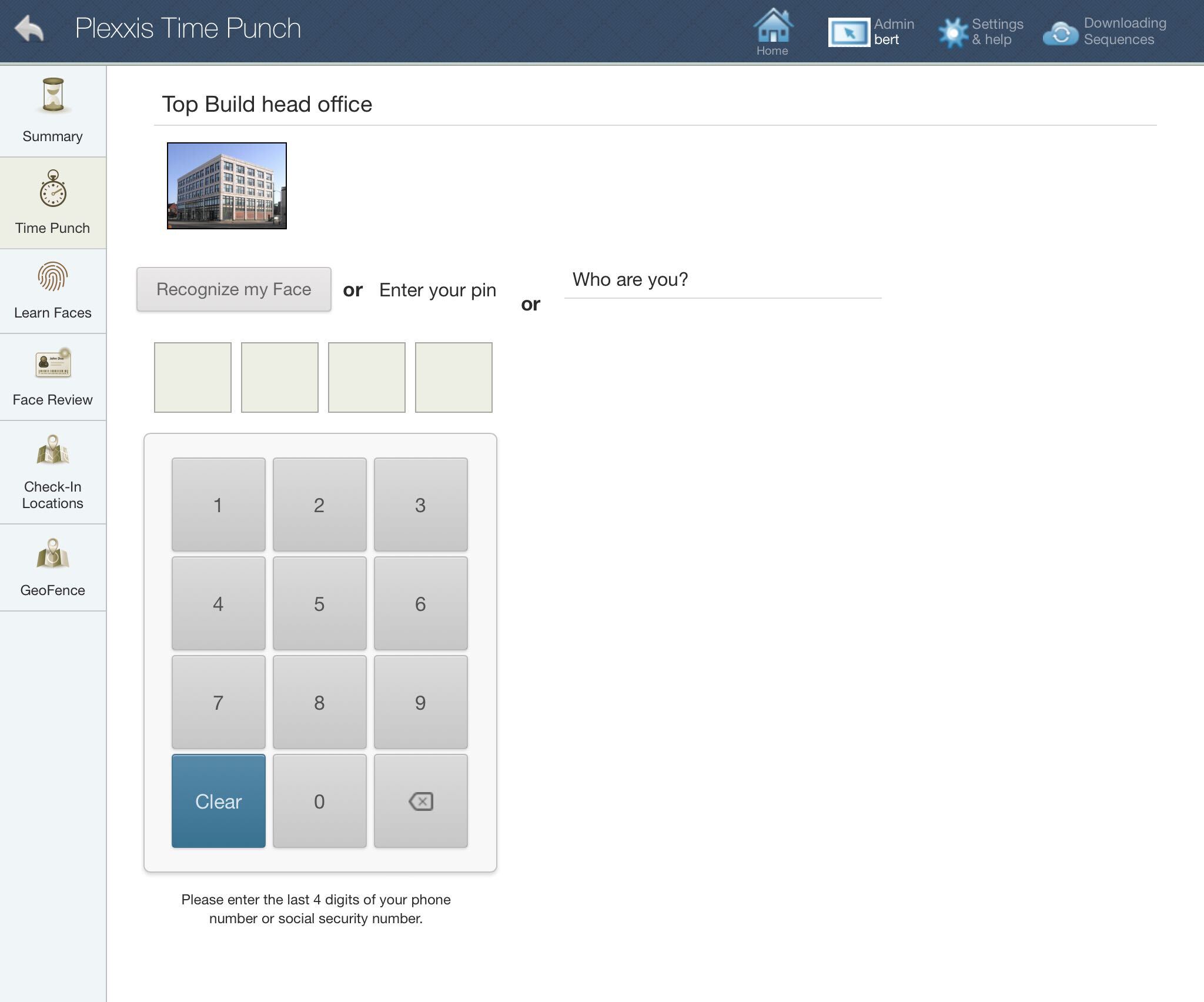
The timecard workflows are tightly interwoven with the time-tracking and production tracking workflows, and we have several options for both of those. The foremen either have the option of checking in and checking out employees with a roll call sheet or setting up kiosks for the employees to punch in and punch out using a PIN or facial recognition technology.
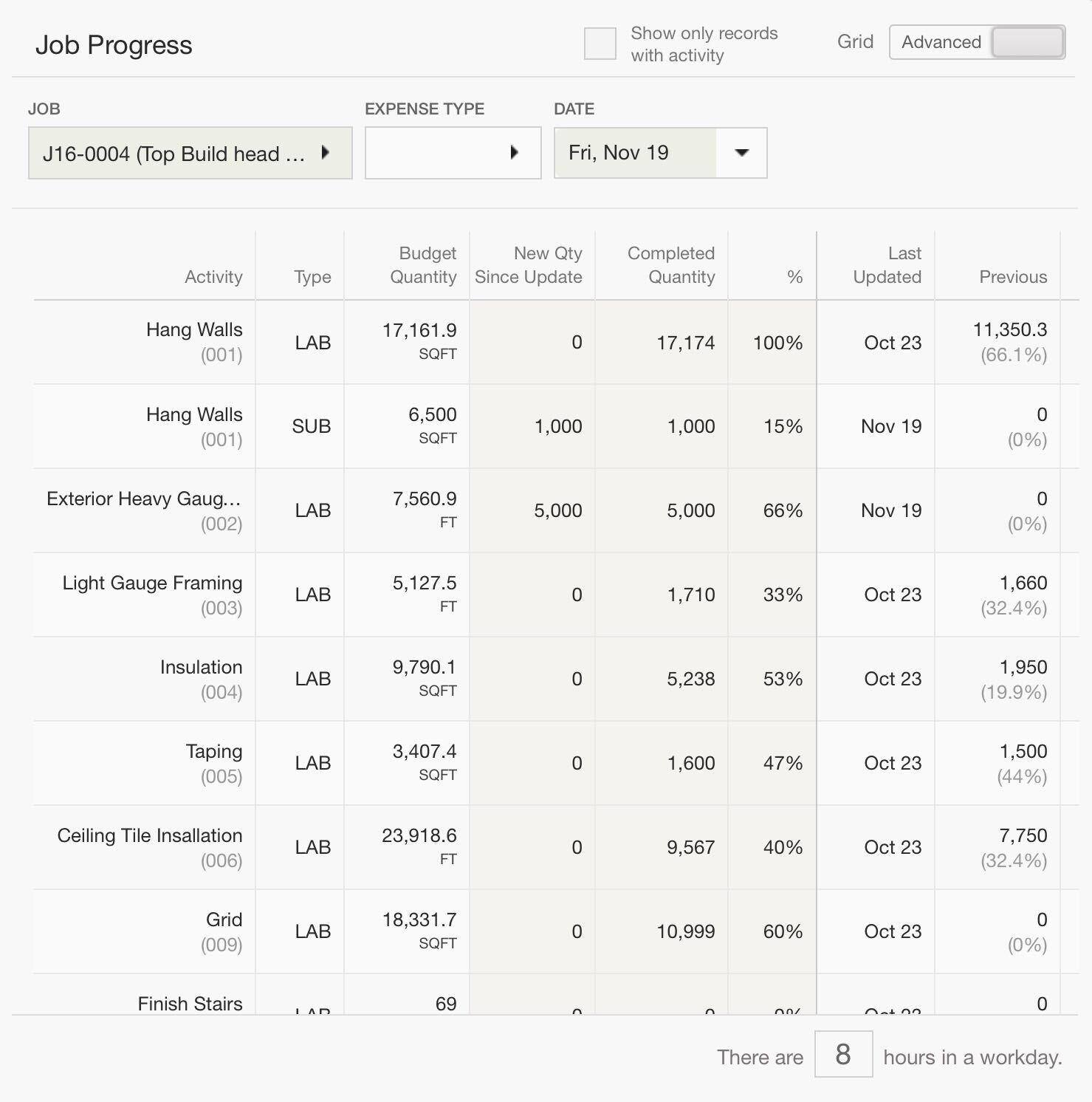
When it comes to production tracking, we have three different levels. You can go to the timesheets and enter in production by individual, by crew, or the most popular version is you can go to the progress entry screen and enter in production by quantity or by percentage complete. This is hyper-converged with the cost projection tool, so the cost projections will automatically be updated with the field’s perspective of either quantity complete or percentage complete.
Timecard / Production ‘SUPER APP’ for Subcontractors
Foreman’ SUPER APP’ for Subcontractors
Super Apps solve the two biggest problems in mobile apps and construction – app fatigue, which is when you have to use four or five or six different apps throughout your day and lack of integration. The flight analogy works well here, a super app is like the direct flight, and fragmented apps is like the flight with four or five or six different stopovers. You still get to the destination, but the trip is just horrendous.
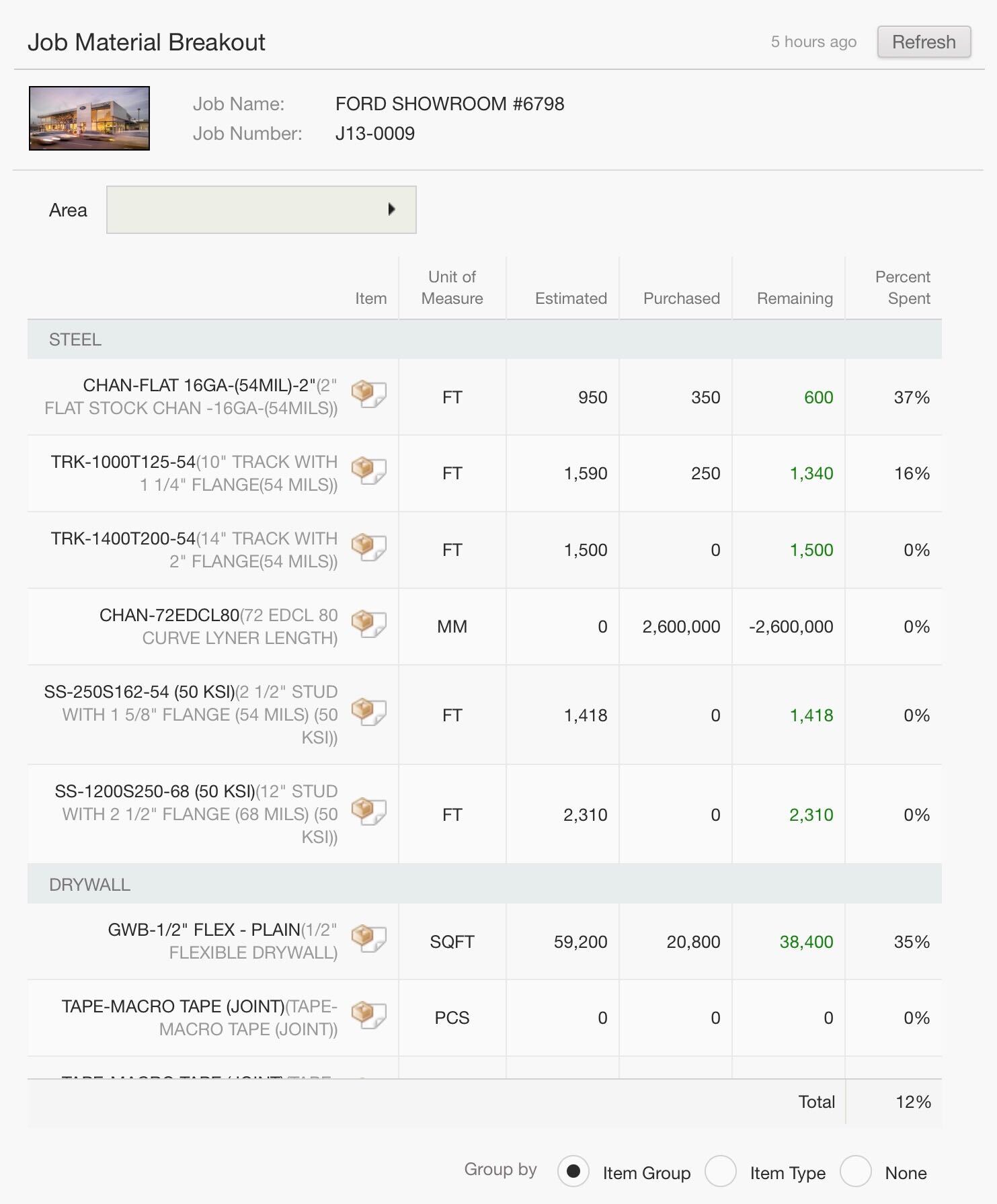
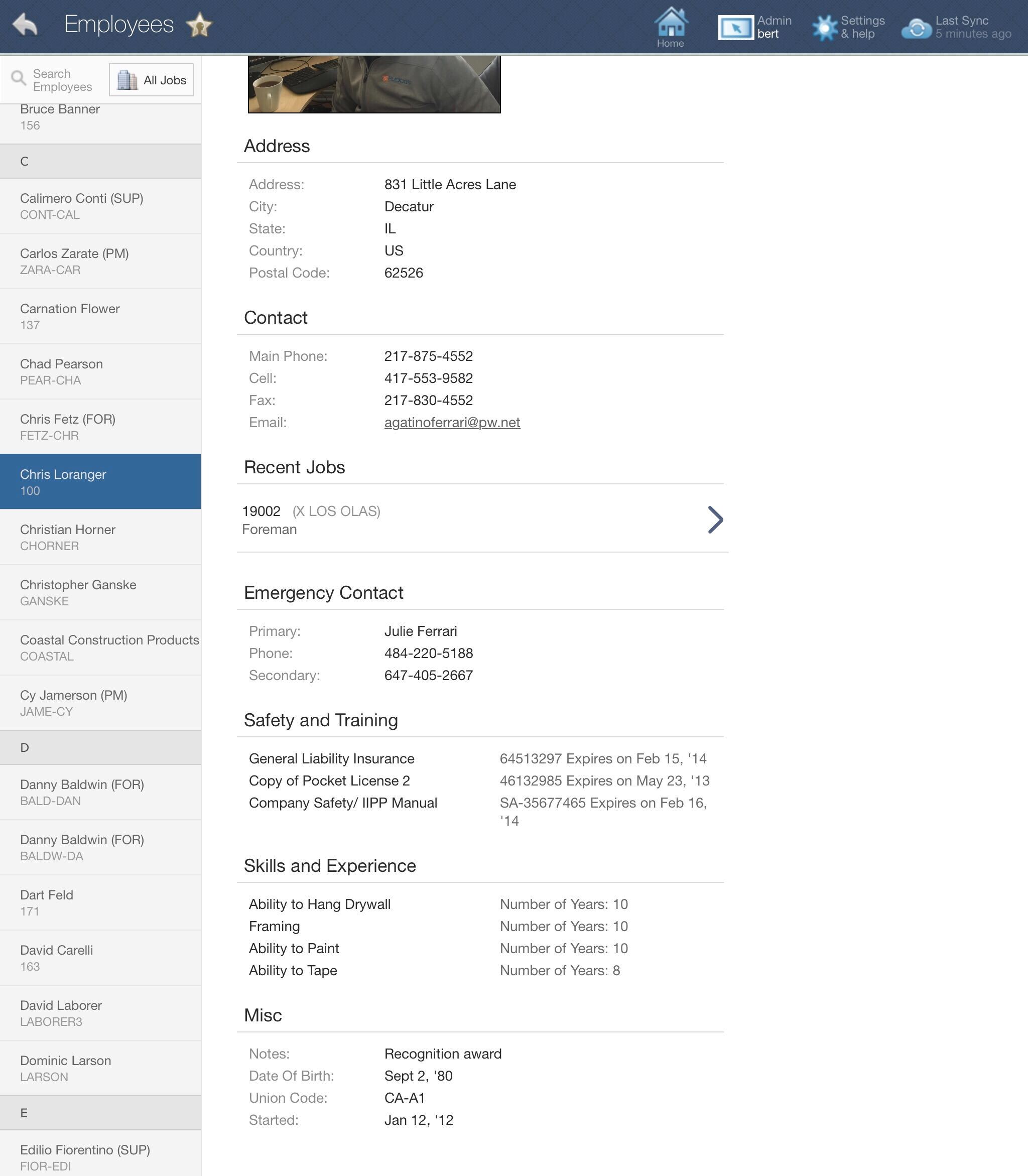
Say you are a foreman on the job with your iPad. You could just go into your job information app and get basic information, including the safety certification and experience of all the employees on the job. Also, you can dig in at any point and get a live material breakout of estimated versus purchase with remaining and percent spent by subsection. It also includes pending and approved change orders. You can also get a live labour breakout with remaining man-hours and man-days, including pending and approved change orders.
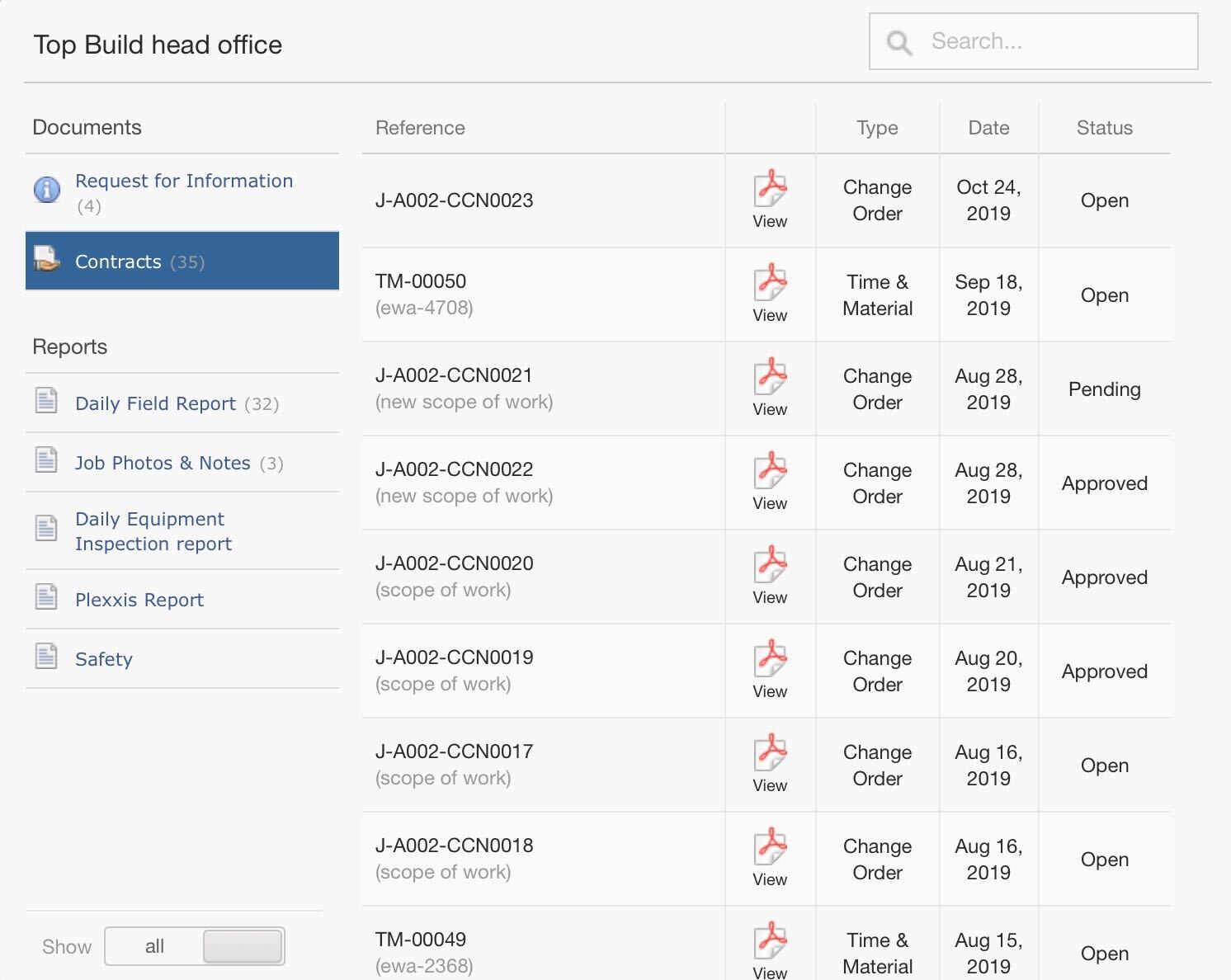
Now, if you wanted to know what change orders are impacting the budget, you could dig into the documents hitting the job, go into contracts and view the documents. Every document that comes into the app is a foreman version, and we automatically remove pricing.
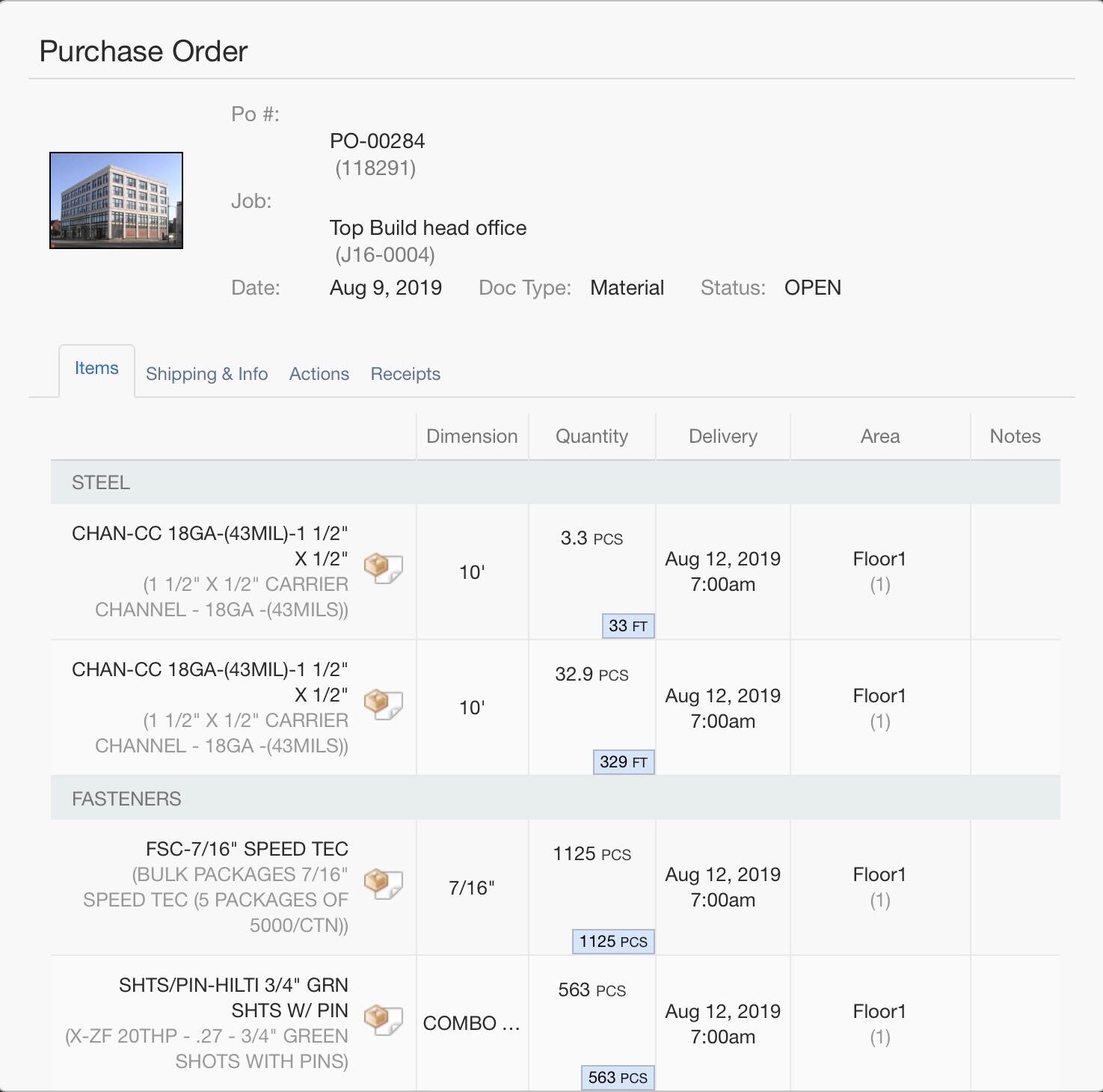
This is a hyper-converged system, any purchase order that is created from the ERP will automatically be synced with the foreman app, but pricing is removed. The foreman can come in, see all the quantities that are going to show up, take pictures of the packing slip, and do their markups. This way, AP automatically gets the information to complete a receipt accurately.
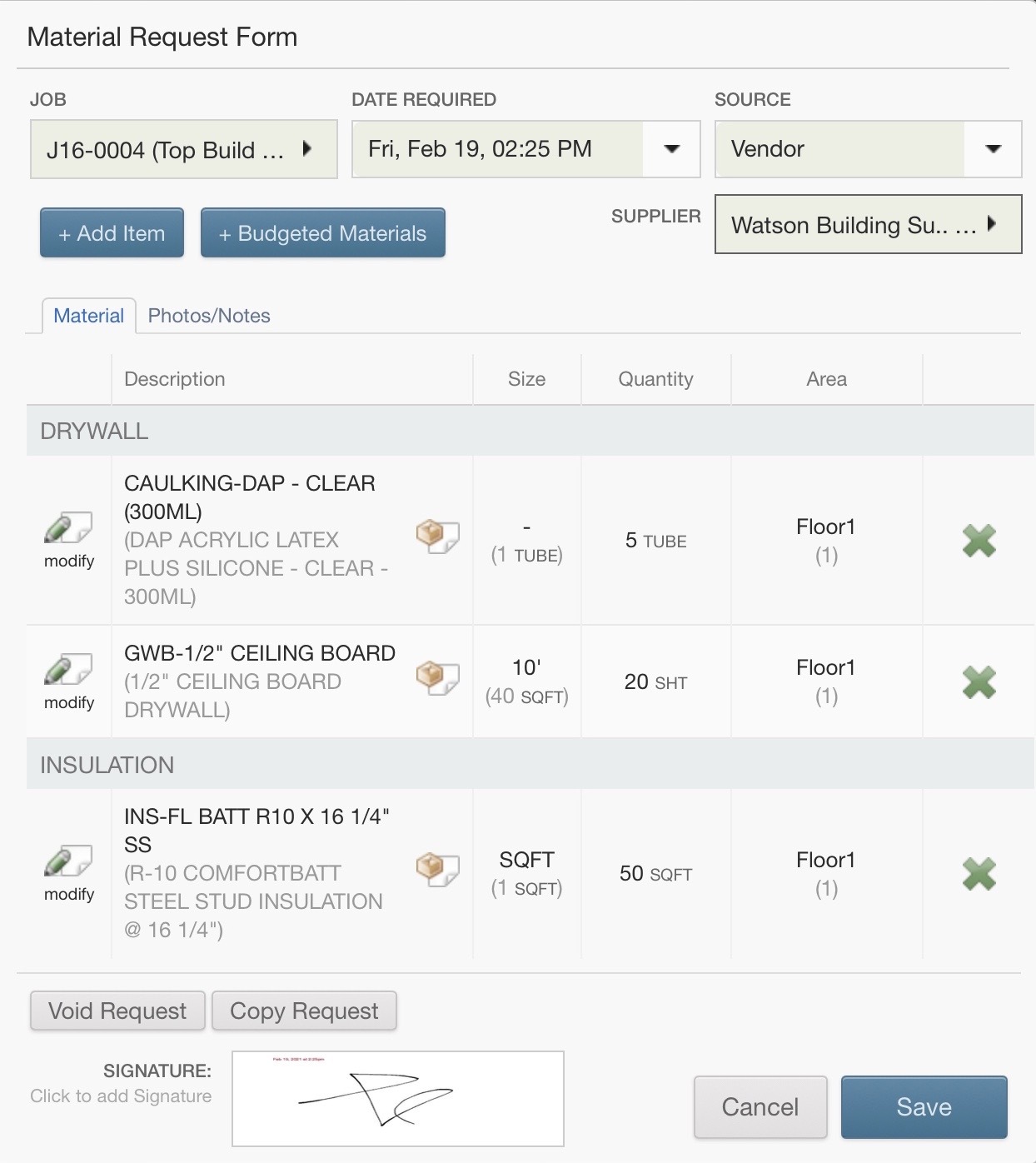
If you need to create a purchase order requisition, sometimes you need materials that aren’t necessarily in the working budget. You can open the ‘Material Request Form’ and create a new purchase order requisition. Select the item using the item picker, enter in the specifications and quantities and click submit.
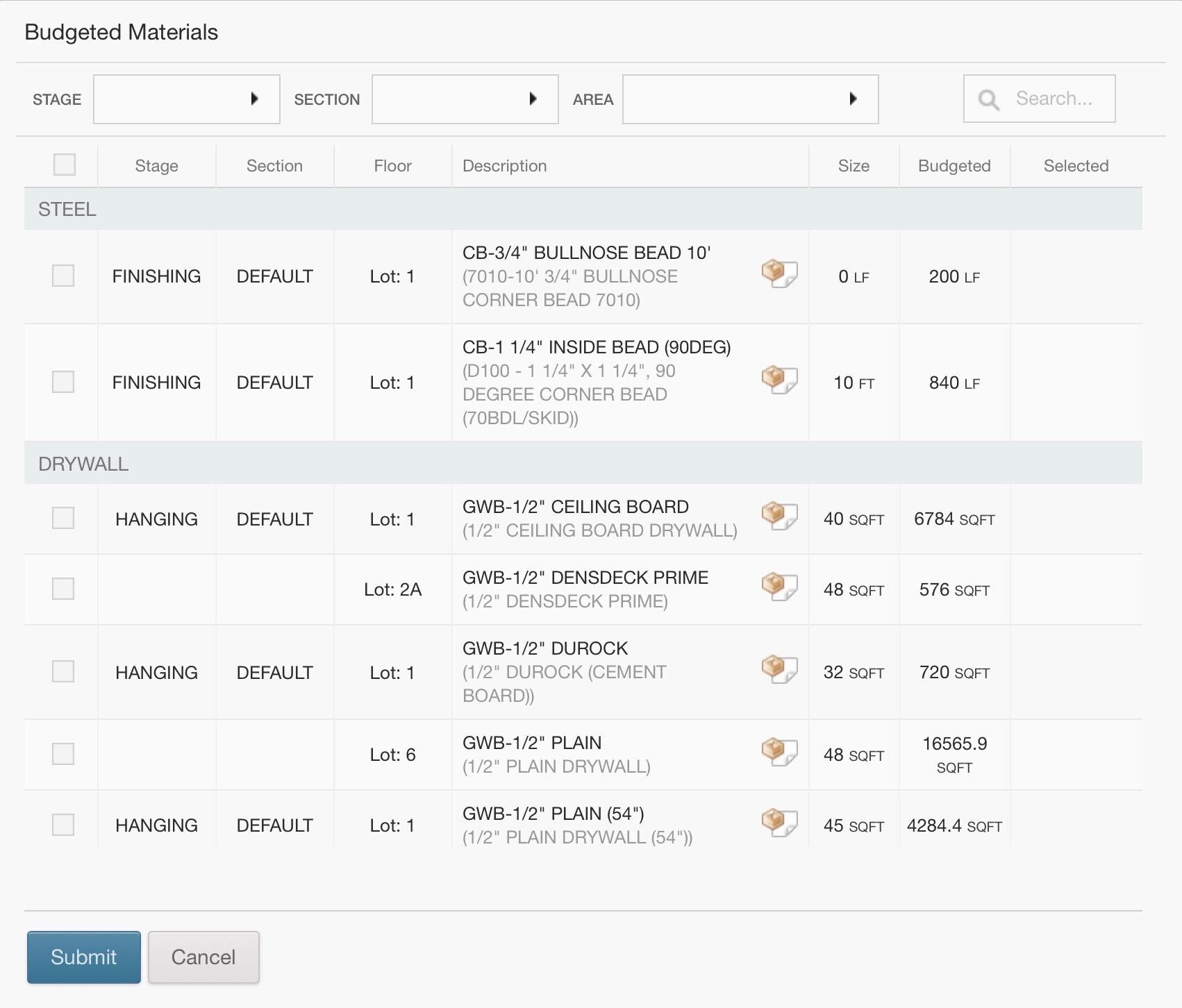
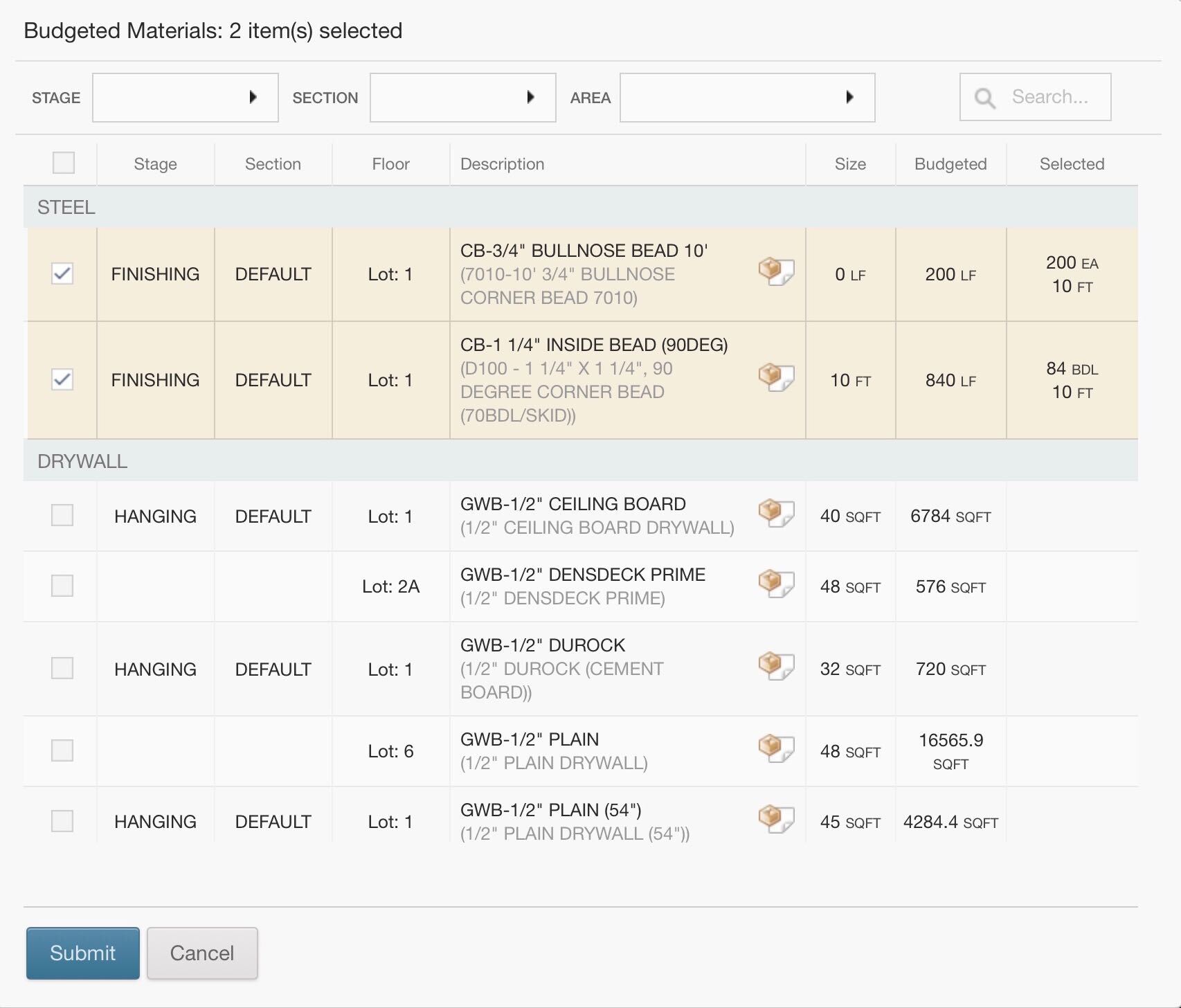
If you need something off the working budget, no problem. The budgeted materials are going to be made available to the foreman. The foreman must only edit the new quantities and submit the request; it’s that easy. This will automatically go to the purchasing manager in the requisitions tab, populate the purchase order screen, and automatically price out according to pre-sets or jobs special pricing. All the purchasing managers must do is eyeball it, approve, and send it out.
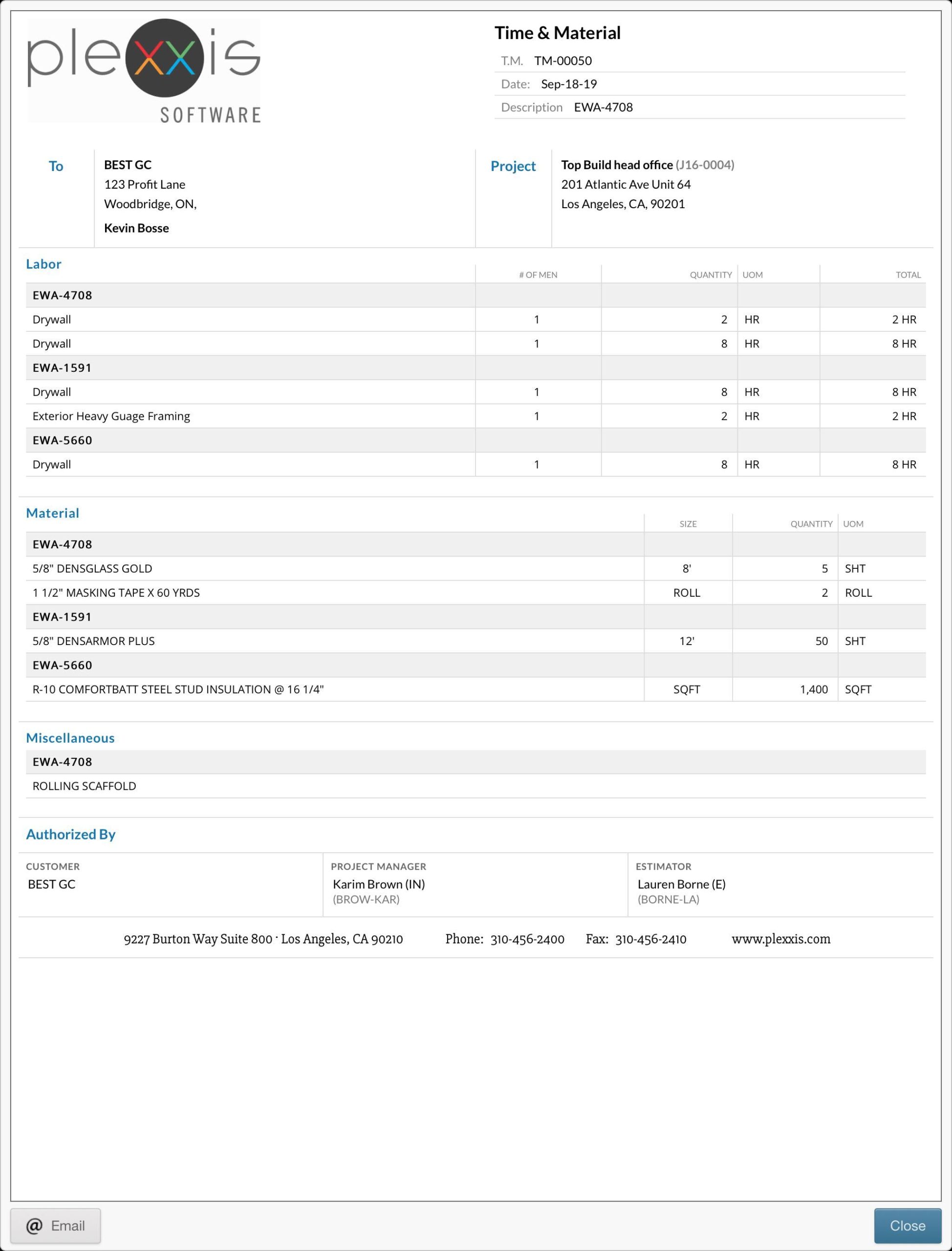
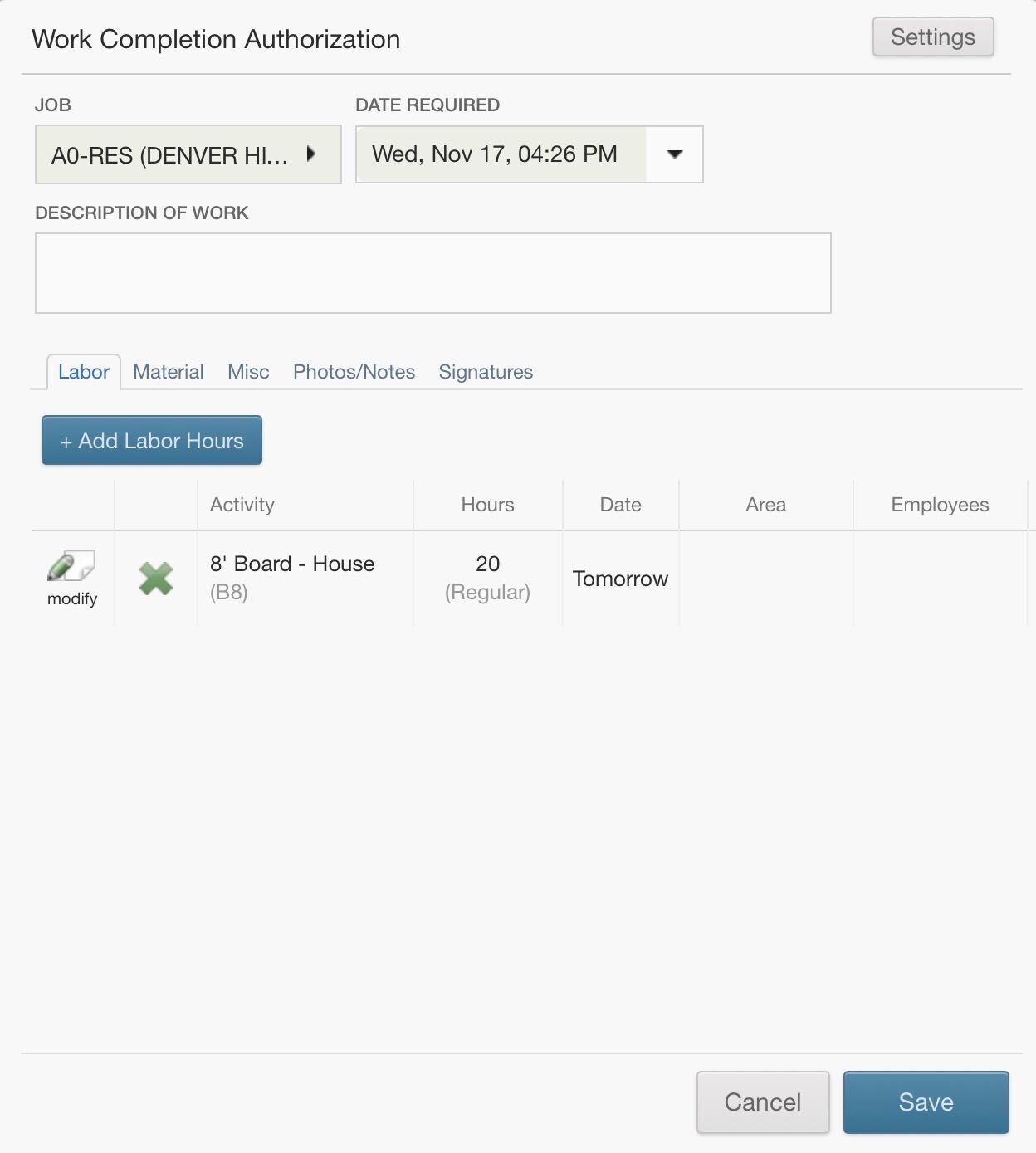
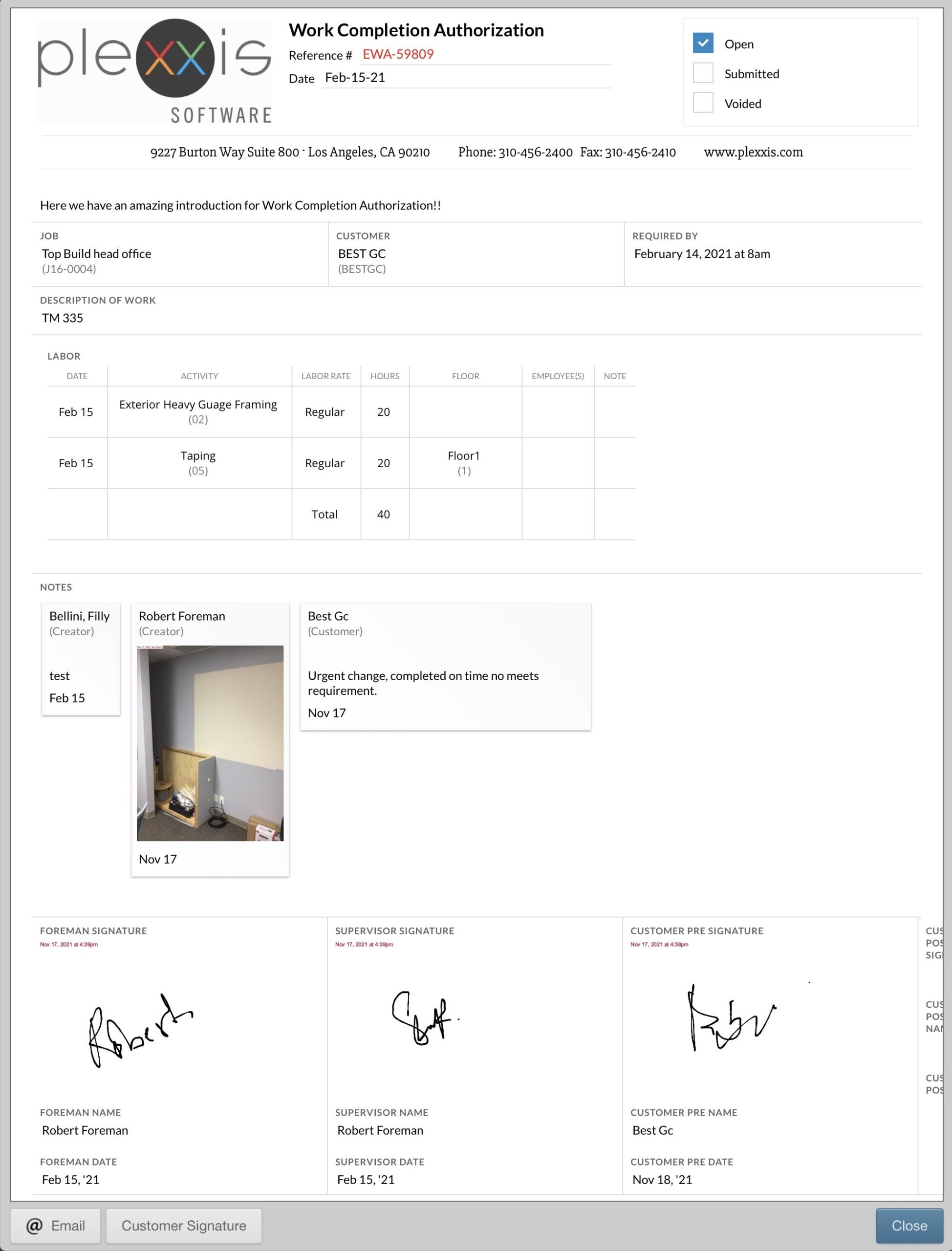
The app is a money saver when it comes to T&M tickets & extra work order authorizations. You can come in here and create a new work completion authorization. Add in the labour hours and enter in the material (from either the working budget or all items in the database). We always recommend collecting as much evidence to act as supplementary documentation to help you get paid. Take pictures and upload them to the photos/notes section. Lastly, get the signatures you need. When you complete this T&M ticket, it creates the actual PDF itself that goes out into the real world. This is important because when you go to get the customer signature, it’ll overlay on top of the PDF that they see they are signing, and that’s critical for them to get the signature. You can get the customer’s signature on the spot, and they can enter in their name.
What’s cool about the T&M ticket app is that it is a hyper-converged super app. That T&M ticket will automatically go into the contract screen and automatically price out according to the pre-sets set in the job. All the project managers must do is just validate that the information is correct before they send it out, and it sends out a complete package with the actual change order and the T&M ticket copy right in the exact same package. This way, you have all the evidence that you need to help you get paid.
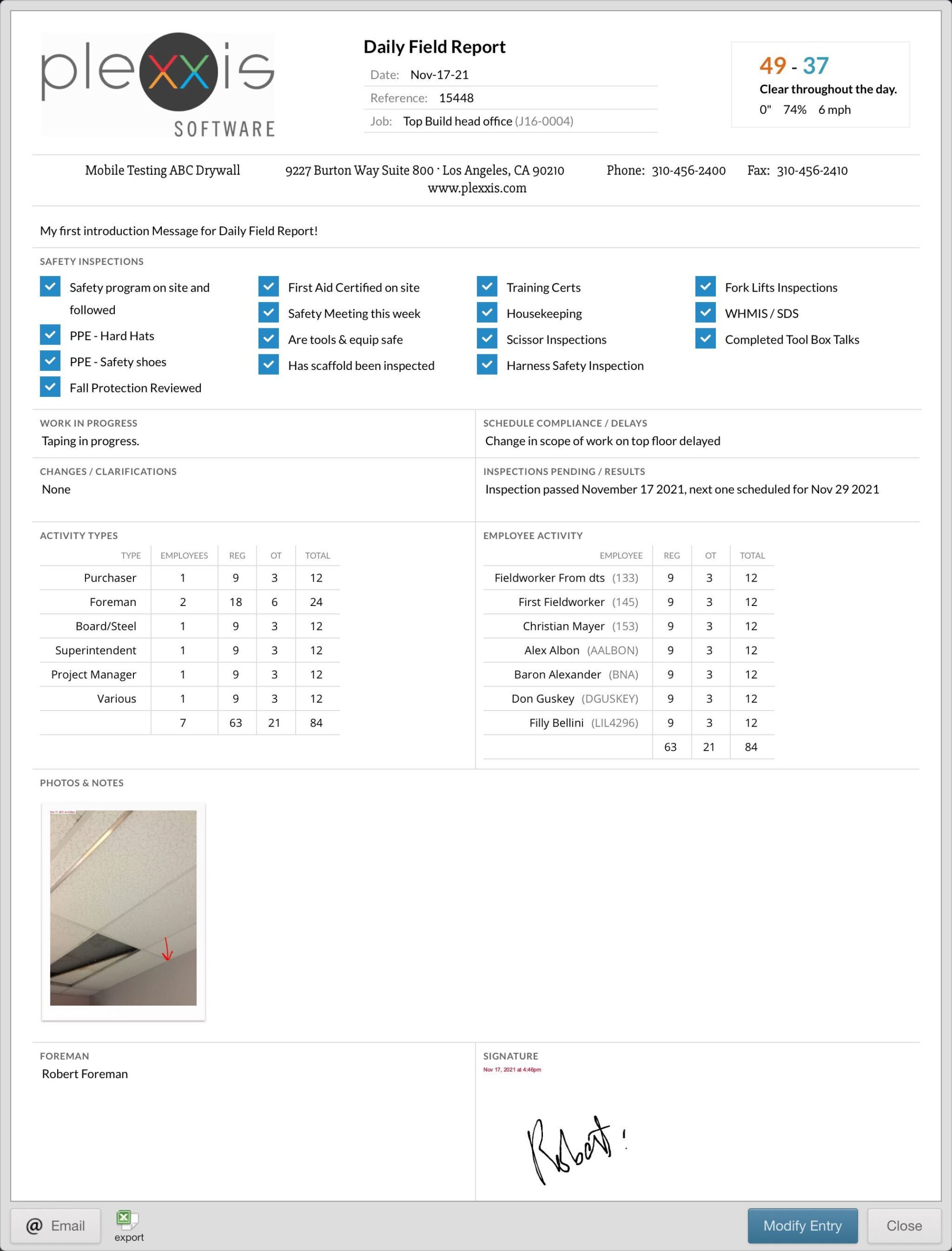
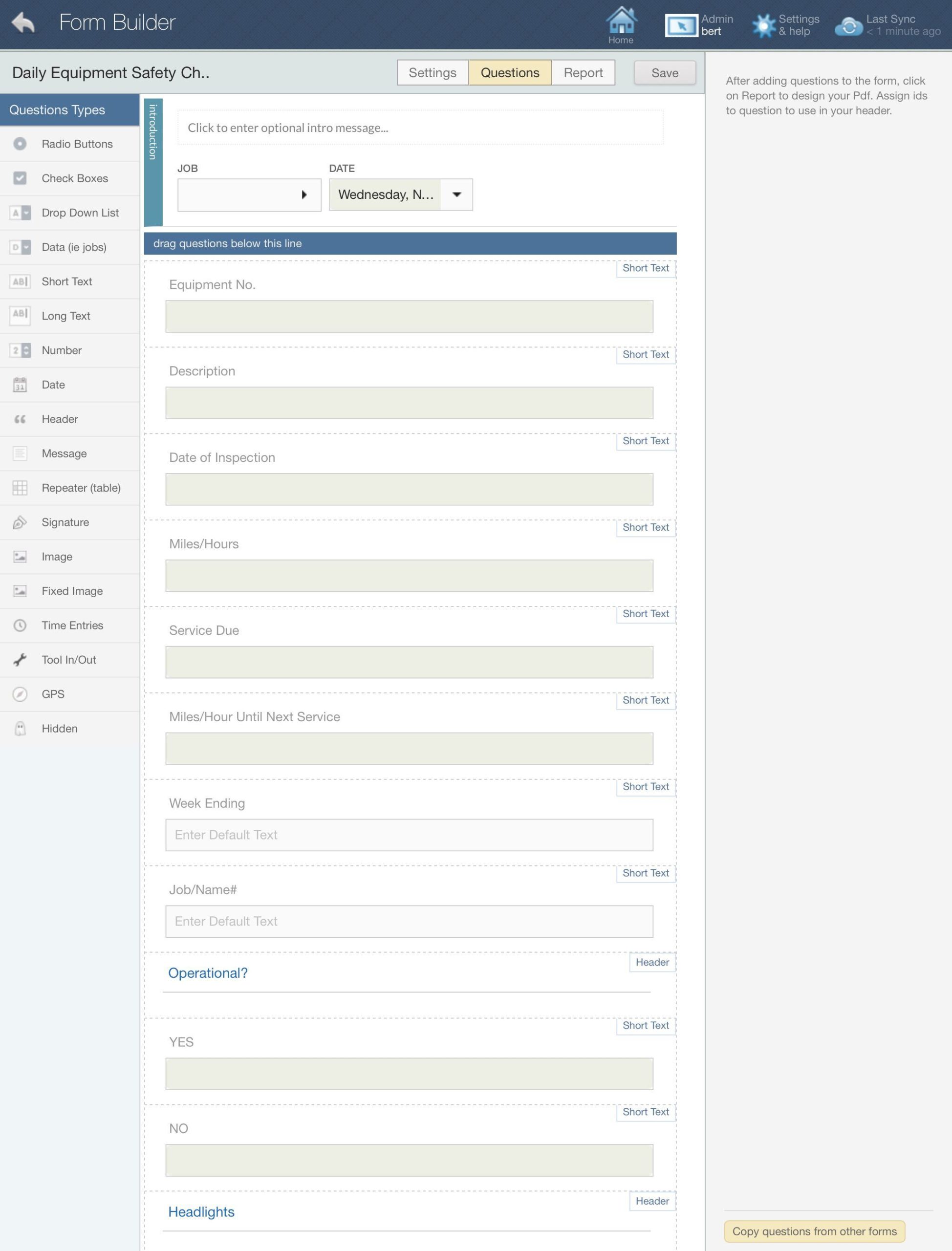
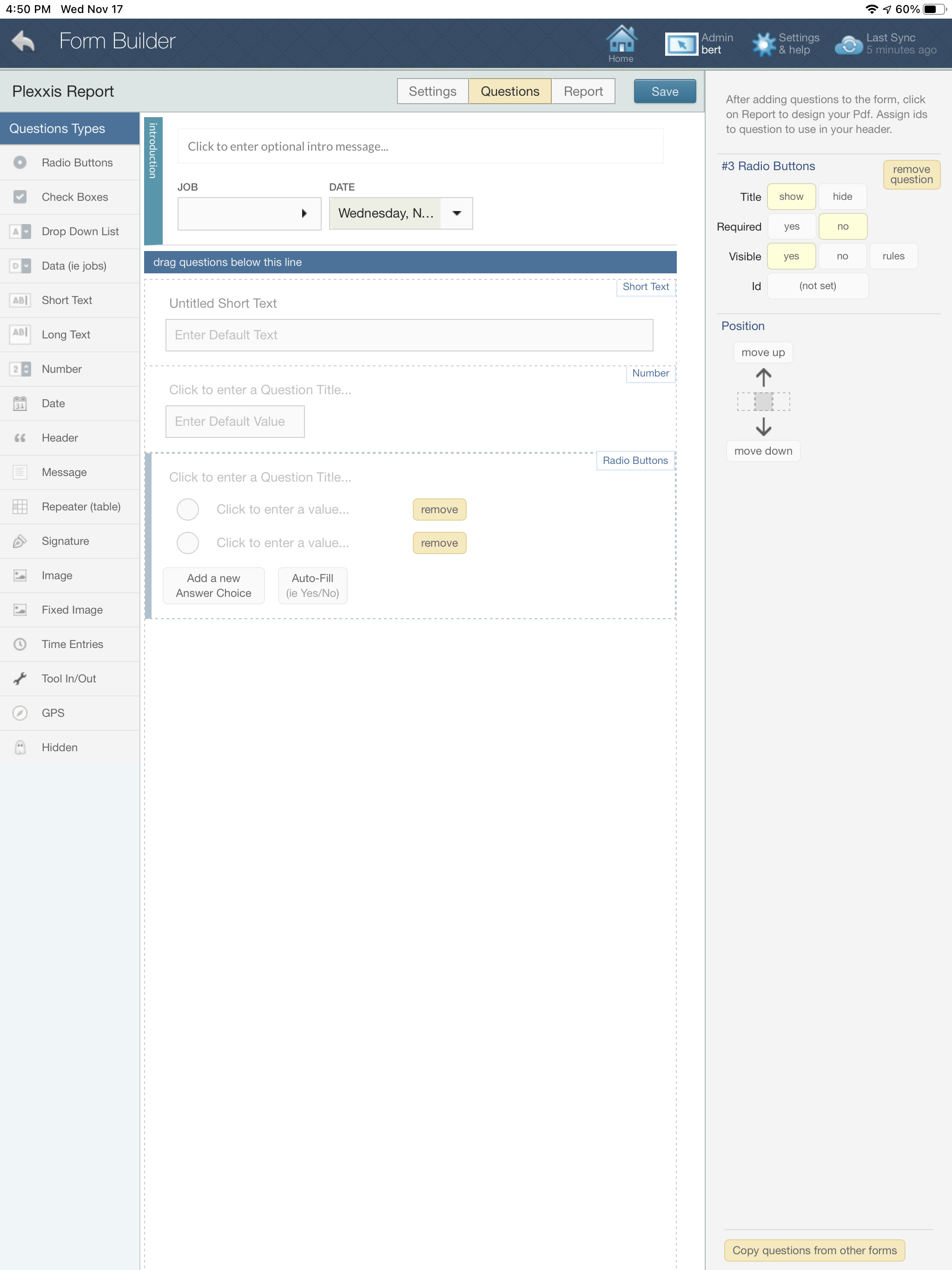
Custom forms, foreman dailies, job photos, and notes can all be done in this app. It’s a super app. You don’t have to go into other applications to complete your core field tasks. It is all in one place, one app, no setup. Here is a simple example of a foreman’s daily field report. If you click on the manage forms button, you can create your own custom form and as many as you want. It’s effortless to do so. All you need to do is drag in the sections you require. If you want signature fields or all your time entries from the day, just drag in those fields. Yes, this is a complete labour management and time tracking app as well. We’re going to cover that topic in another blog.
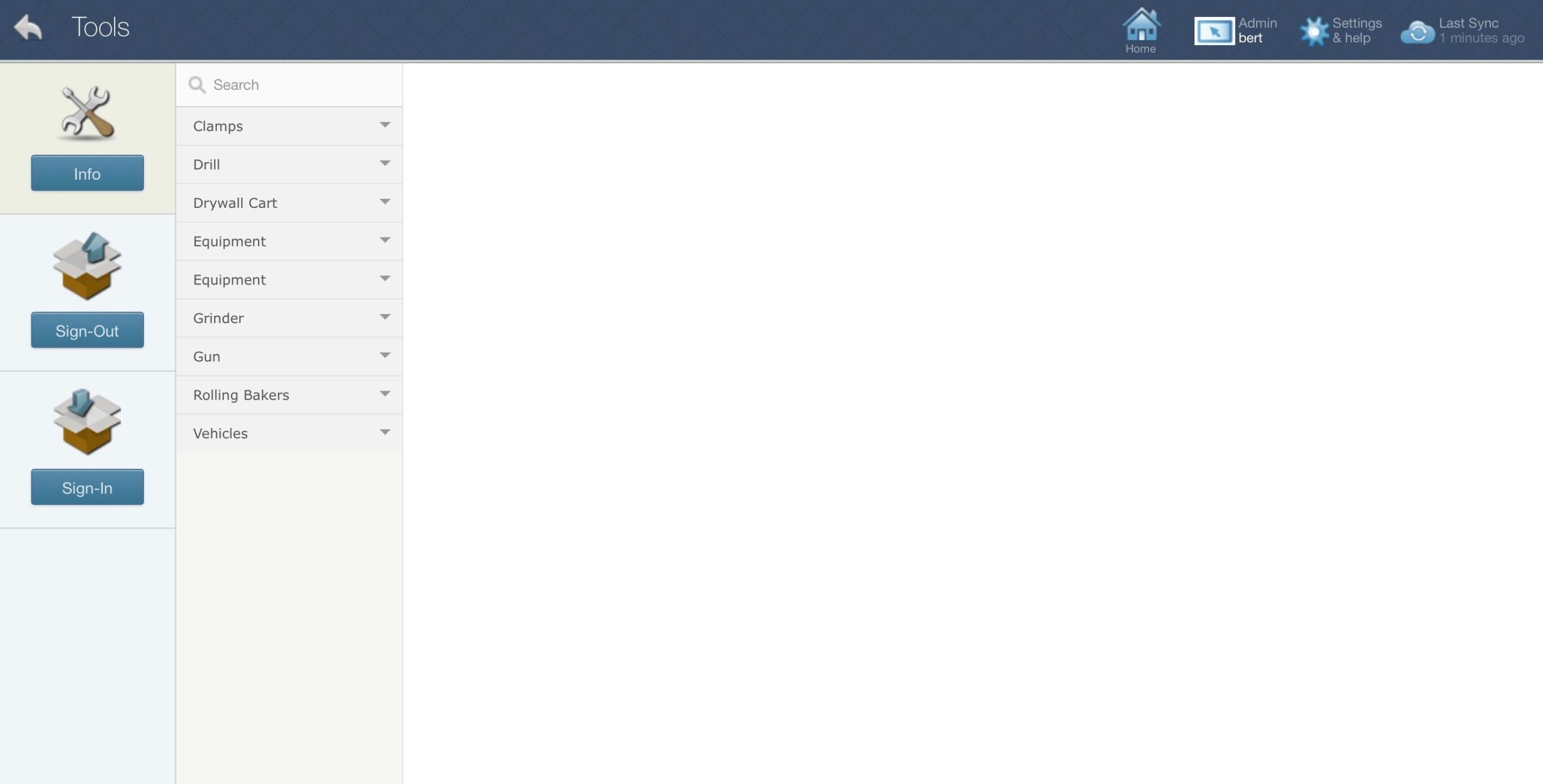
The super app also offers a tools and equipment section for easy sign-in and sign-outs. This is a manual sign-in and sign-out; there is no scanning feature. You can assign employees to equipment and tools or move tools and equipment from job to job or job to employee. All of this is synced with the ERP and the backend.
This is an online and offline app. It doesn’t matter if you are working in an area with poor internet. The information on the app will be as recent as your last sync, and the most important part is that you can complete your task. When you get into an area with a strong Wi-Fi connection, you just need to sync, and everything you did offline will be synced with the ERP.
Purchase Order Requisition From The App With Next To No Typing
Create and send material requests from the iPad with next to no typing as all item catalogues and budgeted items are available for quick selection. The Plexxis digitized workflow enables material requests to be converted into purchase orders easily. So, the number of actions required to complete the transaction is exponentially reduced.
Employee Safety Certificates and Experience Level Viewing
Enable foreman and supervisors to assign the right employee for the right job with the appropriate skills, experience, and safety certifications. Plexxis automatically distributes employee information that helps improve productivity.